

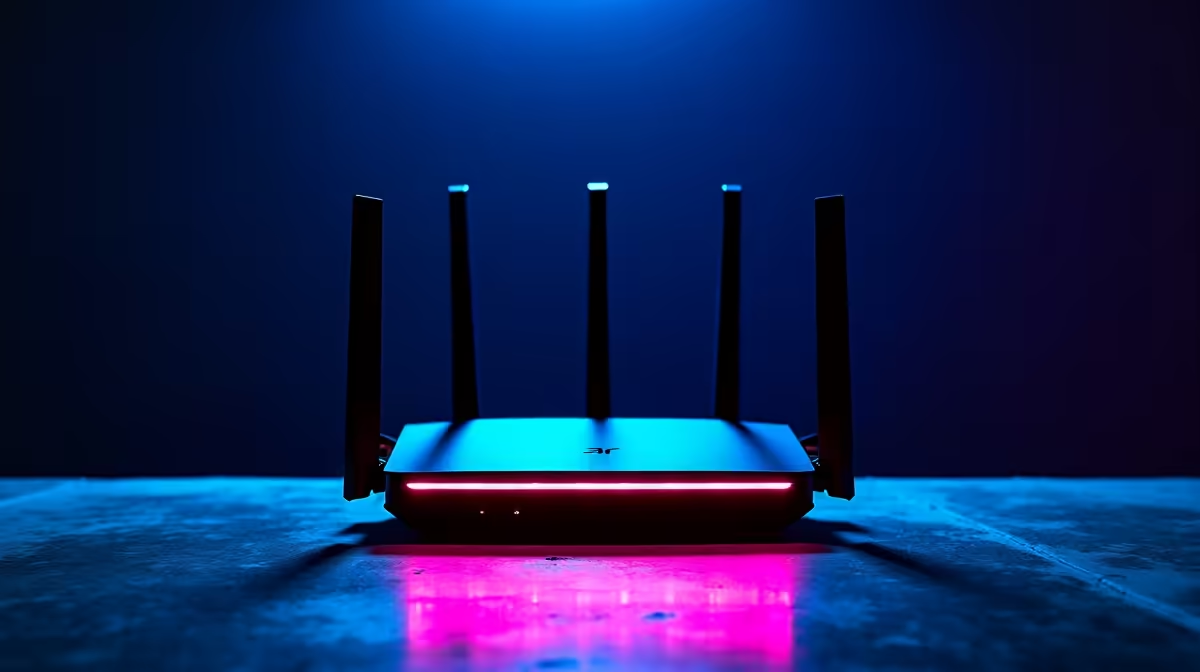
Quick Answer
The best mid-range networking equipment in the R8,000 to R15,000 price band in South Africa includes Wi-Fi 6 and Wi-Fi 6E routers, managed network switches, and mesh systems capable of covering larger homes and small offices. This budget is sufficient for a professional-grade network that handles fibre speeds up to 1Gbps reliably.
Why Mid-Range Networking Matters in South Africa
Fibre rollout across South Africa has accelerated significantly. Johannesburg suburbs, Cape Town residential areas, Durban North, and university towns like Stellenbosch and Potchefstroom now see widespread fibre availability. With faster fibre tiers becoming more affordable, the bottleneck is no longer the line speed but the networking equipment between the ONT and your devices.
Entry-level ISP-supplied routers cap out well below the theoretical speed of most fibre packages. Replacing that hardware with purpose-built mid-range networking gear is one of the highest-impact upgrades you can make to your home or small-office network. The R8,000 to R15,000 range gives you access to equipment that supports Wi-Fi 6 (802.11ax) or Wi-Fi 6E, MU-MIMO, OFDMA, and in some cases built-in QoS features that prioritise traffic intelligently.
What to Look for in a Mid-Range Router
Wi-Fi 6 should be your baseline in 2026. Older Wi-Fi 5 routers are still sold, but Wi-Fi 6 delivers meaningfully better performance in dense environments where multiple devices connect simultaneously. South African households with fibre increasingly run smartphones, smart TVs, laptops, security cameras, and IoT devices all at once. Wi-Fi 6's OFDMA technology handles this concurrent load more efficiently than older standards.
Tri-band Wi-Fi 6 or Wi-Fi 6E routers in this range add a third radio band, which is particularly useful if you have a home office separate from your main living area. The dedicated backhaul band on a mesh system prevents the congestion that plagues dual-band mesh setups.
For South African loadshedding resilience, look at routers with low power draw so they can run off a desktop UPS during a stage 2 outage. Many routers in this range consume under 30 watts, making a 1000VA UPS capable of keeping your network alive for an hour or more.
Network Switches and Structured Cabling
A mid-range router is only part of the picture. Homes and offices with wired Ethernet connections see significantly lower latency and higher throughput than those relying on Wi-Fi alone. A managed or unmanaged gigabit switch in the R500 to R2,000 range complements your router by adding wired ports for desktop PCs, network-attached storage, and smart TVs.
At the higher end of the R8,000 to R15,000 budget, 2.5Gbps switches are now available and make sense if you are connecting a NAS or workstation that benefits from multi-gigabit speeds internally. These switches pair well with routers that include a 2.5G WAN port.
For small offices across Pretoria, Midrand, or Cape Town business parks, a PoE (Power over Ethernet) switch unlocks the ability to run access points without separate power supplies at each location. This simplifies cabling and reduces the number of power points needed.
Mesh Systems for Large Homes and Coverage Gaps
Many South African homes, particularly older properties in suburbs like Rosebank, Constantia, or Morningside, have thick walls, multiple levels, or a detached cottage that creates Wi-Fi dead zones. A mesh system with two or three nodes solves coverage problems that a single router cannot.
Mesh systems in the R8,000 to R15,000 range use a dedicated wireless backhaul or wired Ethernet backhaul to communicate between nodes without degrading the bandwidth available to client devices. Ethernet-backhaul mesh is the better choice where you can run a cable between nodes. Wireless-backhaul mesh works well in properties where running cable is impractical.
Delivery of networking gear from Johannesburg-based stock typically reaches Gauteng within one business day, and most major centres including Durban, Cape Town, and Bloemfontein within two to three business days.
FAQ
What is the best Wi-Fi 6 router in the R8,000 to R15,000 range in SA?
Several Wi-Fi 6 and Wi-Fi 6E tri-band routers fall into this budget. The key specs to prioritise are OFDMA support, at least four gigabit LAN ports, USB for storage sharing, and a 2.5G WAN port if your fibre package exceeds 1Gbps. Research current pricing at SA retailers to find the best value at the time of purchase.
Is Wi-Fi 6E worth the premium over Wi-Fi 6 in South Africa?
Wi-Fi 6E adds the 6GHz band, which offers less interference and higher throughput over short distances. It is worth the premium if you have many modern Wi-Fi 6E devices and a busy spectrum environment. In rural areas or smaller homes with fewer connected devices, the difference is less noticeable in practice.
Can I use a mid-range router to handle loadshedding better?
Yes. Connecting your router and fibre ONT to a UPS ensures your internet connection stays alive during load shedding. A 650VA to 1000VA UPS can typically keep a router and ONT running for 60 to 90 minutes, which covers most scheduled outage windows.
Do I need a managed switch for a home office in South Africa?
For most home offices, an unmanaged gigabit switch is sufficient and easier to set up. Managed switches add features like VLAN segmentation, traffic prioritisation, and port monitoring, which are valuable in a small business environment but unnecessary for personal home use.
Ready to Find Your Perfect Match? Upgrade your home or office network with quality Wi-Fi 6 and networking hardware available for delivery across South Africa. Shop Networking Equipment at Evetech











