


Best Monitor for RX 9070: Resolution & Refresh Rate Match 2026
Top Monitor for RX 9070: Resolution & Refresh Rate picks evaluated on performance, value & SA availability with current Rand pricing from Evetech.
Read moreFind the best dual-connectivity gaming mice with Bluetooth and 2.4GHz plus programmable buttons. This smart buyer guide helps you choose latency, range, and comfort fast. 🎯🖱️
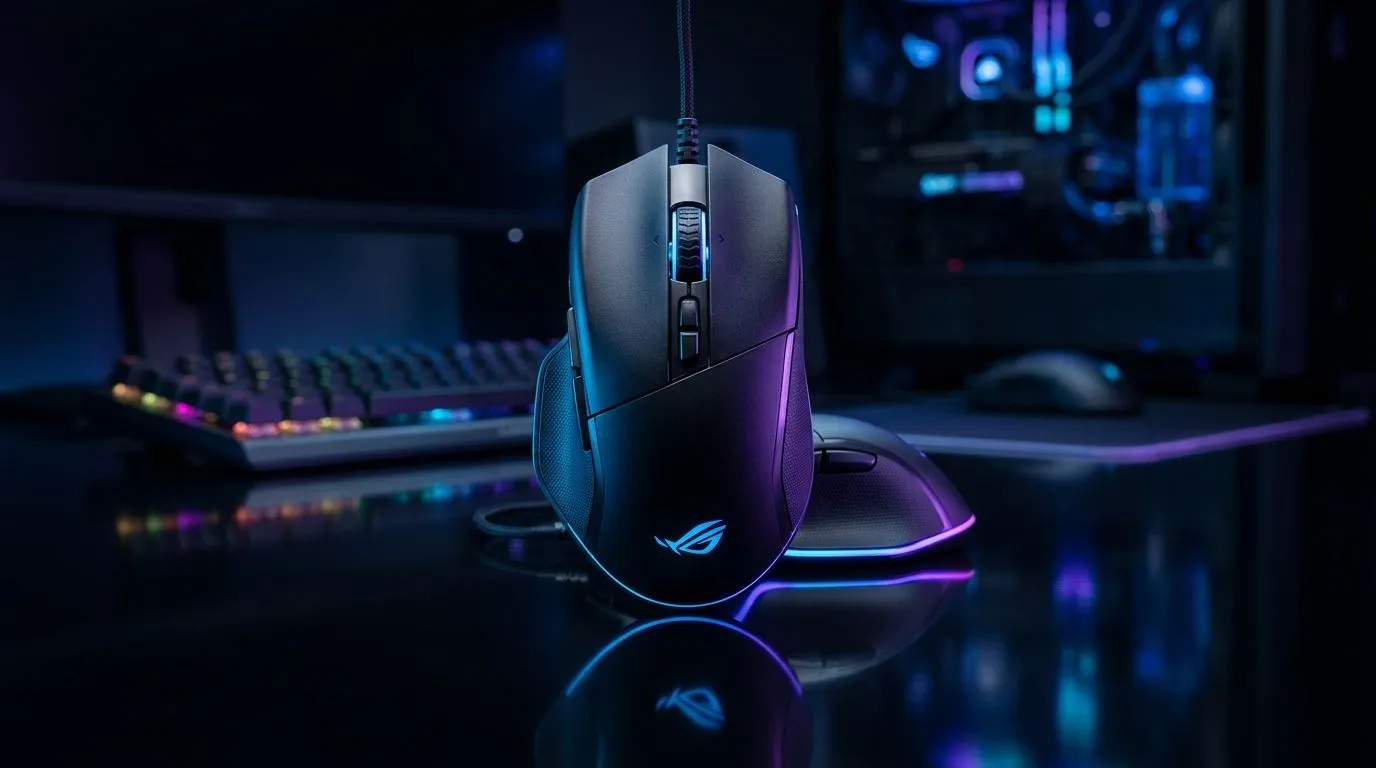
If you play on a laptop at home, in the office, or at LAN with the boys, lag and pairing hassles are the last thing you want. A dual-connection gaming mouse gives you options: fast 2.4GHz for serious matches, then Bluetooth when you’re trying to keep your setup clean. In South Africa, where desks, power, and travel vary… flexibility wins. 🎮✨
In this guide, we’ll break down what to look for in dual-connectivity gaming mice with Bluetooth and 2.4GHz guide buying decisions, plus how to stop your cursor “acting weird” after you switch devices.
Most dual-connection gaming mice let you choose between:
The key practical point? You’re not forced to pick one lifestyle. You can run 2.4GHz for ranked, then switch to Bluetooth for browsing, Discord, and school work.
For wired players asking “Is wireless good enough?”, yes. Modern 2.4GHz gaming wireless can feel very close to wired for many players, especially when the mouse has good sensors and a stable wireless connection.
When shopping, don’t just chase RGB or brand names. Here’s a grounded checklist:
Look for a mouse designed for gaming, not generic office use. Evetech’s gaming range is grouped by performance-focused gear, and you can browse compatible options there. 🚀
Check that the mouse can reliably switch between Bluetooth and its wireless mode. If the mouse supports multiple device pairing profiles, that’s a bonus for people who bounce between work and play.
If you’re a long-session gamer, battery matters. Prefer mice with clear battery expectations and reliable charging, especially during travel weeks.
A comfortable shape beats “specs only”. If your hand cramps, your aim suffers.
two connection presets: set your gaming laptop to 2.4GHz and your daily device (like a phone or tablet) to Bluetooth. Then switch using the mouse button, not Windows Bluetooth menus. It reduces mis-pairing after you carry your setup between locations.
If you’re ready to pick up the right mouse and matching accessories, start with Evetech’s dedicated sections. These are handy when you’re comparing styles and connection types quickly:
Want a shortcut? Use deal pages to find models that fit your budget, especially when you’re trying to stay under your monthly tech spend (in ZAR):
And if you’re specifically shopping for gaming-focused models by category, start here:
In general, 2.4GHz is designed for low latency wireless. Bluetooth can be great for convenience, but for competitive play many users prefer 2.4GHz.
Set your primary device to 2.4GHz and keep Bluetooth for secondary use. Avoid pairing two devices at once unless the mouse supports smooth switching with profiles.
If you regularly switch between laptop and other devices, yes. If you only use one PC at home, a simpler wired or single-mode wireless mouse might be better value. Either way, choose based on your routine, not hype. ✅
Ready to Find Your Perfect Match? The Mac vs Windows debate is complex, but for maximum power, choice, and value in South Africa, Windows is hard to beat. Explore our massive range of laptop specials and find the perfect machine to conquer your world.
It lets you switch between Bluetooth and a 2.4GHz wireless dongle for lower latency or easier laptop pairing, often with programmable buttons.
Most players prefer 2.4GHz for lower latency and consistent response. Bluetooth can be great for convenience and multi-device use.
Yes. Many models offer software profiles so you can map programmable buttons to actions per game, improving speed and consistency.
Typical ranges are several meters depending on interference and dongle placement. Real-world distance varies, so check the brand’s specs.
Usually, yes. You can use Bluetooth for your laptop and switch to the 2.4GHz dongle for your desktop, depending on device compatibility.
Prioritize reliable switches, durable side grips, comfortable shape, and responsive sensor performance, especially if you use programmable buttons often.
Often, yes for full customization. Some mice allow onboard profiles, letting you keep mappings when you switch connections.
Higher polling or advanced wireless features can reduce battery life. Compare battery specs and your usage patterns to pick a balance.
Top Monitor for RX 9070: Resolution & Refresh Rate picks evaluated on performance, value & SA availability with current Rand pricing from Evetech.
Read more
Valorant Settings on RX 9060 XT: Performance. Real-world benchmark data, FPS numbers & performance analysis. What SA gamers can actually expect.
Read more
Top Monitor for RTX 5060: Resolution & Refresh Rate picks evaluated on performance, value & SA availability with current Rand pricing from Evetech.
Read more
Top GPU and CPU Pairing for Mid-Range picks evaluated on performance, value & SA availability with current Rand pricing from Evetech.
Read more
Top GPU for Civilization VII: Every Resolution Tested picks evaluated on performance, value & SA availability with current Rand pricing from Evetech.
Read more
Top Case for RTX 3050: Airflow & Size Compatibility picks evaluated on performance, value & SA availability with current Rand pricing from Evetech.
Read more
RX 7800 XT The Witcher 4 Low Settings at 1440p. Real-world benchmark data, FPS numbers & performance analysis. What SA gamers can actually expect.

RTX 5070 GTA 6 High Settings at 1440p: FPS Results. Real-world benchmark data, FPS numbers & performance analysis. What SA gamers can actually expect.

Does RTX 5070 Run Hot in South African Climate Detailed answer with SA data, expert analysis & practical recommendations for local buyers.

How Long Will the RX 7900 XTX Last for Gaming Detailed answer with SA data, expert analysis & practical recommendations for local buyers.

Every spec on PCIe 5.0 explained in plain English. What matters for gaming and creator work in 2026, what's marketing fluff, and how each number translates to real-world performance.

Every spec on bios explained in plain English. What matters for gaming and creator work in 2026, what's marketing fluff, and how each number translates to real-world performance.

Every spec on gaming setups explained in plain English. What matters for gaming and creator work in 2026, what's marketing fluff, and how each number translates to real-world performance.

Every spec on cooling systems explained in plain English. What matters for gaming and creator work in 2026, what's marketing fluff, and how each number translates to real-world performance.

Top RTX 5070 Under R25,000 picks evaluated on performance, value & SA availability with current Rand pricing from Evetech.

Core i5-14600K + B760 + RTX 5060 Build Under. Full parts list, Rand pricing & expected performance. Build confidently with SA-available components.
Top Monitor for RX 9070: Resolution & Refresh Rate picks evaluated on performance, value & SA availability with current Rand pricing from Evetech.
Valorant Settings on RX 9060 XT: Performance. Real-world benchmark data, FPS numbers & performance analysis. What SA gamers can actually expect.