

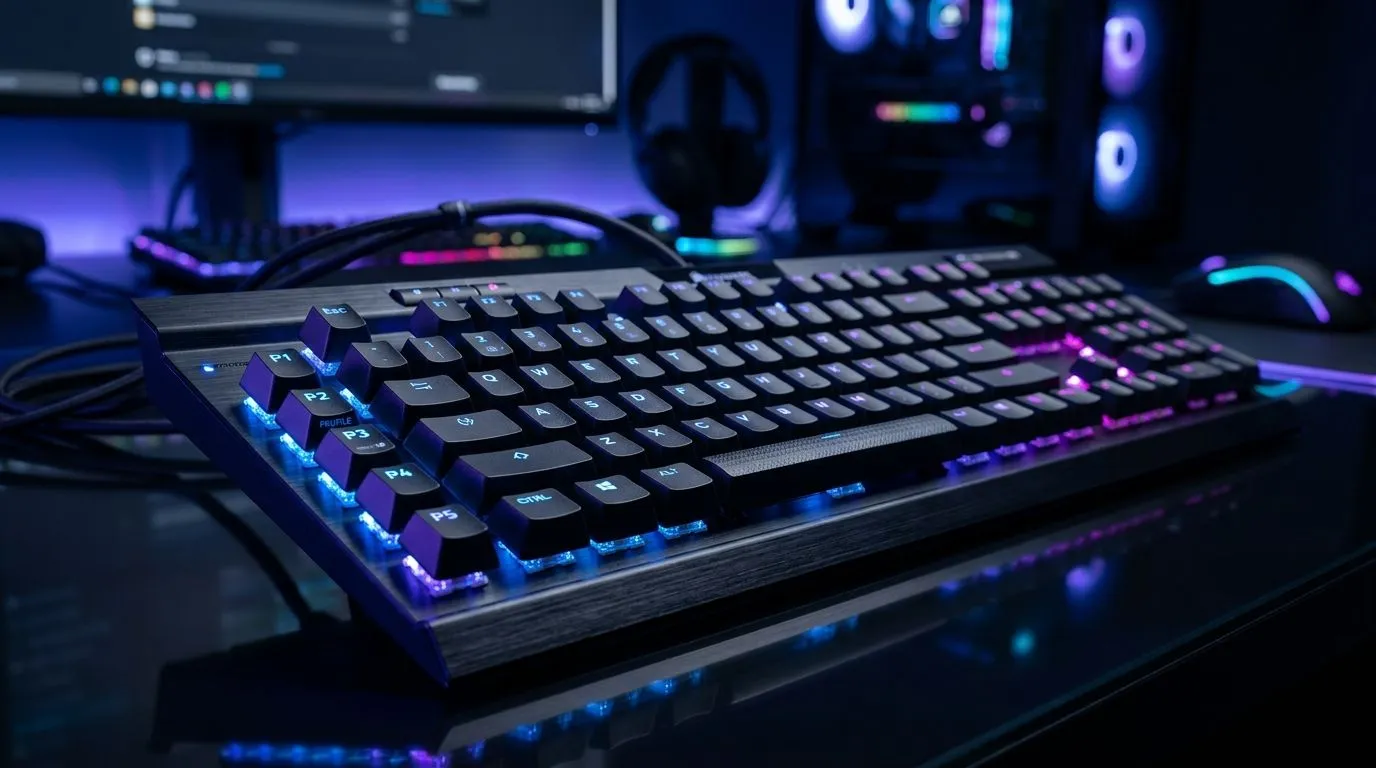
Gaming Keyboard With 5 On-Board Profiles: Worth It?
If you play on PC and you’ve ever rage-swapped settings mid-match, you’ll feel the pain. You want your keyboard to remember your best layout… and switch fast. But is a gaming keyboard with 5 on-board profiles actually useful, or just marketing gloss? 🎮 For South African gamers tuning RGB, macros, and key binds for different games, the answer depends on how you use your setup, and whether you need portability between PCs.
In this guide, we’ll break down what “5 profiles” really means in practice, when it’s worth paying more, and what to check before you click buy.
Gaming Keyboard With 5 On-Board Profiles: What “Profiles” Should Do 🔧
On-board profiles usually let the keyboard store multiple sets of settings (like key remaps, macro assignments, and lighting modes) directly in the device. That matters if you ever:
- plug your keyboard into a different PC (LAN days or a friend’s rig),
- game on a shared workstation,
- or want consistent behaviour without installing software every time.
Five profiles gives you room for common setups like:
- FPS binds (low sensitivity, fast movement keys),
- MOBA/RTS commands,
- MMO macros,
- a productivity profile (work/school),
- a “chill” profile for a different lighting style.
The “worth it” part comes down to whether your keyboard actually switches profiles reliably, and whether those profiles save the settings you care about.
What to verify before paying a premium ✨
Before you commit, look for these features in the product details:
- Hardware switching: confirm you can change profiles using the keyboard itself.
- What is saved per profile: some boards store RGB only, while others store key binds and macros too.
- Software requirements: if you need the software for every change, on-board profiles only help after setup.
If you’re building a full gaming rig, match your keyboard choice with the right overall budget by browsing Evetech deals here: Gaming keyboard deals
Gaming Keyboard With 5 On-Board Profiles: When It’s Worth Paying More ⚡
Let’s ground this in real SA gamer scenarios. Suppose you play Valorant after work, but you edit clips on the weekend. You set:
- Profile 1: combat key binds and a clean RGB cycle.
- Profile 2: editing shortcuts and a calmer lighting mode.
On-board profiles make the keyboard feel “ready” the moment you switch your workflow. That’s the practical advantage… not the number on the box.
Five profiles is also handy if you’re like many players in South Africa who share a desk setup at home. Different family members, different games, same keyboard.
A quick micro-check: “Do I actually need 5?”
Ask yourself:
- Do you switch games often across the same PC? If yes, multiple profiles help.
- Do you travel between PCs (LAN or study/work hardware)? If yes, on-board storage becomes more valuable.
- Do you only ever use one key layout and keep RGB simple? Then 5 profiles might be overkill.
For beginners, a keyboard that gets the basics right is still the smart play. If you want options across price points, start here: Buy the cheapest gaming keyboard in South Africa (wired options)
And if you’re going wireless, the same “profile usefulness” rule applies. Just double-check power and latency expectations on the specific product page, not in vague reviews. Browse: Buy the cheapest gaming keyboard in South Africa (wireless options)
Productivity Pro Tip ⚡
On Windows, use the PowerToys FancyZones utility to create custom snap layouts for your windows. It's a lifesaver for managing multiple apps on an ultrawide monitor, letting you organise your timeline, preview window, and asset folders perfectly for video editing.
Gaming Keyboard With 5 On-Board Profiles: Keyboard vs Combo Value (South Africa) 🎮
Sometimes the “worth it” question isn’t about profiles alone. It’s about value. If you already need a mouse, a keyboard-mouse combo can stretch your budget further than buying separately, especially when you’re upgrading for school, esports, or a new PC build.
For bundle-minded buyers: Buy a keyboard and mouse combo
And if you want to compare broader keyboard picks without getting stuck in spec overload, use this overview page: Cheapest gaming keyboard options in South Africa
Gaming Keyboard With 5 On-Board Profiles: Final Verdict
A gaming keyboard with 5 on-board profiles is worth it when you genuinely use multiple setups and want instant switching. If your gaming life is consistent, and you don’t move between PCs, you may not benefit much. But if you switch between FPS, strategy, work, and different hardware… five profiles can feel surprisingly “right”.
Ready to spend smarter? Choose a keyboard that saves the settings you care about, supports hardware switching, and fits your budget in ZAR.
Ready to Find Your Perfect Match? If you’re building a rig for FPS sweat sessions, study sessions, and everything in between, the right keyboard can make life easier. Browse keyboard and gaming deals on Evetech and lock in a setup that fits your style.











