

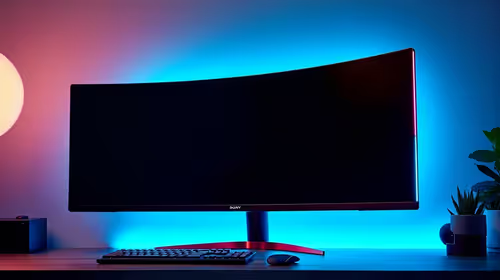
Best Monitor for 2nd Year UWC Students in SA
Top Monitor for 2nd Year UWC Students picks evaluated on performance, value & SA availability with current Rand pricing from Evetech.
Read moreFind a gaming mouse for productivity that boosts remote work and still delivers weekend FPS performance 🎮💼. Get key specs, comfort tips, and South Africa-ready buying guidance.
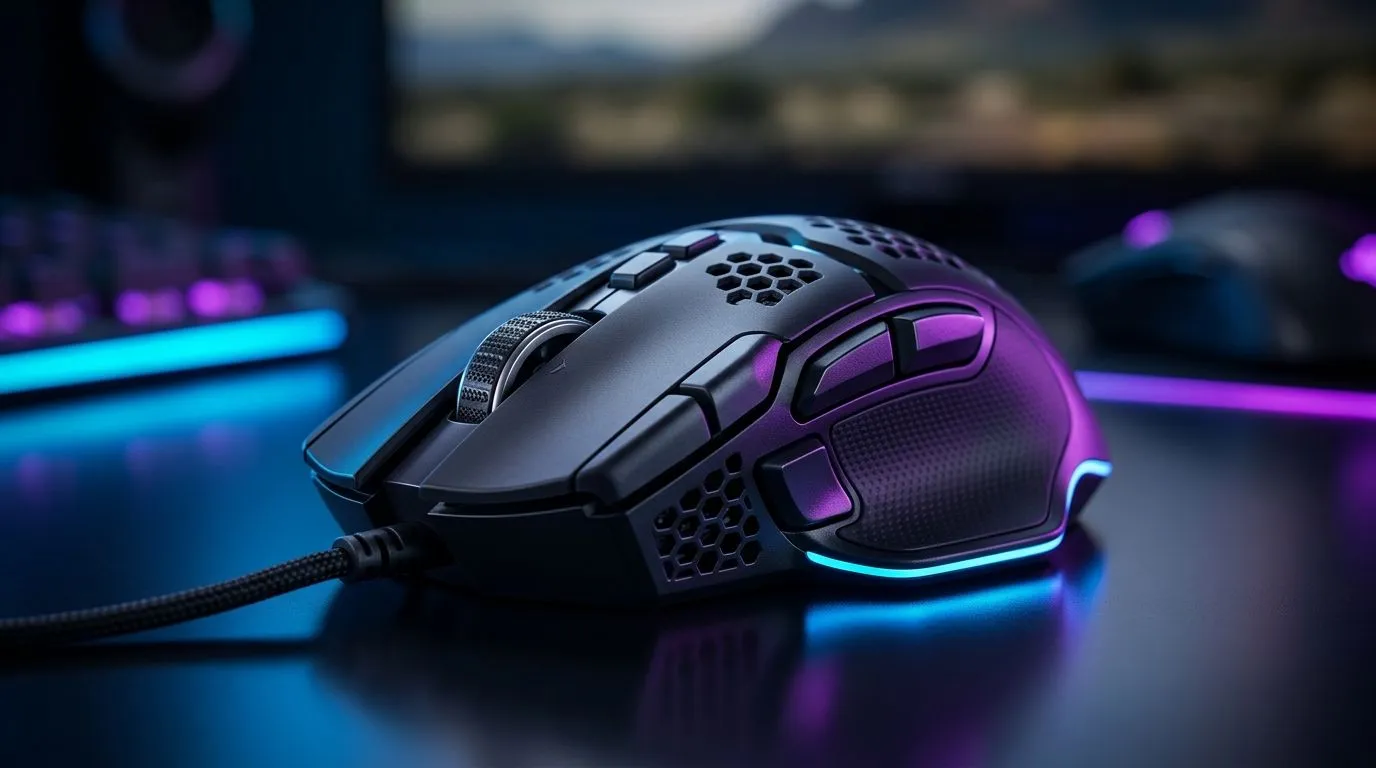
If your desk has to do double duty, your mouse should too. One minute you are in spreadsheets, the next you are chasing a late-night win in Apex or CS2. That is where a gaming mouse for productivity earns its place. It is built for speed, comfort, and control... which matters just as much in a Zoom-heavy workday as it does on a weekend raid. 🔧
The best part? You do not need two separate setups. A good gaming mouse can support work, editing, browsing, and play without feeling like a compromise. For South African buyers, that means one purchase, less desk clutter, and better value in rand terms.
A standard office mouse is fine for email. But once you start switching between tabs, dragging timelines, or doing precision work, better ergonomics and higher accuracy start to matter.
A gaming mouse for productivity usually gives you:
That combination is useful in real life. Think of an accountant in Sandton who uses Excel all day, then unwinds with Dota 2 at night. Or a creator in Cape Town who edits thumbnails, manages folders, and still wants a fast sensor for Valorant. Same mouse. Different mission.
For accessories that pair well with a flexible setup, check the mouse accessories range.
This is usually the first decision. Wired mice are simple, reliable, and often cheaper. Wireless mice bring cleaner desks and more freedom of movement. Neither is “better” for everyone.
If you want zero charging stress and a predictable connection, browse wired mouse options. If you prefer a cleaner workspace and fewer cable tangles, take a look at wireless mouse choices.
For remote work, wireless can feel more polished. For budget-conscious buyers, wired often delivers stronger value. In South Africa, where every rand matters, that trade-off is worth thinking through properly.
On Windows, use the PowerToys FancyZones utility to create custom snap layouts for your windows. It helps you organise email, chat, browser, and work apps without constantly resizing everything by hand.
Not every gaming mouse is built the same. The right choice depends on how you work and play.
If you use your mouse for eight hours or more, shape matters more than flashy lighting. Look for a design that fits your grip style. Palm, claw, or fingertip all feel different.
Extra buttons help with productivity. You can map browser back, copy-paste, mute, or in-game abilities. That is where a gaming mouse for productivity really starts earning its keep.
You do not need the biggest number on the box. You need consistent tracking. That is more useful than marketing hype.
Lighter mice feel quicker. Heavier mice can feel steadier. There is no universal winner here.
If you are shopping for the best value, keep an eye on local deal pages. The best gaming mouse deals page is a smart place to compare options in ZAR.
A reliable mouse can quietly improve how you work. You notice it when your hand does not ache after meetings. You notice it when switching apps feels smoother. You notice it again when you sit down for a Friday night session and everything just works.
That is why this category matters. It is not only about FPS performance. It is about comfort, consistency, and getting more done with less friction.
If you want to browse broader options, explore the main gaming mouse selection. It is a good way to compare features across different price points before you commit.
A smart mouse choice can simplify your setup and improve both work and play. For South African users, the sweet spot is usually clear: choose a comfortable shape, decent buttons, and a connection type that suits your routine. Then match that with your budget.
If you are already juggling work tabs and weekend matches, you probably do not need more gear. You need better gear.
Ready to Find Your Perfect Match? The Mac vs Windows debate is complex, but for maximum power, choice, and value in South Africa, Windows is hard to beat. Explore our massive range of laptop specials and find the perfect machine to conquer your world.
A gaming mouse for productivity blends fast tracking with office-friendly controls. It suits remote workers who also game on weekends.
Prioritise ergonomic shape, adjustable DPI, low-latency wireless (or reliable wired), programmable buttons, and a smooth scroll for precision tasks.
Yes. Use programmable buttons and macro setup for quick app switching, copy-paste actions, and repeat workflows without breaking focus.
Often, yes. Choose stable wireless with low-latency and good battery life, especially for remote work on laptops and desk setups.
Use a comfortable low DPI for accuracy in spreadsheets and UI, then switch to higher DPI for aiming in games. Save profiles per application.
Create separate profiles for office apps and games. Assign button macros for productivity and game actions for consistent performance.
It can. Look for a shape that matches your grip style, proper weight balance, and supportive side comfort to reduce strain.
Confirm local availability, warranty support, connectivity options for your laptop, and availability of drivers for macro and profile features.
Top Monitor for 2nd Year UWC Students picks evaluated on performance, value & SA availability with current Rand pricing from Evetech.
Read more
Top Monitor for 2nd Year DUT Students picks evaluated on performance, value & SA availability with current Rand pricing from Evetech.
Read more
Top Desk for a Triple Monitor Setup picks evaluated on performance, value & SA availability with current Rand pricing from Evetech.
Read more
Top UPS for Dual Monitor Setup During Load Shedding picks evaluated on performance, value & SA availability with current Rand pricing from Evetech.
Read more
Top Monitor for Starcraft 2 picks evaluated on performance, value & SA availability with current Rand pricing from Evetech.
Read more
Top Monitor for Photo Editing picks evaluated on performance, value & SA availability with current Rand pricing from Evetech.
Read more
CS2 Low FPS: Monitor Bottleneck. Real-world benchmark data, FPS numbers & performance analysis. What SA gamers can actually expect.

Is AOC a Good Monitor Brand for Gaming in South Africa Detailed answer with SA data, expert analysis & practical recommendations for local buyers.

What Gaming Monitor Can You Get for R20,000. Full parts list, Rand pricing & expected performance. Build confidently with SA-available components.

What Gamers Actually Bought: November Report. Real purchase data from SA retailers revealing what local buyers are actually choosing and why.

Can the RX 7700 XT Handle 1440p 144Hz Gaming. Performance testing verdict with real data & practical recommendations for SA buyers.

Top Laptop with Core i7 + RX 7700S: Picks picks evaluated on performance, value & SA availability with current Rand pricing from Evetech.

RX 7700 XT Black Myth Wukong 2 FPS: Performance. Real-world benchmark data, FPS numbers & performance analysis. What SA gamers can actually expect.

RTX 6080 Gran Turismo 7 PC Performance: FPS Test. Real-world benchmark data, FPS numbers & performance analysis. What SA gamers can actually expect.

Setting Up Monitor Light. Tested & verified settings for best FPS and visual quality on SA hardware budgets.

Assassins Creed Shadows Ultrawide Support: 21:9. Clear setup instructions with SA-specific considerations, troubleshooting tips & recommended components.

Complete Gaming Setup Guide for the Collector. Clear setup instructions with SA-specific considerations, troubleshooting tips & recommended components.

Will the Steam Deck 2 Have an OLED Screen? Leaked. Plain-English explanation of what it means, why it matters & how it affects your buying decisions in SA.