

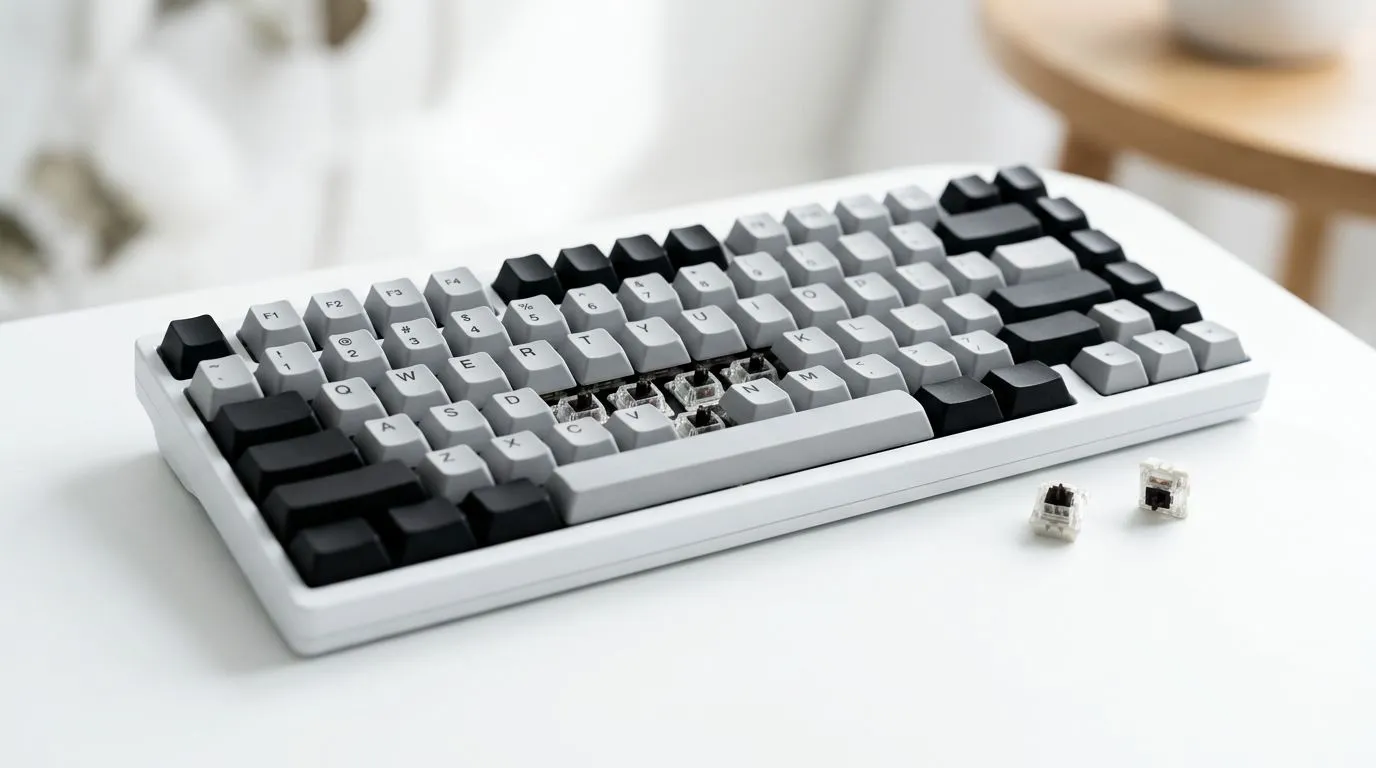
Hot-Swappable Keyboard for Beginners: SA Budget Priorities (That Don’t Bite Back)
If you’re building a setup on a South African budget, one “wrong” purchase can hurt for months. Maybe your switches feel scratchy. Maybe keycaps are too glossy. Maybe you just want quieter typing for late-night gaming sessions… without replacing the whole board. 🔧
A hot-swappable keyboard for beginners: SA budget priorities is the sweet spot. You get upgrade options without soldering, and you can build toward what you actually want over time.
Why Hot-Swappable Matters When You’re Starting Out
Hot-swappable means the keyboard’s switches can be replaced without soldering. That’s huge for beginners, because you can:
- Experiment with feel and sound
- Swap in better options later
- Fix a bad switch without binning the entire keyboard
For SA buyers, this also helps budgeting. You can start “good enough,” then upgrade in steps instead of all at once.
Choosing the Right Hot-Swappable Keyboard for Beginners: SA Budget Priorities
When you’re shopping, focus on what changes your experience immediately:
Switch feel: what you’re actually paying for
Different switches change:
- Key press force (effort)
- Sound profile (thock vs thud vs soft)
- Response style (linear vs tactile vs clicky)
If you’re gaming and typing, consider switches that aren’t too heavy. If you’re sharing space (partner, family, or flatmates), quieter options are a real win.
Connectivity: wired vs wireless in plain terms
Wired is usually best for low latency and consistent performance. Wireless is convenient, but battery management becomes part of your routine.
If you’re unsure, start wired. You can always go wireless later.
Size and layout: don’t buy the wrong form factor
A beginner-friendly board is usually:
- 60% or TKL for desk efficiency
- Full-size if you use numpad shortcuts often
Budget reality in South Africa (in ZAR)
Prices move, but your best value usually comes from buying a board that already includes:
- Decent stabilisers
- A usable layout for your games
- Hot-swap support so future upgrades stay affordable
For current options, browse Evetech’s keyboard deals and budget picks. 🚀
Starter Shopping Paths (Evetech Deals)
If you want to move fast, here are solid places to start before you overthink it:
- If you’re chasing the best value right now, start with these gaming keyboard deals: best gaming keyboard deals at Evetech
- Want to compare budget boards directly? Use this guide for cheapest gaming keyboards in South Africa: buy the cheapest gaming keyboard in South Africa
- Prefer pairing everything in one go? This is useful for desk-ready upgrades: keyboard and mouse combo deals
- If you already know you’ll go wired for consistency, check the wired options here: wired hot-swap keyboard options
- If convenience matters more for your setup, browse the wireless range here: wireless keyboard options
Hot-Swappable Keyboard for Beginners: SA Budget Priorities Setup Tips
A hot-swappable board is like having a “training mode” for your keyboard. Here’s how to avoid regret:
Start with a clear upgrade plan
Pick your first goal:
- Better feel (switch swap)
- Cleaner look (keycap swap)
- Less noise (switch + foam + keycap texture)
Then buy only what supports that goal. No random upgrades.
Use your time wisely after the first switch swap
When you swap switches, do a quick compare:
- Type for 10 minutes (not 10 seconds)
- Game for at least one round (latency can feel different to you)
- Listen at normal volume (not in an empty room)
✨ That’s how you avoid “it sounded good in the shop” mistakes.
Productivity Pro Tip 🔧
On Windows, use PowerToys FancyZones to set up snap layouts for your game launcher, Discord, and patch notes. When your desk is organised, you spend less time alt-tabbing and more time actually playing.
Beginner Mistakes to Avoid (Especially in SA Budgets)
Let’s keep it real. These are common beginner traps:
- Buying for looks only: you’ll regret it once you type for an hour.
- Ignoring connectivity: if you game competitively, wired is usually the safer start.
- Overbuying upgrades at once: hot-swappable is for incremental improvement.
- Not checking layout needs: numpad absence can be annoying for some people.
Ready to upgrade without overspending
A hot-swappable keyboard for beginners: SA budget priorities approach keeps you flexible. Start with a solid board, get the feel right, then upgrade one piece at a time. You’ll end up with a keyboard that matches your play style, your typing habits, and your local budget reality. ⚡
Ready to Find Your Perfect Match? The Mac vs Windows debate is complex, but for maximum power, choice, and value in South Africa, Windows is hard to beat. Explore our massive range of laptop specials and find the perfect machine to conquer your world.











