

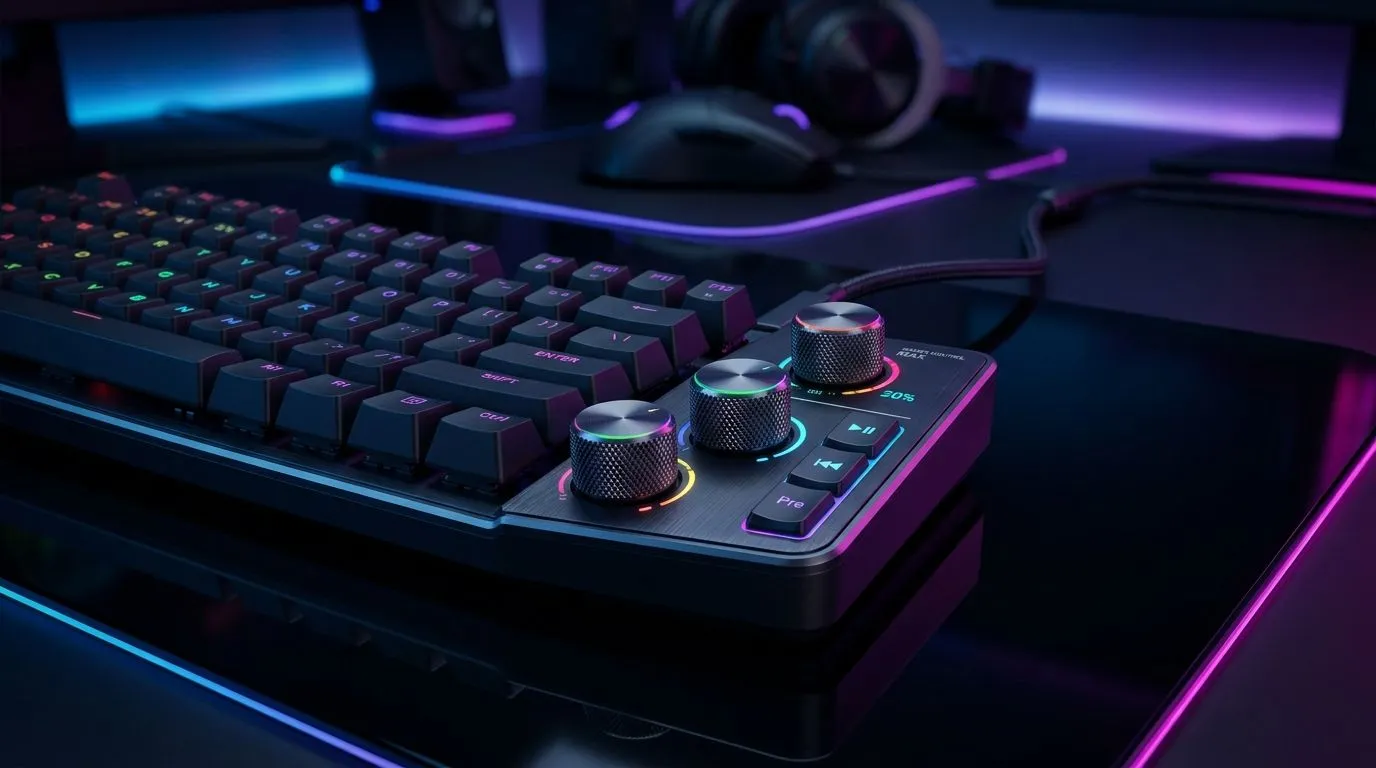
Mixer-Style Media Controls on a Gaming Keyboard: Are They Useful? (And When They Actually Matter?)
You know that moment in a ranked grind when your game sound is perfect… but your Discord volume is off. Then you tab out, hunt for sliders, and lose momentum. South African gamers want control without the faff. That’s why “mixer-style” media buttons on gaming keyboards look tempting. But are they actually useful, or just extra plastic that boosts the price?
Let’s break it down with real-world use cases and buying tips for what counts in South Africa.
What “Mixer-Style” Media Controls Really Do
Mixer-style media controls usually mean dedicated knobs and buttons laid out like a streaming or DJ mixer. Instead of basic play/pause and volume up/down, you might get:
- A volume dial
- Separate sliders for things like chat vs music (or game vs voice, depending on software)
- Extra keys for mic mute, scene controls, or profiles
In other words, it’s aiming to reduce how often you alt-tab. If you stream, record, or run Discord alongside games, that speed can feel like quality of life. ✨
Where it gets messy is software support. Many keyboards rely on drivers or companion apps to map mixer functions. If the app is buggy, the “pro” controls can become a hassle. So yes, they can be useful… but only when your workflow matches the keyboard.
Mixer-Style Media Controls on a Gaming Keyboard: Are They Useful for Gamers or Streamers?
For gamers, the main win is frictionless audio balancing. If your keyboard lets you adjust volume quickly during clutch moments, you stay locked in.
For streamers and creators, mixer-style controls can be genuinely practical. You can:
- Mute mic instantly during transitions
- Toggle media sources without leaving OBS
- Switch keyboard profiles mid-session (for games vs productivity)
A quick scenario from local life 🎧
Imagine you’re on a 60% keyboard desk. You start a match, then your teammate starts blasting music through voice. Instead of pausing the game and hunting system audio, you hit a dedicated control and keep going. That’s the difference between “neat idea” and “actually useful”.
Mixer-Style Controls and Setup: The Part People Skip 🔧
Before you buy, check how the keyboard handles audio controls:
- Does it control system volume directly, or only through software?
- Is the dial smooth and accurate, or twitchy?
- Does it support both wired and wireless modes consistently?
Also, think about your setup. Do you use a headset with separate mic monitoring? Do you run Discord + game audio separately? If you don’t, mixer controls may not pay off.
Productivity Pro Tip ⚡
On Windows, use the PowerToys Keyboard Manager to remap media keys for consistency across apps. Pair that with the keyboard’s own software profiles so your “mute mic” and “audio dial” behave the same in Discord, browsers, and streaming software.
Wired vs Wireless matters more than you’d think
In wireless mode, input latency and connection stability can affect how “instant” those controls feel. For critical controls like mic mute, you want reliability first.
If you’re shopping, start by comparing your options using Evetech’s gaming keyboard picks, including both wired and wireless-focused selections:
- Wired connectivity options: keyboard deals with wired options
- Wireless connectivity options: keyboard picks with wireless options
For broader options and value-focused bundles, consider these as well:
And if your goal is better audio control in day-to-day use, pairing matters too. A keyboard plus a matched mouse often gives you a smoother overall desk flow:
How to Decide Fast: A Simple Checklist 🚀
Ask yourself these questions before you pay for “mixer-style” features:
- Do you use Discord and media sources at the same time?
- Do you stream or record content?
- Can you install the keyboard software you need?
- Do you prefer physical knobs/sliders you can feel, not menu clicking?
If you answered “yes” to at least two, mixer-style media controls can genuinely help. If not… you might get better value with a standard layout and dedicated shortcuts.
CALLTOACTION
Ready to Find Your Perfect Match? Mixer-style controls can be brilliant… or pointless, depending on your setup. If you want the best chance of getting value and performance for your workflow, explore our keyboard options in South Africa and choose what fits your desk and your playstyle. Shop our massive range of gaming keyboard deals.











