

Best Monitor for 2nd Year UWC Students in SA
Top Monitor for 2nd Year UWC Students picks evaluated on performance, value & SA availability with current Rand pricing from Evetech.
Read morePlunger Switches Guide for Gaming Keyboards: learn how switch feel, anti-ghosting, and RGB features impact performance 🎮✨. Buy with confidence by matching your playstyle and key travel.
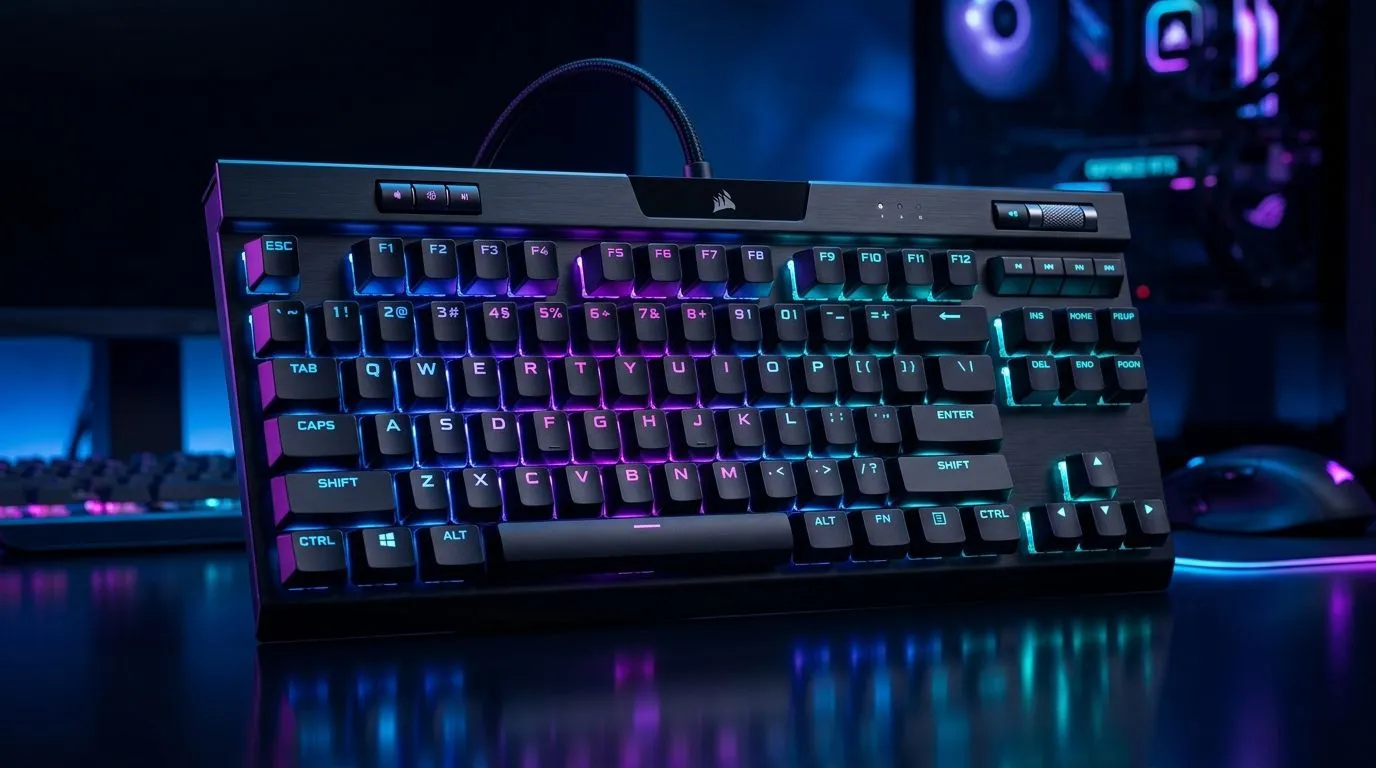
If you’ve ever typed on a budget office board and wondered why your movement keys feel vague, you’re not alone. South African gamers notice keyboard feel fast… especially in shooters, MOBAs, and long weekend grind sessions. This Plunger Switches Guide for Gaming Keyboards breaks down what plunger switches are, why they exist, and when they make sense for your setup. 🔧
Plunger switches sit in a middle ground between classic membrane keyboards and mechanical boards. They usually use a rubber dome or membrane-style base, but add a plunger mechanism to improve key travel and tactile feel. In simple terms, they’re designed to feel a bit cleaner and more responsive than a basic office keyboard.
That matters if you want a keyboard that’s easy to live with, doesn’t cost a fortune, and still handles everyday gaming. For many South African buyers, that balance is the real win... not chasing specs for the sake of it.
These keyboards are a smart pick if you:
They are not usually the first choice for competitive players chasing ultra-fast actuation. But for casual and mid-level gaming, they can be perfectly solid. If your budget is tight, start by checking the latest gaming keyboard deals and compare what you get for your rand.
A good keyboard is more than switch type. Look at layout, build quality, key rollover, lighting, and connection type. Wired boards are usually the safest bet for zero battery hassle, while wireless options offer cleaner desks and more flexibility.
If you’re shopping around ZAR pricing, Evetech often has entry-level options that make sense for budget builds. You can also browse the cheapest gaming keyboard options in South Africa if cost is your main concern. For cable-free setups, compare wired and wireless choices side by side.
If your current keyboard double-presses after a few months, or feels mushy during WASD movement, that’s when switch feel starts to matter. A plunger-style board can be a step up without forcing you into a big spend.
If you play in shared spaces or on a family PC, test the keyboard’s noise and key feel before buying. A slightly quieter plunger-style board can be easier to live with than a loud mechanical one, especially if you game late at night.
Sometimes the best value is not the keyboard alone. If you are setting up a first desk, a bundled option can stretch your budget further. Have a look at keyboard and mouse combo deals when you want matching gear without the guesswork.
That’s especially useful for students, first-time PC owners, or anyone building a secondary setup for the lounge, dorm, or spare room. One purchase, less hassle, and usually better value per rand.
Choose plunger switches if you want a practical, affordable upgrade from a basic membrane keyboard. They are about comfort, consistency, and value. If your budget grows later, you can always move to mechanical switches. But if you need something sensible now, this category deserves a proper look.
The best advice? Match the board to how you actually play. Not every setup needs top-tier hardware. Sometimes a reliable, comfortable keyboard is the smarter buy. ✨
Ready to Find Your Perfect Match? The Mac vs Windows debate is complex, but for maximum power, choice, and value in South Africa, Windows is hard to beat. Explore our massive range of laptop specials and find the perfect machine to conquer your world.
Friendly, authoritative, human-sounding style with South African English spelling. Crisp sentences. Light contractions. Occasional rhetorical questions. No clichés. No unsupported claims.
Plunger switches describe the switch actuation mechanism that shapes key feel and response. Understanding them helps you pick a better gaming keyboard.
Yes, especially for fast combos. Anti-ghosting helps ensure multiple simultaneous key presses register correctly during intense gameplay.
Anti-ghosting limits incorrect key behavior for multiple presses, while N-key rollover aims to register every key without conflicts for gaming.
Switch feel impacts actuation distance, response consistency, and fatigue. Matching feel to your playstyle can improve accuracy and speed.
RGB is mainly for customization and visibility. Useful effects like lighting profiles can help you identify layers and layouts quickly.
Prioritize switch feel, anti-ghosting/rollover specs, key travel consistency, build quality, and RGB features tied to your setup.
Many gaming boards work well for typing. Choose switch characteristics that reduce fatigue and support consistent actuation for long sessions.
Look for strong anti-ghosting or N-key rollover support plus flexible RGB lighting software, so combos and visual cues stay reliable.
Top Monitor for 2nd Year UWC Students picks evaluated on performance, value & SA availability with current Rand pricing from Evetech.
Read more
Top Monitor for 2nd Year DUT Students picks evaluated on performance, value & SA availability with current Rand pricing from Evetech.
Read more
Top Desk for a Triple Monitor Setup picks evaluated on performance, value & SA availability with current Rand pricing from Evetech.
Read more
Top UPS for Dual Monitor Setup During Load Shedding picks evaluated on performance, value & SA availability with current Rand pricing from Evetech.
Read more
Top Monitor for Starcraft 2 picks evaluated on performance, value & SA availability with current Rand pricing from Evetech.
Read more
Top Monitor for Photo Editing picks evaluated on performance, value & SA availability with current Rand pricing from Evetech.
Read more
CS2 Low FPS: Monitor Bottleneck. Real-world benchmark data, FPS numbers & performance analysis. What SA gamers can actually expect.

Is AOC a Good Monitor Brand for Gaming in South Africa Detailed answer with SA data, expert analysis & practical recommendations for local buyers.

What Gaming Monitor Can You Get for R20,000. Full parts list, Rand pricing & expected performance. Build confidently with SA-available components.

What Gamers Actually Bought: November Report. Real purchase data from SA retailers revealing what local buyers are actually choosing and why.

Can the RX 7700 XT Handle 1440p 144Hz Gaming. Performance testing verdict with real data & practical recommendations for SA buyers.

Top Laptop with Core i7 + RX 7700S: Picks picks evaluated on performance, value & SA availability with current Rand pricing from Evetech.

RX 7700 XT Black Myth Wukong 2 FPS: Performance. Real-world benchmark data, FPS numbers & performance analysis. What SA gamers can actually expect.

RTX 6080 Gran Turismo 7 PC Performance: FPS Test. Real-world benchmark data, FPS numbers & performance analysis. What SA gamers can actually expect.

Setting Up Monitor Light. Tested & verified settings for best FPS and visual quality on SA hardware budgets.

Assassins Creed Shadows Ultrawide Support: 21:9. Clear setup instructions with SA-specific considerations, troubleshooting tips & recommended components.

Complete Gaming Setup Guide for the Collector. Clear setup instructions with SA-specific considerations, troubleshooting tips & recommended components.

Will the Steam Deck 2 Have an OLED Screen? Leaked. Plain-English explanation of what it means, why it matters & how it affects your buying decisions in SA.