

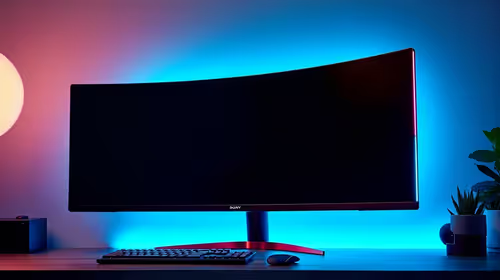
Best Monitor for 2nd Year UWC Students in SA
Top Monitor for 2nd Year UWC Students picks evaluated on performance, value & SA availability with current Rand pricing from Evetech.
Read moreWhat Monitor Pairs Best with gaming headset for Gaming Detailed answer with SA data, expert analysis & practical recommendations for local buyers.

The best monitor to pair with a gaming headset depends on your game genre and setup goals. For competitive gaming, a 1080p or 1440p monitor with a 144Hz or higher refresh rate gives you the visual fluidity to match your audio precision. For immersive gaming, a larger curved display enhances the spatial audio experience created by your headset.
Most gamers think about monitors and headsets as completely separate purchase decisions. In reality, they work together as an immersive system. A high-refresh-rate monitor reduces visual latency, and a quality headset reduces audio latency. When both are tuned for the same use case, you get a cohesive experience where what you see and what you hear arrive with minimal delay, which matters enormously in competitive titles like shooters or battle royales.
If you have a high-end headset with excellent directional audio, pairing it with a 60Hz monitor limits how quickly you can react to what you hear. You might pinpoint an enemy's footsteps before they appear on screen, only for the low refresh rate to delay your visual confirmation. A 144Hz or 165Hz monitor closes that gap significantly.
Conversely, if you invest in an immersive 4K curved monitor for cinematic gaming but pair it with a headset that has poor soundstage, you lose half the immersive experience. For story-driven or horror games, the headset carries as much of the atmosphere as the display does.
For competitive multiplayer setups in South Africa, where games like Valorant, CS2, Apex Legends, and FIFA are popular among the gaming community, the ideal monitor is a 24-inch or 27-inch 1080p or 1440p IPS or TN panel running at 144Hz or faster. This category pairs best with closed-back gaming headsets that isolate outside noise and deliver pinpoint directional audio cues. The combination of fast refresh rate and accurate audio positioning creates the most responsive competitive experience.
For open-world or story-driven games, where South African players might be sitting through long sessions in the evening (especially during loadshedding recovery time where power is back and it is time to decompress), a 27-inch or 32-inch 1440p VA or IPS curved monitor pairs well with open-back headsets or premium closed-back headsets that have wide soundstage rendering. The curved display wraps your peripheral vision and the open soundstage headset wraps your audio field, creating genuine immersion.
For console-adjacent PC setups, where a player sits further from the screen and uses a couch-style arrangement, a larger 32-inch or 34-inch ultrawide pairs naturally with a wireless gaming headset that removes the cable constraint of the increased distance.
Panel type affects color reproduction and response time. IPS panels offer the best color accuracy and wide viewing angles, which matters when multiple people are watching the screen. TN panels offer the fastest response times but worse color and viewing angles. VA panels provide the deepest blacks, which enhances horror or dark-themed games when your headset is delivering atmospheric audio.
For South African gamers building a setup in the R8,000 to R15,000 total budget range, balancing monitor and headset spend is important. Allocating roughly R3,000 to R5,000 to a quality 1440p 144Hz monitor and R1,000 to R2,500 to a capable gaming headset within that total creates a well-balanced system without overspending on one component at the expense of the other.
For a competitive FPS setup: a 27-inch 1440p 165Hz IPS monitor paired with a closed-back headset featuring a cardioid boom microphone is a proven combination used by South African esports players. The IPS display provides accurate color for identifying targets in varied lighting environments in-game, while the closed-back headset blocks ambient noise and sharpens directional cues.
For an immersive single-player setup: a 32-inch 1440p curved VA monitor paired with an open-back or wide-soundstage closed-back headset delivers the cinematic experience that narrative games are designed around. Dark scenes benefit from VA's contrast ratios, and the wider audio field of a good headset fills the space around you.
A high refresh rate monitor does not directly affect headset performance, but it synchronizes your visual and audio experience more closely. When you hear an audio cue and the visual response appears on screen faster due to the higher refresh rate, your reaction time improves as a system.
This depends on what you play. For competitive multiplayer, the headset's directional audio often matters more than screen size, so spend proportionally more on audio. For immersive single-player or RPG gaming, a larger, higher-resolution display contributes more to the experience.
For console-style sit-back setups at a distance of 1.5 metres or more, a 4K or 1440p 32-inch or larger monitor is appropriate, as the increased resolution and screen size compensate for the greater viewing distance. Wireless headsets complement these setups by removing cable constraints.
Curved monitors enhance immersion by wrapping the display into your peripheral vision, which complements immersive audio from a quality headset. For competitive gaming, flat monitors are preferred because they offer more consistent geometry across the screen, which matters for precise aim.
Ready to Find Your Perfect Match? Find a monitor that pairs perfectly with your gaming headset and elevates your entire setup. Shop Gaming Monitors at Evetech
What Monitor Pairs Best with gaming head available at Evetech.co.za with local warranty and fast delivery.
What Monitor Pairs Best with gaming head - check Evetech for latest stock and SA pricing.
Depends on your use case. What Monitor Pairs Best with g offers good value at current Rand pricing.
Top Monitor for 2nd Year UWC Students picks evaluated on performance, value & SA availability with current Rand pricing from Evetech.
Read more
Top Monitor for 2nd Year DUT Students picks evaluated on performance, value & SA availability with current Rand pricing from Evetech.
Read more
Top Desk for a Triple Monitor Setup picks evaluated on performance, value & SA availability with current Rand pricing from Evetech.
Read more
Top UPS for Dual Monitor Setup During Load Shedding picks evaluated on performance, value & SA availability with current Rand pricing from Evetech.
Read more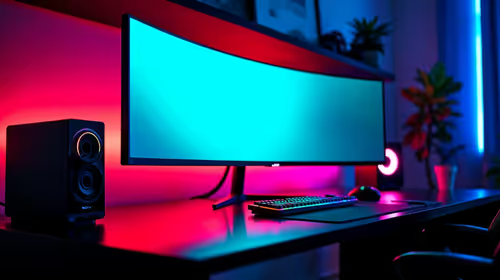
Top Monitor for Starcraft 2 picks evaluated on performance, value & SA availability with current Rand pricing from Evetech.
Read more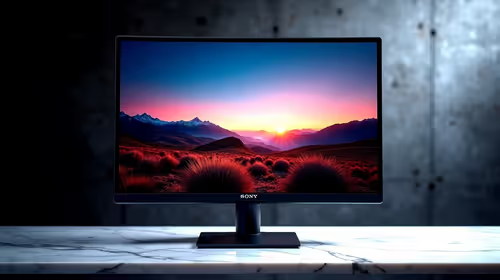
Top Monitor for Photo Editing picks evaluated on performance, value & SA availability with current Rand pricing from Evetech.
Read more
CS2 Low FPS: Monitor Bottleneck. Real-world benchmark data, FPS numbers & performance analysis. What SA gamers can actually expect.

Is AOC a Good Monitor Brand for Gaming in South Africa Detailed answer with SA data, expert analysis & practical recommendations for local buyers.

What Gaming Monitor Can You Get for R20,000. Full parts list, Rand pricing & expected performance. Build confidently with SA-available components.

What Gamers Actually Bought: November Report. Real purchase data from SA retailers revealing what local buyers are actually choosing and why.

Can the RX 7700 XT Handle 1440p 144Hz Gaming. Performance testing verdict with real data & practical recommendations for SA buyers.

Top Laptop with Core i7 + RX 7700S: Picks picks evaluated on performance, value & SA availability with current Rand pricing from Evetech.

RX 7700 XT Black Myth Wukong 2 FPS: Performance. Real-world benchmark data, FPS numbers & performance analysis. What SA gamers can actually expect.

RTX 6080 Gran Turismo 7 PC Performance: FPS Test. Real-world benchmark data, FPS numbers & performance analysis. What SA gamers can actually expect.

Setting Up Monitor Light. Tested & verified settings for best FPS and visual quality on SA hardware budgets.

Assassins Creed Shadows Ultrawide Support: 21:9. Clear setup instructions with SA-specific considerations, troubleshooting tips & recommended components.

Complete Gaming Setup Guide for the Collector. Clear setup instructions with SA-specific considerations, troubleshooting tips & recommended components.

Will the Steam Deck 2 Have an OLED Screen? Leaked. Plain-English explanation of what it means, why it matters & how it affects your buying decisions in SA.