

Best CPU for Code Vein — Load 'The Depths' Faster
Best CPU for Code Vein: Compare AMD and Intel to reduce 'The Depths' load times with benchmarks, single-thread tips, and upgrade picks 🧪⚙️
Read more1080p 240Hz vs 1440p 165Hz — weigh raw frame advantage against sharper visuals and input timing. Learn which choice improves dodge timing, aim tracking, GPU needs, and real-world esports value. 🎯🖥️
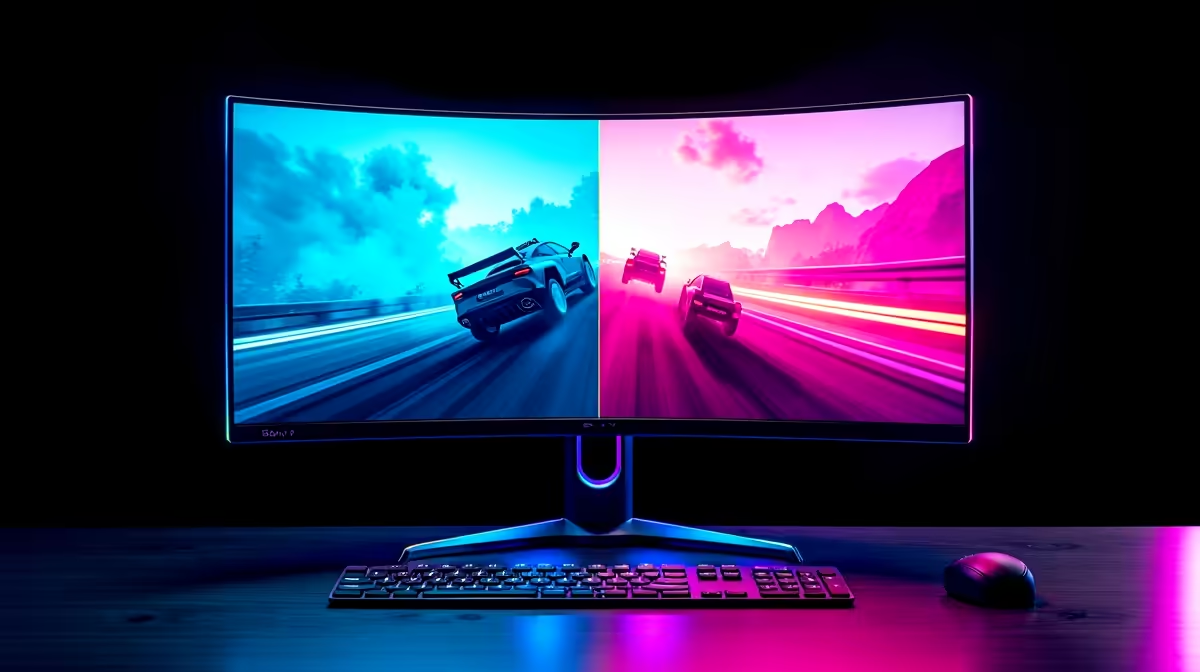
When you’re gaming in South Africa’s growing competitive scene, every frame and pixel counts. Choosing between a 1080p 240Hz monitor and a 1440p 165Hz display isn’t just about sharpness—it’s about that split-second dodge timing and visual clarity in intense moments. Should you prioritise buttery smoothness or richer detail? Let’s unpack how these specs impact your gameplay and overall experience.
At 1080p resolution, hitting 240Hz means your screen refreshes 240 times per second—ideal for fast-paced shooters where reaction time is everything. The lower pixel count takes less GPU power, letting you maintain ultra-high frame rates and smooth visuals during firefights. It’s like having the edge in your reflexes when timing dodges or flick shots.
On the other hand, a 1440p monitor with 165Hz ups your image quality dramatically. The extra pixels offer crisper textures and sharper details, perfect if you want your game worlds to feel immersive without sacrificing too much responsiveness. While 165Hz is slower than 240Hz, it’s still fast enough for most competitive titles and improves visual immersion in strategy or RPG games.
Both options shine differently depending on your priorities and rig’s power. South African gamers with high-end GPUs might lean toward 1440p 165Hz for that visual upgrade. Meanwhile, esports competitors chasing every millisecond might prefer 1080p 240Hz for ultimate smoothness.
Using a 1080p 240Hz monitor in local tournaments where every millisecond counts can help you dodge with precision. However, if you play graphically rich titles or enjoy streaming, the sharper 1440p 165Hz might give you more immersive sessions. The latest curved monitors for sale here offer both curved and flat panels, catering to personal preference and desk setup.
Budget also plays a role. 1080p 240Hz displays generally cost less upfront while delivering extreme refresh rates. Meanwhile, investing a bit more in 1440p 165Hz models from Evetech’s collection of gaming monitors ensures a balanced mix of resolution and speed. Plus, adding quality monitor accessories can further enhance your setup.
Before you buy, consider your GPU’s capability and the types of games you play most. Twitch shooters and competitive FPS demand high refresh rates like 240Hz to reduce input lag. Strategy games and RPGs reward the visual depth of 1440p resolution with smooth 165Hz refresh.
Also factor in your desk space and comfort. Curved monitors are gaining popularity for immersive viewing angles in SA, while portable monitors provide flexibility when gaming away from home. Explore the versatile options available at Evetech to find what fits your lifestyle best.
Maintaining stable FPS is crucial. Lowering intensive graphical settings slightly can keep you closer to 240Hz on 1080p displays, improving dodge timing in fast matches.
Evetech offers some of the best PC monitor deals tailored for our market. Whether you want a sleek curved display or a demand-ready 5K or 4K choice for creative multitasking, you’ll find competitive prices in ZAR here. Portable monitors are also growing in demand for gamers who juggle travel and performance seamlessly.
Don’t forget to check out the full PC components section for compatible parts that work hand-in-hand with your new monitor. And if you need gear accessories or gaming-specific screens, Evetech covers those bases too, so your entire setup is optimised.
Take a deep dive into Evetech’s gaming monitors collection—you might find the perfect match for your rig and playstyle.
Upgrade Your Game Visuals and Speed Ready to level up? Shop now at Evetech for performance that leaves lag in the dust.
Yes. 240Hz reduces frame latency and improves timing windows, helping dodge reactions if your GPU sustains high FPS.
Yes. 1440p delivers sharper detail and better image fidelity, which improves visual clarity at the cost of peak frame rate demands.
1080p 240Hz is lighter on GPU for high FPS, while 1440p 165Hz requires more GPU power to hit competitive frame rates.
Higher refresh like 240Hz usually yields lower input lag, but panel quality and response time also matter for true latency gains.
Pick 1080p 240Hz for competitive esports where frame rate and dodge timing matter; choose 1440p 165Hz for immersive visuals and balance.
Yes. G-Sync or FreeSync smooths variable FPS, improving perceived responsiveness across both 240Hz and 165Hz setups.
Aim for at least an RTX 3060 Ti/RTX 4070 class for high settings near 165fps in many titles; performance varies by game.
Best CPU for Code Vein: Compare AMD and Intel to reduce 'The Depths' load times with benchmarks, single-thread tips, and upgrade picks 🧪⚙️
Read more
Ryzen 5 9600X vs Core Ultra 5 — a focused comparison to find the best mid-range CPU for action gaming. We test FPS, thermals, power and value so you choose confidently. 🎯🔥
Read more
Code Vein 2 CPU bound? Learn how UE5 physics shifts load to the CPU, how to spot bottlenecks, and practical fixes to cut stutters and boost FPS 🎮⚙️
Read more
Ryzen 7 9800X3D vs Intel Ultra 7: a focused look at 1% lows in co-op play with real benchmarks, frametime analysis, and practical tips to smooth multiplayer sessions. 🔍🎮
Read more
Best CPU for Code Vein II helps fix shader compilation stutters and crashes — we test CPUs, explain fixes, and recommend builds for smoother 2026 gameplay. 🔧🎮
Read more
RTX 5080 vs RTX 5070 Ti: We evaluate whether these high-end GPUs are overkill for cel-shaded games — benchmarks, power, and value to help you decide. 🎮⚡
Read more
Is a Ultra Short Throw Projector Good for Gaming?. Diagnosis steps, proven fixes & when to seek professional help. SA-specific support info included.

Is a Short Throw Projector Good for Gaming? Input. Diagnosis steps, proven fixes & when to seek professional help. SA-specific support info included.

Top Mouse Settings for Competitive FPS: Sensitivity picks evaluated on performance, value & SA availability with current Rand pricing from Evetech.

Top Speakers for MacBook Desk Setup picks evaluated on performance, value & SA availability with current Rand pricing from Evetech.

Is a Ergonomic Chair Better Than a Standard Office Chair for Gaming Detailed answer with SA data, expert analysis & practical recommendations for local buyers.

Use Spotlight Search Like a Pro on macOS. Step-by-step instructions with SA-specific tips, common pitfalls to avoid & expert recommendations.

wireless keyboard Fan Noise Too Loud: Quiet. Everything you need to know with SA pricing, step-by-step instructions & expert recommendations.

Connection Timeout: Troubleshooting Guide #2. Diagnosis steps, proven fixes & when to seek professional help. SA-specific support info included.

Gaming PC Question: Is my power supply dying Detailed answer with SA data, expert analysis & practical recommendations for local buyers.

Projector Throw Ratio Calculator: Perfect. SA-focused analysis with local pricing data, real-world insights & actionable buying advice.

Monitor Stock Levels in Nelspruit: July Report. Current stock data & price tracking for SA buyers. See what is available and where prices are heading.

CS2 Low FPS: Power Supply Bottleneck. Real-world benchmark data, FPS numbers & performance analysis. What SA gamers can actually expect.