

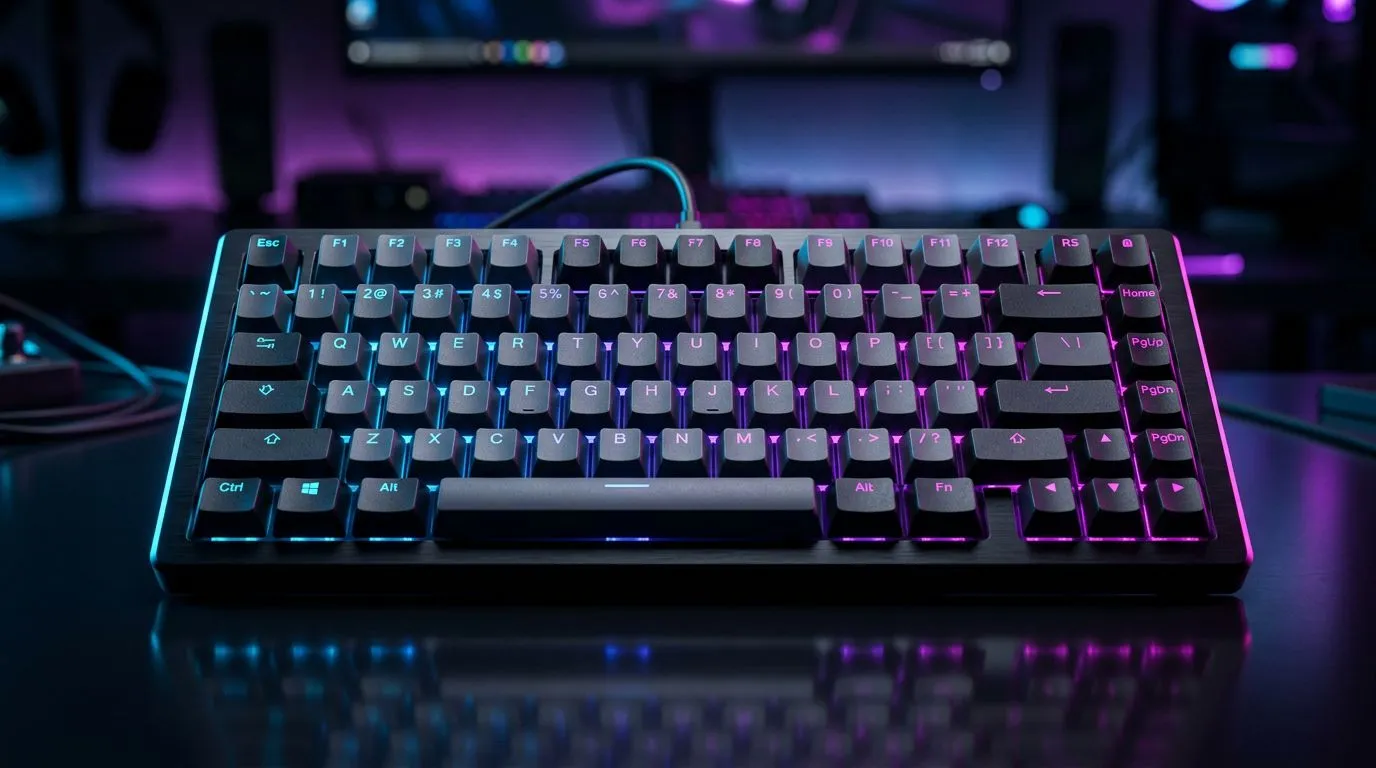
75% Layout Keyboards: All Advantages for Space-Saving Gamers (and why SA desks will notice)
If your setup feels cramped, you’re not alone. South African gamers and office warriors often end up with too many cables, too many peripherals… and not enough desk space. A 75% layout keyboard helps you reclaim room without giving up the keys you actually use. ⚡
It’s compact, it looks cleaner, and it’s surprisingly friendly for gaming. Want smoother movement in FPS, faster control in MOBAs, and less clutter on your battlestation?
In this guide, we’ll break down the real advantages, what to watch for, and how to choose the right 75% keyboard for your needs.
75% Layout Keyboards: All Advantages for Space-Saving Gamers for gamers (from desk space to faster control)
A 75% keyboard usually removes the dedicated navigation cluster (and sometimes the function-row behaviour differs by model), while keeping the core letter keys and most of the navigation you’ll actually need. That means more usable desk, fewer distractions, and a layout that feels tight.
More desk space, less clutter
With fewer keys and a shorter footprint, you get more room for:
- mouse movement (especially for low-DPI or comfortable arm aim styles)
- your mousepad and drinks (yes, that’s important)
- cable routing and monitor stands
On a typical South African desk setup, every centimetre counts.
Better ergonomics for most players
A smaller keyboard can make it easier to keep your mouse closer. That reduces excessive arm reach over long sessions. The result? Less fatigue, especially if you play after work or during long weekends.
Minimal compromise for gaming
Most 75% boards still include the essential modifiers and navigation shortcuts you rely on:
- Ctrl, Alt, Shift placements stay familiar
- arrow keys are often included via layers
- volume and media controls may be present on a function layer
If you game on multiple genres, layers can actually be a win. You learn shortcuts once, then stop hunting for keys mid-fight.
Custom key mapping keeps it flexible 🔧
Even if a button is “missing” physically, it’s often available through software remapping. That lets you align the layout with your game habits, not someone else’s.
Productivity Pro Tip ⚡
On Windows, use the PowerToys FancyZones utility to create custom snap layouts for your windows. It's a lifesaver for managing multiple apps on an ultrawide monitor, letting you organise your timeline, preview window, and asset folders perfectly for video editing.
75% Layout Keyboards: All Advantages for Space-Saving Gamers (wired vs wireless, and what SA buyers should know)
You’ll usually see two paths: wired or wireless. Both can work great, but your best choice depends on your tolerance for latency sensitivity, and how you plan to use your keyboard.
Wired 75% keyboards: stability and simplicity
If you want a straightforward experience, wired is hard to beat:
- no charging routine
- fewer variables
- consistent connection
If you’re leaning wired, compare options on Evetech’s keyboard deals here: Browse the best gaming keyboard deals on Evetech
Wireless 75% keyboards: convenience, less cable stress
Wireless is popular for clean desks and couch setups. The trade-off is battery life and periodic charging habits. Still, many gamers prefer it for the freedom it gives.
If you want wireless specifically, check these options: Explore wireless 75% keyboard picks in South Africa
What to choose?
- Choose wired if you play competitively and want maximum consistency.
- Choose wireless if your desk setup values neat cable management and you don’t mind occasional charging.
If you want the widest price-to-performance range, compare the general deals first: See affordable gaming keyboard options in South Africa
And if you’re building a full set, pairing matters too. This combo page is a good place to start: Buy a keyboard and mouse combo for your next build
75% Layout Keyboards: All Advantages for Space-Saving Gamers (quick buying checklist before you click “add to cart”)
Before you buy, run through these checks so you don’t get stuck with a board that annoys you daily.
1) Layout and layers
Confirm whether arrow keys and navigation are accessible and how they’re triggered. Some players hate “learning curve” boards. A 75% should feel intuitive, fast.
2) Connectivity fit (wired vs wireless)
If you’re choosing wireless, check the connectivity type on the listing and plan your charging routine. If you’re choosing wired, make sure it matches your ports and cable routing.
For wired models, start here: Compare wired 75% gaming keyboard options
3) Gaming features you’ll actually use
Look for things like:
- programmable keys or software remapping support
- durable keycaps
- consistent actuation behaviour
If a spec isn’t clearly listed on the product page, it’s safer to skip. You want clarity, not guesswork.
4) Match it to your playstyle
Want quick movement controls for FPS? Remap WASD-adjacent actions and use layers for reload, crouch, and utility. For strategy games, set hotkeys for resources and abilities. A 75% keyboard lets you keep your mouse active in the centre of your pad, without sacrificing command access.
75% Layout Keyboards: All Advantages for Space-Saving Gamers (why it’s worth switching for many SA setups)
A bigger keyboard can be great, but space is limited. When you go 75%, you often get:
- a cleaner desk
- better mouse positioning
- a keyboard that feels less in the way
- fewer “accidental key” moments from hitting keys you didn’t mean to
For many South African gamers, it’s the sweet spot between full-size comfort and compact practicality. ✨
If you’ve been thinking about upgrading your battlestation, this is one change that’s easy to appreciate daily.
Ready to Find Your Perfect Match? The Mac vs Windows debate is complex, but for maximum power, choice, and value in South Africa, Windows is hard to beat. Explore our massive range of laptop specials and find the perfect machine to conquer your world.











