

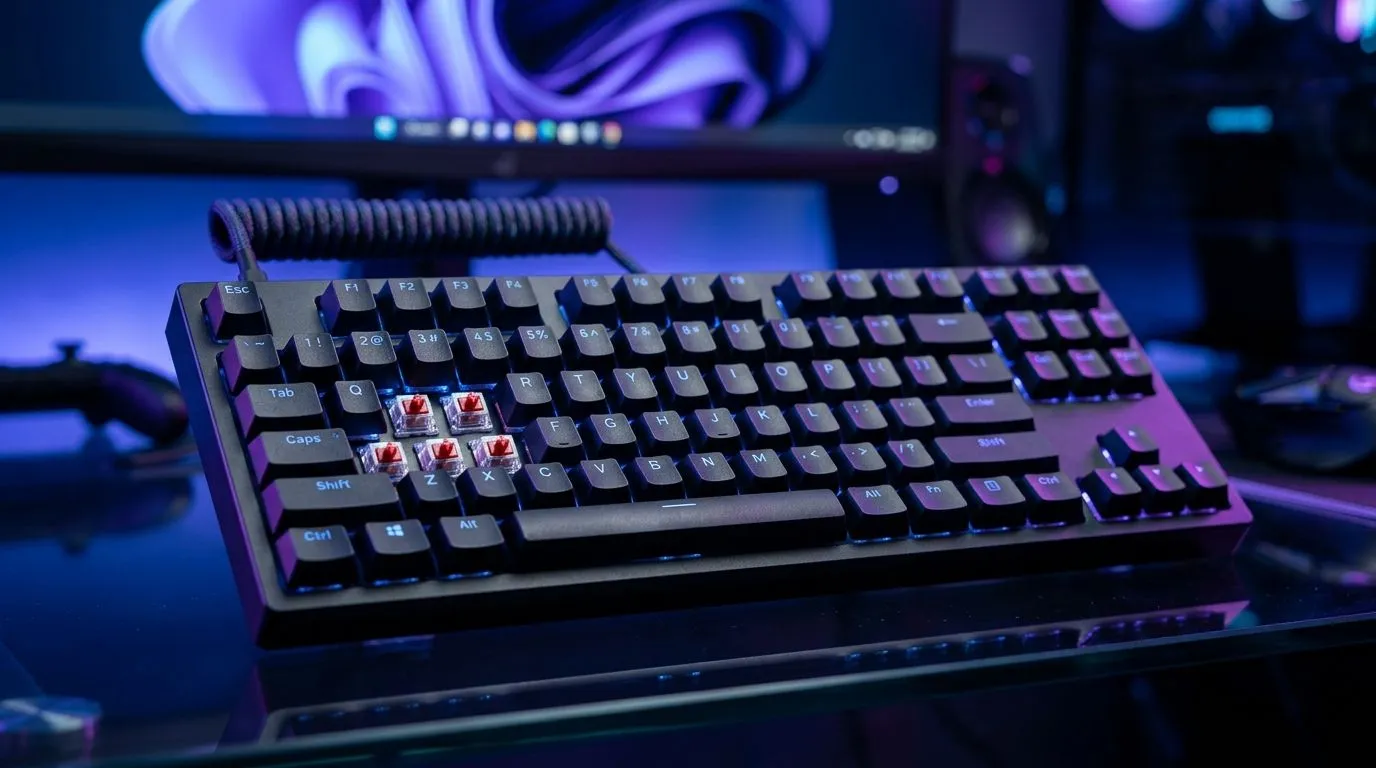
Anti-Ghosting for Fast Games: why your inputs “miss”
Ever wonder why your perfectly timed strafes suddenly feel… delayed? In fast shooters, the difference between Platinum and “why didn’t that fire?” is often one boring thing: missed key presses. That’s usually ghosting or key rollover limits, especially when you mash movement, reload, and abilities at the same time. ⚡ The good news? You can fix this. The fastest path is understanding anti-ghosting for fast games: fix missed inputs with linear switches, then choosing a keyboard that matches how you actually play.
Anti-Ghosting for Fast Games: the simple mechanics (no fluff)
Ghosting happens when certain key combinations produce incorrect signals to your PC. Anti-ghosting reduces that, but the key detail is rollover.
- 2KRO (2-key rollover): only two keys are guaranteed to register correctly.
- N-key rollover (NKRO): many (sometimes all) keys register reliably, even in heavy combos.
When you play competitive titles, you usually press more than two keys continuously: movement (W/A/S/D), aim (mouse), ability keys, and maybe a push-to-talk or sprint. With a keyboard that can’t keep up, the PC never receives the “right” combination.
Evetech stocks gaming keyboards designed for these scenarios, including options you can filter by connectivity so you don’t overpay or choose poorly. 🚀
Anti-Ghosting for Fast Games: choose linear switches that stay consistent
Switch type affects feel, not anti-ghosting, but it matters for speed and accuracy. Linear switches move smoothly without the tactile bump or audible click, so your fingers glide during rapid taps. That consistency helps when you’re doing burst fire or fast reloads.
What to look for:
- Linear feel for speed: smooth actuation, less “finger trip”.
- Weight you can control: too heavy and your muscle memory tires.
- A board that supports the key combos you press. That is where anti-ghosting earns its keep.
Quick setup checklist for SA desks (and sweaty hands)
Try this before you blame your aim:
- Update your keyboard firmware/software if the brand provides it.
- Disable conflicting modes (like “game mode” that remaps keys in unexpected ways).
- Test key combos in-game and on a key tester website to confirm rollover behaviour.
- Set consistent actuation habits. With linear switches, small changes can still affect timing.
Productivity Pro Tip 🔧
Choose a wired keyboard for tournaments and long sessions. Wired connections avoid battery anxiety and can be more consistent for high-pressure input timings. Then you can focus purely on muscle memory and aim.
Anti-Ghosting for Fast Games: where to buy in South Africa (and what to match)
If you’re shopping for a keyboard that can handle intense input combos, start by deciding your connectivity. Wired usually simplifies reliability. Wireless can be excellent too, but you’ll want the right model and settings.
Explore well-priced options here:
- Check out Evetech’s gaming keyboard deals for fast-switch and anti-ghosting-friendly picks: Best gaming keyboard deals
- If you want the simplest path to a reliable setup, browse cheapest gaming keyboard options and compare specs carefully: Buy the cheapest gaming keyboard in South Africa
- Want a combo that fits how you actually grind? This keyboard and mouse combo page helps you match gear without the “almost” feeling: Buy keyboard mouse combo
For connectivity-focused shopping, use these filters:
- Wired options: Gaming keyboard picks (Wired connectivity)
- Wireless options: Gaming keyboard picks (Wireless connectivity)
Tiny micro-story: the “one more try” moment
I’ve watched friends lose games because their “instant” reload never registered when they also moved and swapped weapons. The fix wasn’t aim training first. It was switching to a board that reliably captured those key combos… and suddenly the play felt like it belonged to them again. That’s anti-ghosting doing its quiet job. ✨
Anti-Ghosting for Fast Games: your next step (don’t guess)
Don’t buy based on RGB alone. Prioritise:
- anti-ghosting/rollover performance (so key combos register),
- switch feel for your speed (linear is great for smooth rapid inputs),
- and connectivity that matches your routine (wired for simplicity, wireless for freedom).
Once your inputs stop getting dropped, your training actually transfers to match day. ⚡
Ready to Find Your Perfect Match? The Mac vs Windows debate is complex, but for maximum power, choice, and value in South Africa, Windows is hard to beat. Explore our massive range of laptop specials and find the perfect machine to conquer your world.











