

Quick Answer
Under R1,000 in SA 2026, the Orico 7-in-1 USB-C hub leads on build and port mix, while UGREEN and Baseus alternatives offer competitive specs at lower prices. All three handle 4K HDMI passthrough, USB 3.0 and 100W PD charging for a varsity laptop.
Orico 7-In-1: The Reliable Workhorse
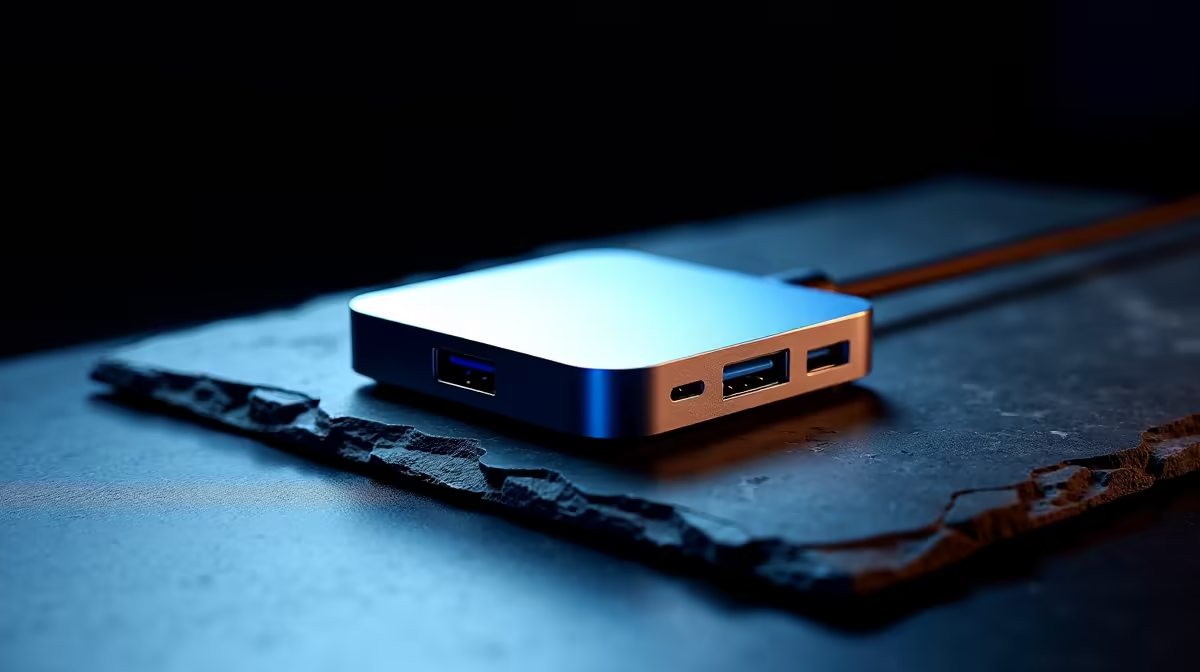
Orico's 7-in-1 USB-C hub at around R699 in SA stays the safe pick for varsity students and remote workers. It packs 4K@30Hz HDMI, three USB 3.0 Type-A ports, SD and microSD card readers and 100W PD passthrough for laptop charging. The aluminium shell stays cool during long Zoom sessions, and Orico's two-year SA warranty means you're not chasing international RMAs if something fails three months in. Works plug-and-play on Windows, macOS and ChromeOS without driver installs, which is a real plus when you're rushing between lectures at UCT or Stellenbosch and need to plug into a borrowed projector for a presentation.
UGREEN 9-In-1: The Power User Pick
UGREEN's 9-in-1 hub lands near R899 and adds Gigabit Ethernet plus 4K@60Hz HDMI to the standard mix. The faster HDMI output matters for second-monitor productivity at 1440p or 4K refresh-sensitive work like video editing. Build quality matches Orico's, and the slightly longer 18cm cable gives more flexibility on cluttered varsity desks where your laptop sits beside textbooks and a coffee mug. UGREEN ships locally through Evetech with same-week courier and 18-month warranty, plus the brand is well-known among the SA tech community for reliable hubs.
Baseus 6-In-1: The Budget Champion
Baseus 6-in-1 hubs sell for around R449 to R549 in SA, making them the go-to for NSFAS-budget students working with R5,200 device allowances. You get 4K@30Hz HDMI, two USB 3.0 ports, SD/microSD readers and 87W PD passthrough. The plastic shell runs warmer than aluminium alternatives under sustained load, but for normal note-taking, photo offloading and presentation hookups it does the job. Solid pick for a third-year UCT, Wits or UJ student who just needs something that works between lectures and labs without breaking the budget.
Choosing The Right Hub
Match the hub to your laptop and use case. MacBook Pro and modern Windows ultrabooks benefit from 4K@60Hz HDMI for crisp external monitors. Older USB-C laptops only support 4K@30Hz anyway, so don't pay extra. Check PD wattage: 65W is enough for most ultrabooks, but 100W matters for gaming laptops with discrete GPUs. Avoid the cheapest Shein-style hubs because they often skip USB 3.0 controllers and bottleneck file transfers, plus they fail under SA's grid wobbles where surge protection isn't built in.
SA Power And Loadshedding Considerations
PD passthrough hubs include surge basics, but pair the hub with a UPS-protected wall socket for proper safety. SA's grid wobbles can spike voltages, and a quality 1500VA UPS protects both the laptop and hub during Stage 4 to Stage 6 cuts. The brief power dips during loadshedding switching events are the most damaging because surge protection isn't always fast enough. A laptop charging through a USB-C hub on a UPS-protected outlet survives these dips cleanly while saving your battery cycles.
Real-World Use Cases For SA Students
Engineering students at Tuks use these hubs to drive a second monitor for SolidWorks while keeping the laptop screen for reference docs. Photography students at AFDA offload SD cards from cameras directly to laptop storage. Business students plug in to projectors during O-Week presentations. The right hub turns a single-port ultrabook into a proper desktop replacement without spending R3,000+ on a Thunderbolt dock you don't need.
Frequently Asked Questions
Will a USB-C hub work with my MacBook Air M-series in SA?
Yes. All three hubs above work flawlessly with M2 and M3 MacBook Air units. The UGREEN 9-in-1 with 4K@60Hz HDMI is the best match for high-resolution external displays at 1440p or 4K refresh rates above 30Hz.
Can I charge my laptop through the hub?
Yes, via PD passthrough. Baseus pushes 87W, Orico does 100W, UGREEN does 100W. That covers every ultrabook and most 14-inch gaming laptops, but 16-inch RTX 4080 laptops will negotiate down and charge slowly under load, which is normal behaviour.
Are these hubs safe during loadshedding power dips?
PD passthrough hubs include surge basics, but pair the hub with a UPS-protected wall socket for proper safety. SA's grid wobbles can spike voltages, and a quality 1500VA UPS protects both the laptop and hub during Stage 4 to Stage 6 cuts.
Ready to Find Your Perfect Match? Build a complete student setup with hubs and PCs in stock. Shop tech essentials











