

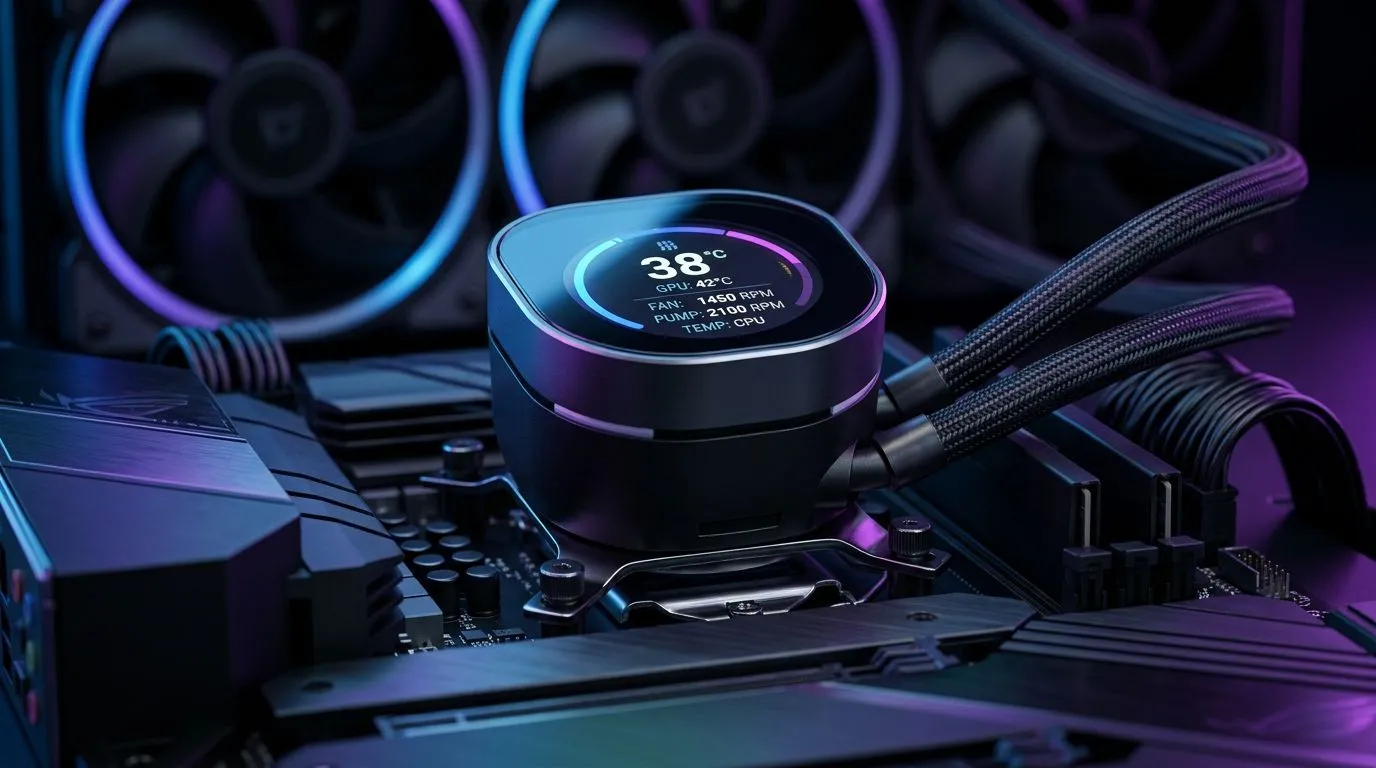
Digital Display vs Traditional Coolers — real‑time monitoring benefits 🔧
If your rig spikes temps during a Cape Town raid, you want instant answers. Digital displays and in-line sensors give real-time numbers; traditional coolers rely on passive readings and guesswork. This article compares Digital Display vs Traditional Coolers: Real-Time Monitoring Tuning and shows practical tweaks to keep FPS high and thermals low — without blowing your budget.
How displays change tuning workflows
Modern digital displays put RPM, temp and fan curves in front of you. That visibility makes tuning iterative and precise. For quick hardware swaps browse Evetech’s full case fans range to match airflow to your case layout: https://www.evetech.co.za/PC-Components/case-fans-97.aspx. Want brand-specific options? Check Corsair options for proven reliability: https://www.evetech.co.za/PC-Components/case-fans-97.aspx?brands=CORSAIR.
Real-time numbers also help set conservative fan curves for night gaming, then ramp up under load. If you prefer quieter aesthetics, Deepcool models offer balanced performance and lower noise: https://www.evetech.co.za/PC-Components/case-fans-97.aspx?brands=Deepcool. Small changes in RPM often change GPU temps by a few degrees; you can see that live on a display and stop chasing phantom issues.
Choosing fans that play nice with monitoring ⚡
Pick the right fan size first. 120mm fans are common and spin faster for quick response: https://www.evetech.co.za/PC-Components/case-fans-97.aspx?attributes-size=120mm. For lower RPM and better static pressure, consider 140mm fans: https://www.evetech.co.za/PC-Components/case-fans-97.aspx?attributes-size=140mm. Both sizes work — it’s about balancing airflow and acoustics.
Lighting preferences affect control options. If you like a show, RGB fans integrate with software dashboards: https://www.evetech.co.za/PC-Components/case-fans-97.aspx?attributes-lightingeffects=RGB. If you want stealth cooling without lighting power draw, non-RGB fans are simpler and often cheaper: https://www.evetech.co.za/PC-Components/case-fans-97.aspx?attributes-lightingeffects=None.
Tuning Tip ⚡
you add a digital display or smart hub, calibrate it with a baseline: idle temp at desktop, light gaming, and a 30-minute load test. Save profiles for day and night use.
Real-world tuning routine — micro-story from Jozi
A Cape Town streamer I helped swapped two 120mm intake fans for 140mm front intake fans, then used a display to dial curves. Instant result: quieter background noise and 3–5°C lower CPU temps during long streams. The display made it simple to test one variable at a time and revert settings on the fly.
Practical checklist before you tweak
- Confirm fan headers and hub compatibility with your motherboard or controller.
- Start with conservative fan curves; ramp gradually under synthetic load.
- Use the display to identify hotspots before repositioning fans or reapplying paste.
Final verdict: tune, don’t guess 🚀
Digital displays don't make traditional coolers obsolete. They augment them. Combine good hardware choices with visible telemetry and you get stronger, quieter cooling tailored to South African homes and schedules.
Ready to Find Your Perfect Match? The Mac vs Windows debate is complex, but for maximum power, choice, and value in South Africa, Windows is hard to beat. Explore our massive range of laptop specials and find the perfect machine to conquer your world.











