

Is Overclocking TKL keyboard Worth It in SA?
Is Overclocking TKL keyboard Worth It in SA Detailed answer with SA data, expert analysis & practical recommendations for local buyers.
Read moreGPU boost clock controls your GPU's peak frequency under load. Learn how boost clock, thermals, and power limits shape real-world gaming FPS and stability, with quick monitoring tips. 🎮⚙️
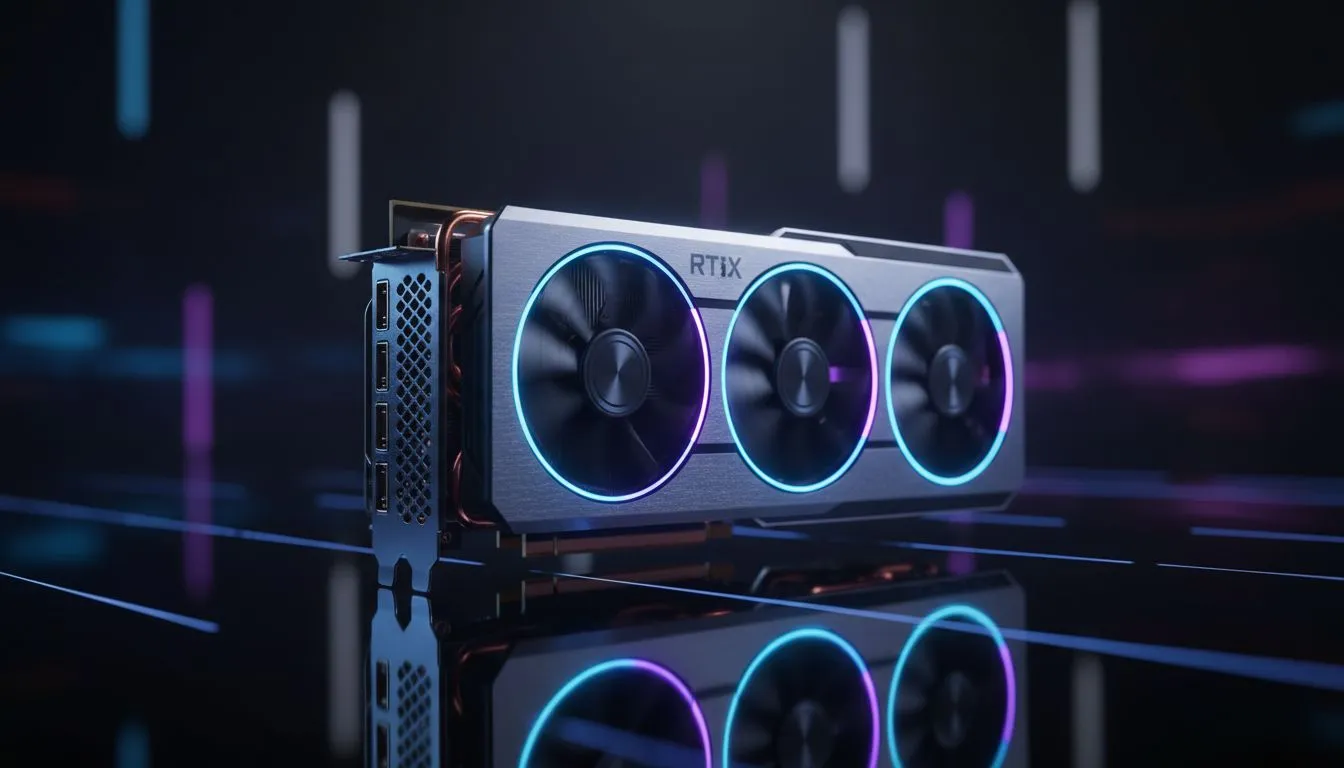
Ever wondered why your GPU speeds jump around while playing Cyberpunk 2077? You see a specific "base clock" on the box, but your on-screen overlay shows something much higher. That is the GPU Boost Clock: What It Is and How It Affects Gaming in action. Understanding this tech is the difference between a stuttery mess and buttery smooth frames during a heated session on South African servers. ⚡
At its core, the boost clock is the maximum frequency a graphics card can achieve under ideal conditions. Think of the base clock as the "floor" or the guaranteed speed the card will maintain during heavy workloads. The boost clock is the "ceiling" it reaches when there is enough thermal and power headroom.
When you browse the latest NVIDIA GeForce Graphics Cards, you will notice that different models have different boost ratings. This is because manufacturers "bin" their chips... selecting the highest quality silicon to run at faster speeds without crashing.
The GPU is constantly talking to its sensors. If the temperature is low and the power draw is within limits, the card will automatically push its frequency higher to give you more frames. This is why high-end graphics cards with massive triple-fan coolers often perform better than smaller, single-fan versions of the exact same chip.
If your room in Jo'burg or Durban gets too hot during summer, your card might "thermal throttle." This means it drops from its boost clock back down toward the base clock to protect itself from damage.
To keep your GPU at its maximum boost clock for longer, ensure your case has positive air pressure. Use more intake fans than exhaust fans to force cool air over your components. This prevents heat soak and keeps those frame rates stable during long gaming marathons in the South African heat.
It is not just about the chip itself. Different brands approach clock speeds differently. For instance, Radeon Graphics Cards use a "Game Clock" and a "Boost Clock" metric to give users a more realistic expectation of sustained performance.
Meanwhile, partners like MSI design custom PCBs and cooling shrouds that allow the GPU to stay in its boost state for much longer than a standard reference card. If you want the most stable experience, look for cards with robust heat pipes and high-quality thermal pads. 🔧
In short... yes, but with a catch. A higher boost clock results in higher frame rates, but only if your CPU can keep up. If you are playing at 1080p, a massive GPU boost might be wasted if your processor is too slow to feed it data. However, at 1440p or 4K, every extra MHz helps maintain that crisp, high-fidelity experience we all crave. 🚀
Ready to Find Your Perfect Match? Understanding boost clocks is just the first step to building a beastly rig. For the best performance, choice, and value in South Africa, our selection is second to none. Explore our massive range of graphics cards and find the perfect hardware to conquer your favourite titles.
GPU boost clock is the dynamic peak frequency a GPU can reach under load, set by silicon limits, temps, and power headroom.
Higher sustained boost clock usually raises FPS, but thermal throttling or power limits can reduce sustained performance.
No. Base clock is the guaranteed operating frequency; boost clock is the higher dynamic frequency the GPU may reach.
Use MSI Afterburner, GPU-Z, or in-game overlays to log and visualize boost clock and see how temps affect it.
Not always. Overclocking can increase peak FPS but may hit thermal or power limits and reduce sustained boost.
Fluctuations stem from temperature changes, power limit adjustments, driver behavior, and varying game workloads.
Improve cooling, raise power limits, update drivers, and optimize case airflow to keep boost clock stable in games.
Is Overclocking TKL keyboard Worth It in SA Detailed answer with SA data, expert analysis & practical recommendations for local buyers.
Read more
Geekbench Keyboard Benchmarks: Rankings. Real-world benchmark data, FPS numbers & performance analysis. What SA gamers can actually expect.
Read more
Head-to-head comparison of Keyboard Prices: Online vs Physical Stores for SA gamers. Performance benchmarks, Rand pricing & which delivers better value.
Read more
Head-to-head comparison of Apple Magic Keyboard vs Third-Party: Is It Worth for SA gamers. Performance benchmarks, Rand pricing & which delivers better value.
Read more
CS2 Low FPS: Monitor Bottleneck. Real-world benchmark data, FPS numbers & performance analysis. What SA gamers can actually expect.

Is AOC a Good Monitor Brand for Gaming in South Africa Detailed answer with SA data, expert analysis & practical recommendations for local buyers.

What Gaming Monitor Can You Get for R20,000. Full parts list, Rand pricing & expected performance. Build confidently with SA-available components.

What Gamers Actually Bought: November Report. Real purchase data from SA retailers revealing what local buyers are actually choosing and why.

Can the RX 7700 XT Handle 1440p 144Hz Gaming. Performance testing verdict with real data & practical recommendations for SA buyers.

Top Laptop with Core i7 + RX 7700S: Picks picks evaluated on performance, value & SA availability with current Rand pricing from Evetech.

RX 7700 XT Black Myth Wukong 2 FPS: Performance. Real-world benchmark data, FPS numbers & performance analysis. What SA gamers can actually expect.

RTX 6080 Gran Turismo 7 PC Performance: FPS Test. Real-world benchmark data, FPS numbers & performance analysis. What SA gamers can actually expect.

MacBook Pro 16-Inch M5 Max: Complete Specs,. Everything you need to know with SA pricing, step-by-step instructions & expert recommendations.

Travelling With a MacBook: Travellers. Everything you need to know with SA pricing, step-by-step instructions & expert recommendations.

Back-to-School Parent Guide: Laptops. Everything you need to know with SA pricing, step-by-step instructions & expert recommendations.

MacBook Air 13-Inch M5: Complete Specs, Features. Everything you need to know with SA pricing, step-by-step instructions & expert recommendations.