

Troubleshooting Your Connection
There is nothing more frustrating than mid-match lag spikes when you are about to secure that victory royale. In South Africa, where fibre infrastructure is rapidly expanding, your desktop PC should be screaming through your downloads. If your connection feels sluggish, the bottleneck often isn't your ISP—it's the hardware inside your chassis. Improving your WiFi speed on your desktop PC is often as simple as upgrading your internal receiver to handle modern standards. 🚀
Upgrade Your Hardware for Stability
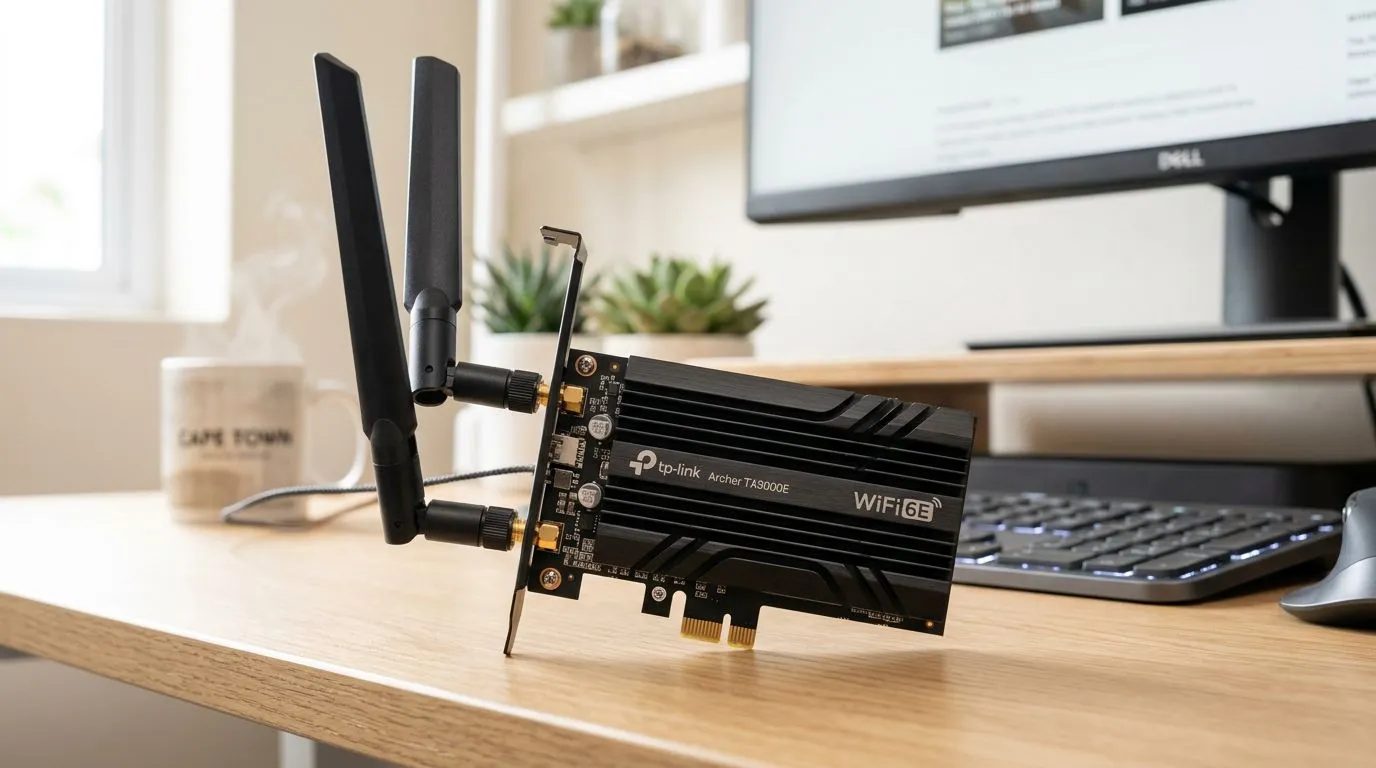
If you are still relying on an ageing USB dongle or a motherboard with an outdated wireless card, you are leaving performance on the table. Many older adapters struggle with the congestion of 2.4GHz bands in apartment complexes. Upgrading to the latest network adapters allows you to tap into the 5GHz or 6GHz bands, which offer significantly lower latency for gaming.
Pro Tip: Signal Placement ⚡
If your PC is under your desk, the metal case might be blocking your signal. Use a PCIe adapter with an external antenna base to bring your receiver up to desk height. This small adjustment can often double your effective throughput and stabilise your ping during peak hours.
Choosing the Right Connectivity
When shopping for an upgrade, look for WiFi 6 or 6E compatibility. Brands like TP-LINK have become a staple in South African homes for their reliability and ease of installation. Even if your router isn't the newest model, a high-quality card will negotiate a better connection with your existing hardware. For those on a tighter budget, Cudy offers fantastic value, often providing high-speed dual-band capabilities that outperform built-in laptop chips. ✨
Optimising Software Settings
Once your hardware is sorted, ensure your Windows settings aren't capping your bandwidth. Check that 'Metered Connection' is turned off and that your drivers are updated via the manufacturer's website rather than relying on generic Windows Update drivers. A stable, high-speed connection isn't just about raw download numbers; it is about consistency. By moving to a dedicated internal card, you ensure that your PC is ready for the high-demand tasks of modern gaming and streaming. 🔧
Ready to Boost Your Connection? Don't let a weak signal hold you back from your next win. Whether you need a high-end PCIe card or a simple USB upgrade, we have the hardware to keep you connected. Explore our full range of network solutions here and get your setup running at peak performance.











