

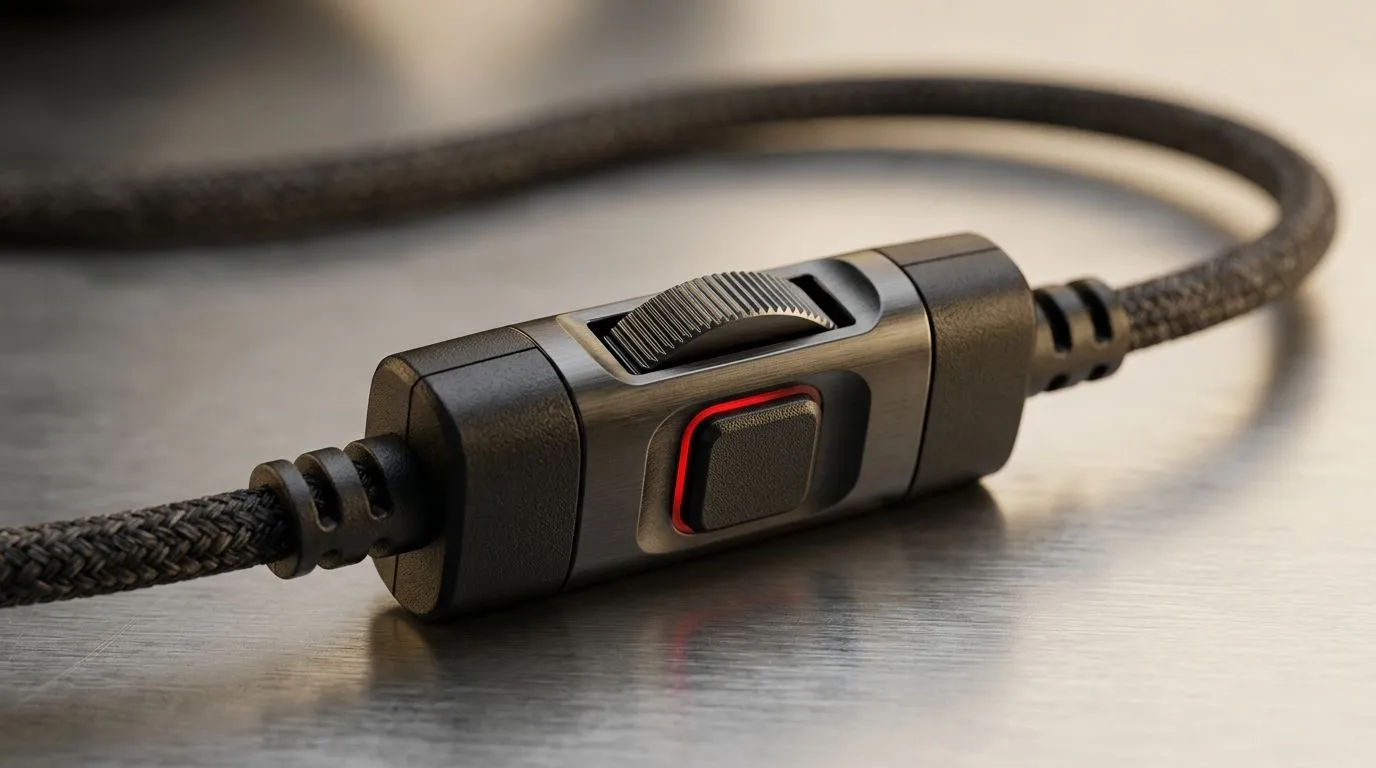
If your headset volume still lives in Windows settings menus, you are wasting seconds every meeting and match. Small? Sure. But in South Africa, where work calls, Discord chats, and late-night gaming often overlap, those seconds add up fast. In-line controls put mute and volume right under your fingers. No tab hunting. No awkward alt-tabbing. Just quicker reactions when the boss joins mid-game or your squad suddenly goes quiet 🔧
In-line controls for faster meeting volume and mute in daily use
The appeal is simple. A headset with physical controls helps you adjust audio without breaking focus. That matters in meetings, especially when someone suddenly speaks too softly or your mic picks up a bit too much keyboard noise. It also matters in games, where quick mute access can save a callout from background chaos.
For South African buyers, this is not just about convenience. It is about flow. Power cuts, patchy distractions, and busy home setups make simple controls feel premium. A headset that lets you tweak volume or mute instantly can make your day smoother, whether you are on Teams, Discord, or in a Friday-night queue.
If you are shopping for a headset upgrade, it helps to look beyond sound quality alone. Check for easy-to-reach buttons, a comfortable fit, and wireless stability if you move around a lot. Evetech’s Razer Barracuda X Chroma wireless headset is a good example of a headset category where convenience and everyday use matter just as much as audio performance. For more options, browse Evetech’s range of Razer headphones and headsets and compare models that suit your work and play setup.
Why physical mute and volume controls feel faster
Software sliders are fine. Until they are not. In-line controls let you make tiny changes instantly. That is useful when:
- you need to lower your mic monitoring during a call
- a meeting gets louder than expected
- your game audio is drowning out voice chat
- you want to mute quickly before answering someone nearby
It is a small feature that removes friction. And friction is what slows people down.
Productivity Pro Tip ⚡
When comparing headsets, look for controls you can find by touch alone. A raised volume wheel or clearly separated mute button is easier to use when you are not looking at the headset. That is especially handy during meetings and fast-paced gaming.
What to prioritise when buying a headset in SA
If you want the best value, keep your focus on the features you will actually use. A good headset should balance:
- comfort for long sessions
- clear microphone pickup
- easy-access in-line controls
- battery life if wireless
- solid build quality for daily use
That last point matters more than people think. If a headset feels flimsy, those convenient controls will not matter for long. You want something that can handle commute bags, desk use, and the occasional hurried cable tug.
For broader browsing, Evetech’s headphone and headset category is a practical starting point if you want to compare styles and price points in one place. That makes it easier to decide whether you need a simple meeting headset or a more gaming-focused model with extra controls.
A better experience starts with the right controls
A lot of people buy for sound first. Fair enough. But once you start using a headset every day, convenience becomes impossible to ignore. Mute buttons, volume wheels, and easy access controls can save time in tiny moments all week long. Those moments stack up.
If you are balancing remote work, study, and gaming, a headset with in-line controls is one of the easiest upgrades to appreciate immediately. It is not flashy. It is just genuinely useful. And in a busy South African home, that counts for a lot ✨
Ready to Find Your Perfect Match? The Mac vs Windows debate is complex, but for maximum power, choice, and value in South Africa, Windows is hard to beat. Explore our massive range of laptop specials and find the perfect machine to conquer your world.











