

Quick Answer
A network switch is worth buying in South Africa if you have multiple wired devices and only one or two LAN ports on your router. A basic unmanaged switch costs R200 to R600 and can significantly improve network reliability and speeds for gaming, streaming, and work-from-home setups - a straightforward upgrade for most South African homes and small offices.
For many South Africans who have upgraded to fibre internet, the router provided by their ISP has a limited number of LAN ports - typically four at most. As home networks grow to include gaming PCs, consoles, smart TVs, NAS drives, and desktop workstations, those ports fill up fast. Wi-Fi is not always the answer: in South African homes with thick walls, multiple floors, or interference from neighbouring networks in dense urban areas, a wired connection remains the most reliable option. This is where a network switch earns its place.
What a Network Switch Does - and What It Does Not Do
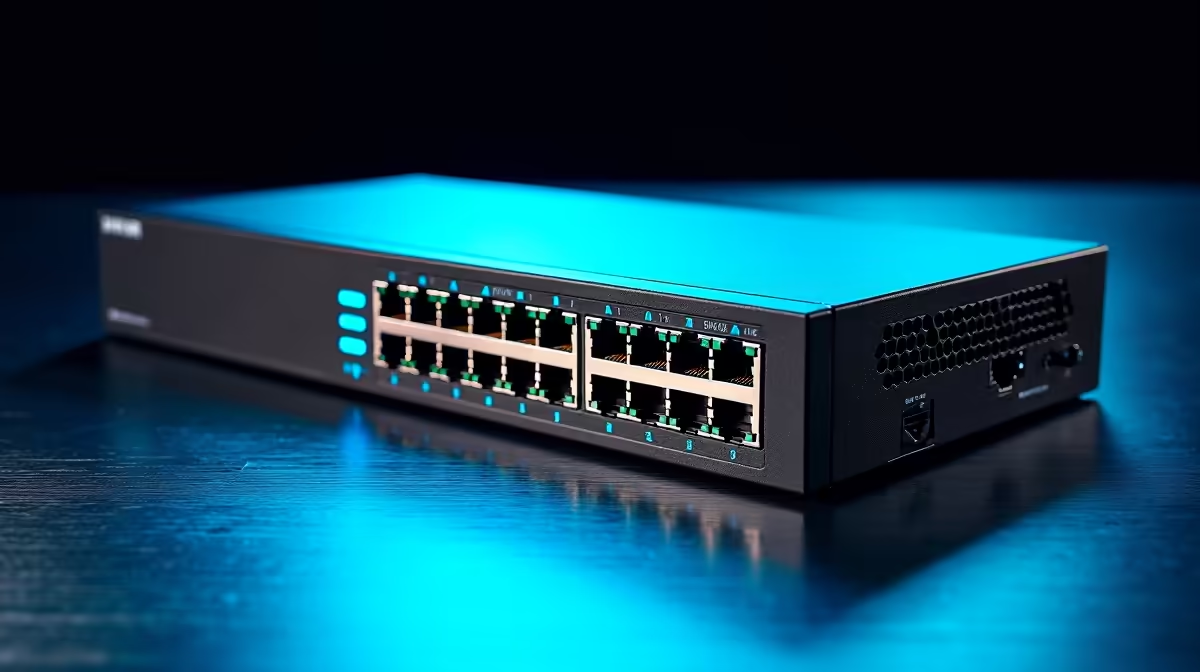
A network switch expands the number of wired LAN ports available in your network. Connect it to one of your router''s LAN ports, and it multiplies that connection into 4, 8, 16, or more ports for other devices. It does not replace your router, boost your internet speed beyond your ISP plan''s limit, or provide Wi-Fi. What it does do is allow all your wired devices to communicate with each other and the internet simultaneously without fighting over a single physical connection. An unmanaged switch - the type most South African home users need - requires no configuration: plug it in, connect your devices, and it works immediately. Managed switches offer advanced features like VLANs, traffic prioritisation, and port monitoring, and are suited to small business or prosumer environments.
Why Wired Connections Still Matter in South Africa in 2026
Fibre rollout has accelerated across South Africa''s major metros, and many homes now have access to 100 Mbps, 200 Mbps, or even 1 Gbps fibre plans. At these speeds, the difference between a wired connection (which can fully saturate a 1 Gbps link) and a Wi-Fi connection (where real-world throughput is frequently 30–60% of theoretical maximum due to distance, interference, and shared airtime) becomes significant. For online gaming, latency stability matters even more than raw speed: a wired connection via a switch provides consistent sub-5ms local latency, while Wi-Fi can introduce jitter that manifests as inconsistent ping in competitive gaming. In a loadshedding context, a wired network also tends to be more reliable when running on UPS power, since fewer wireless devices need to be powered simultaneously.
Choosing the Right Switch for Your South African Home or Office
For most home users, an unmanaged Gigabit switch (supporting 1000 Mbps per port) is the correct choice. Gigabit switches are widely available in South Africa at affordable prices. The key specifications to consider are port count (5-port and 8-port are the most popular home sizes), whether you need any PoE (Power over Ethernet) ports for IP cameras or wireless access points, and build quality for longevity. A metal-chassis switch dissipates heat better than a plastic one - a relevant consideration in warm South African rooms. For small offices or gamers with multiple devices, an 8-port Gigabit switch is typically the sweet spot between cost and expansion room.
Network Switches and Load Shedding
Network switches are low-power devices - a typical 8-port unmanaged Gigabit switch draws 5 to 10 watts. This means they are easily run from a small UPS or even a load-shedding power bank with an AC outlet during outages. If you rely on a fibre ONT and router for work-from-home connectivity during loadshedding, adding a switch to your UPS load adds negligible extra runtime cost. This makes a switch a particularly good investment in the South African context: a single UPS can keep your ONT, router, and switch running throughout a Stage 4 outage with power to spare.
Frequently Asked Questions
Q: Will a network switch slow down my internet connection? A: No. A Gigabit switch forwards packets at wire speed and adds negligible latency - typically under 1 ms. It will not be a bottleneck for any currently available home fibre plan in South Africa.
Q: Do I need a managed switch for home use in South Africa? A: Almost certainly not. Managed switches add cost and complexity that home users do not need. An unmanaged Gigabit switch handles all typical home networking tasks perfectly. Consider a managed switch only if you need VLANs, QoS configuration, or port-level monitoring for a home lab or small office environment.
Q: Can I connect a switch to another switch to get even more ports? A: Yes, this is called daisy-chaining or cascading. You can connect one switch to another without any configuration on unmanaged switches. Note that all devices on the chain share the upstream bandwidth of the single port connecting the two switches, so plan your layout accordingly.
Q: What is the difference between a hub and a switch - do hubs still exist? A: Hubs are obsolete. They broadcast all traffic to all ports simultaneously, causing collisions and inefficiency. All modern devices sold as network switches are genuine switches - they use MAC address tables to forward traffic only to the correct port. You are extremely unlikely to encounter a hub in South African retail in 2026.
Ready to Find Your Perfect Match? Shop networking gear and switches at Evetech.











