


macOS Tahoe vs macOS Sequoia: What Changed and Should You Update?
macOS Tahoe (version 26) arrived in late 2025 as Apple's follow-up to Sequoia (macOS 15), introducing visual refinements, expanded AI capabilities, and performance optimisations. For most Mac users, Tahoe is a worthwhile upgrade, but the differences are incremental rather than revolutionary. If you're on Sequoia and contemplating the jump, this guide breaks down what's actually new, where Tahoe shines, and whether the upgrade makes sense for your workflow.
Liquid Glass Design vs Sequoia's Flat Aesthetic
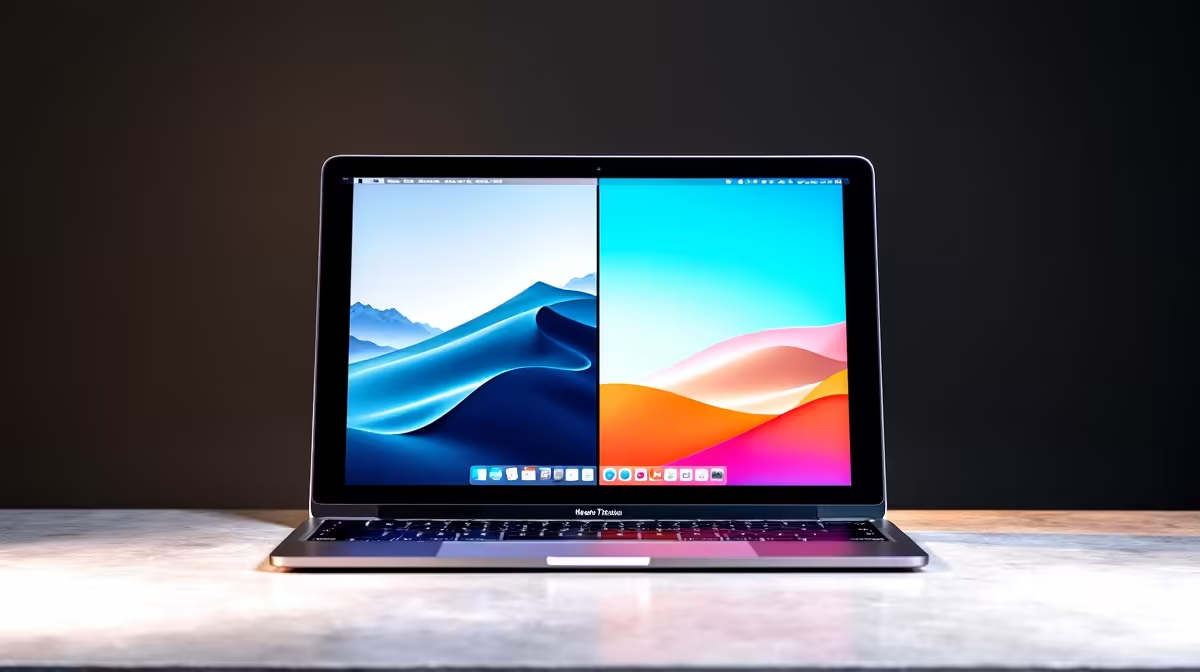
The most visible difference between Tahoe and Sequoia is the redesigned Liquid Glass interface. Apple has reintroduced subtle translucency, depth, and fluidity to system elements that felt relatively flat in Sequoia. Window backgrounds, menu bar items, and UI elements now have a premium feel with refined shadow layers and gradient transitions.
Sequoia's design was clean and minimal; Tahoe adds sophistication without sacrificing clarity. If you've grown accustomed to Sequoia, the change is noticeable but not disorienting — it's a refinement, not a complete overhaul.
Apple Intelligence Expansion
Both Sequoia and Tahoe support Apple Intelligence, but Tahoe's implementation is more mature and feature-rich:
Sequoia (macOS 15):
- Basic writing tools (proofreading, rewriting)
- Simple Siri improvements
- Email categorisation
Tahoe (macOS 26):
- Expanded writing tools with SA English support (colour, optimise, organisation)
- More sophisticated Siri with multi-step actions
- Photo search by description
- Better notification summaries
- Improved Mail suggestions
If you rely on AI writing tools for professional or academic work, Tahoe's upgrades are genuinely useful. For casual users, the difference is minimal.
Phone App (New in Tahoe)
Tahoe introduces a native Phone app on Mac — a feature entirely absent in Sequoia. You can now:
- Make calls from your Mac using your iPhone's cellular connection
- Receive incoming calls on your Mac
- Access call history and voicemail
- Answer a call without touching your iPhone
For professionals taking frequent calls, this is a quality-of-life improvement. For users who rarely use voice calls, it's irrelevant.
iPhone Mirroring Performance
Sequoia introduced iPhone Mirroring; Tahoe improves it. Tahoe's mirroring is faster, more responsive, and supports additional app interactions. If you use iPhone Mirroring regularly, Tahoe is noticeably snappier. If you rarely use it, you won't feel the difference.
Messages and Mail Refinements
Tahoe polishes group chat organisation, conversation search, and email filtering. Sequoia's versions are functional but less refined. These are incremental gains for frequent communicators.
Game Mode Expansion
Sequoia's Game Mode supported MacBook Air and Pro; Tahoe expands it to more Mac models. Game Mode reduces background processes to prioritise gaming performance, resulting in more consistent frame rates.
For casual gamers on an Air, this is a practical improvement. For creative professionals or non-gamers, it's irrelevant.
Metal 4 Graphics API
Tahoe ships with Metal 4, the latest graphics framework. As game developers and creative software vendors adopt Metal 4, performance and visual quality will improve over 2026–2027. Sequoia's Metal 3 is still capable, but Metal 4 is the future standard.
Performance and Stability
Both Sequoia and Tahoe are stable, mature releases. Tahoe feels slightly snappier on disk operations thanks to optimisations, and battery life on MacBook Air/Pro is comparable or marginally better. The differences are subtle — you won't notice a dramatic speed jump unless you're running intensive tasks (video editing, compiling code, 3D rendering).
Compatibility
Both require Apple Silicon M1 or later; Intel Macs cannot run either. If you're on Big Sur or Monterey (with Intel or early M-series), both Sequoia and Tahoe are significant upgrades.
Storage and Space
Both Tahoe and Sequoia require 25–30 GB of free space for the update. Neither is significantly lighter or heavier than the other.
Should You Update from Sequoia to Tahoe?
Yes, if you:
- Are on Sequoia and want the latest polish and features
- Use AI writing tools or Siri regularly (Tahoe's improvements are real)
- Take frequent phone calls and want Phone app convenience
- Play casual games and want Game Mode optimisations
- Want to stay on the latest security release (Tahoe receives new patches longer than Sequoia will)
No, if you:
- Are satisfied with Sequoia's performance (you won't gain much)
- Use niche professional software that may not be fully compatible yet
- Have a Mac with very limited free space (freeing 30 GB is a hassle)
- Prefer stability over new features (Sequoia is rock-solid and well-tested)
Sequoia Will Still Work
Apple typically supports two prior macOS versions with security updates. Sequoia will be supported until at least late 2027, so you're not forced to upgrade. If Sequoia is working well for you, there's no urgency.
macOS Migration Pro Tip ⚡
upgrading, check app compatibility by visiting the developer's website (especially for Adobe Creative Suite, Final Cut Pro, or niche tools). Most modern apps are Tahoe-ready, but older versions may not be. Back up via Time Machine (30 GB of free space required), then schedule your update during low loadshedding periods. Visit [https: www.evetech.co.za ](https: www.evetech.co.za ) to explore Mac-compatible peripherals and storage solutions for your workflow.
Phased Release Note
Tahoe rolled out in phases post-launch, so if you're updating several months after release, you're likely getting a stable, patch-rich version rather than a day-one build. This is generally a good thing — wait a few months, and many early bugs are fixed.
The Bottom Line
Tahoe is a solid incremental upgrade over Sequoia, offering refined aesthetics, smarter AI tools, and the Phone app. It's not a must-upgrade — Sequoia remains fully capable — but for users updating from Big Sur or Monterey, the jump to Tahoe is highly worthwhile.
Plan your upgrade for a time when you have:
- At least 30 GB free space
- A stable internet connection
- Power connected (don't rely on battery during install)
- An hour of uninterrupted time
The process is straightforward, and the result is a polished, modern Mac experience.
Ready to refresh your entire Mac setup for Tahoe? Pair your upgraded Mac with the latest peripherals and storage from Evetech. Whether you need an external SSD, gaming monitor, or keyboard, we have everything to maximise your Tahoe experience. Shop now at https://www.evetech.co.za/laptops/buy-laptops.aspx and find the perfect accessories for your workflow.











