

PCIe Gen 5 vs Gen 4 GPU Performance: Is the Upgrade Worth It?
If you’re building (or upgrading) a gaming PC in South Africa, the PCIe lane debate is real… and it’s easy to get it wrong. Should you pay extra for a PCIe Gen 5 setup just to squeeze more frames from your GPU? Or will PCIe Gen 4 deliver almost the same experience for less?
In this Performance Pulse guide, we’ll break down what actually changes with PCIe Gen 5 vs Gen 4 GPU performance, when it matters, and when it doesn’t. Then we’ll help you decide what’s worth spending on… and what you can safely skip. ⚡
What “PCIe Gen 5 vs Gen 4” really means for GPUs
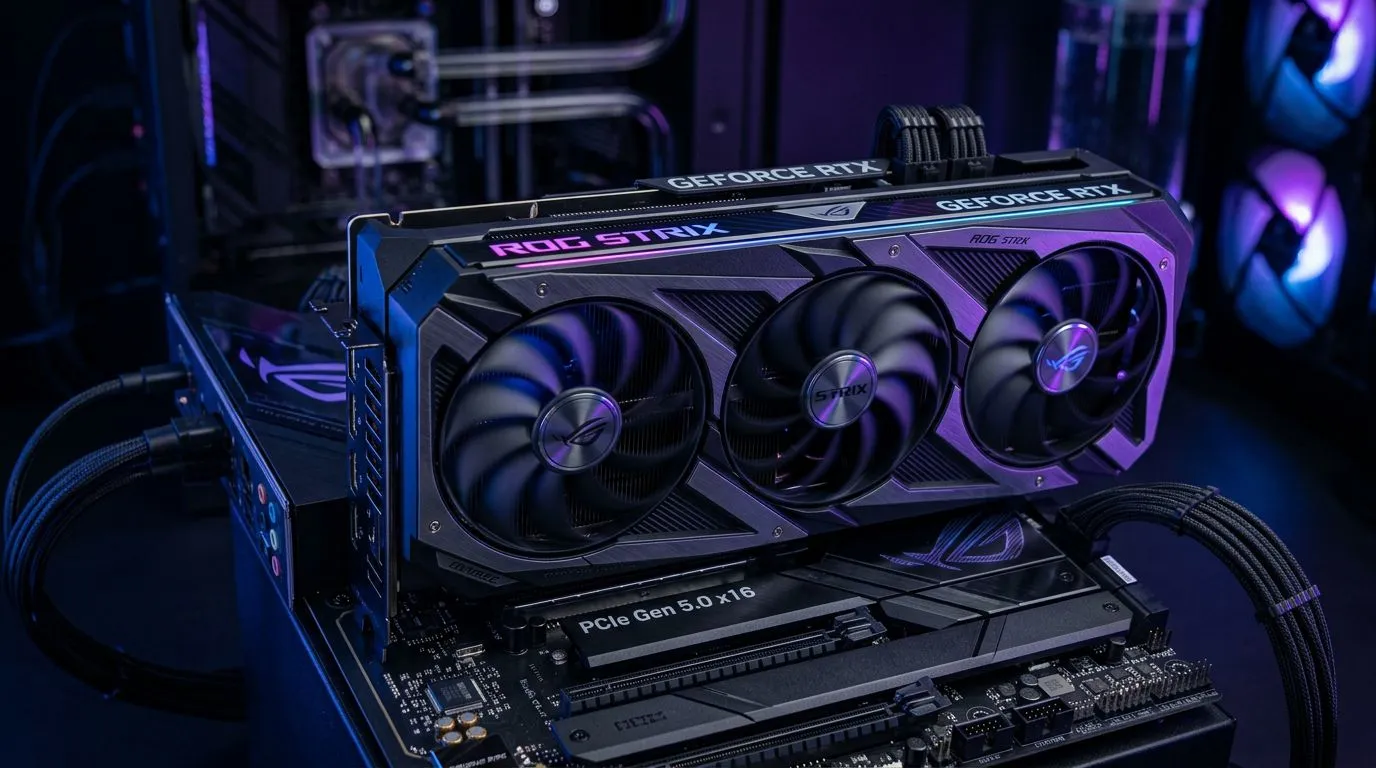
PCIe is the connection between your GPU and the rest of your system. Newer generations offer more bandwidth. In theory, PCIe Gen 5 can move more data than Gen 4, which could reduce bottlenecks in extreme scenarios.
In practice, most gaming workloads are not limited by PCIe bandwidth. They’re limited by the GPU’s compute, memory, and rendering pipeline. So even if Gen 5 is faster on paper, Gen 4 often still gives the same gaming performance you’ll feel at 1080p, 1440p, and even many 4K setups.
Bandwidth vs gameplay reality
Here’s the key buyer-friendly truth: PCIe bandwidth rarely caps FPS for normal gaming. Where PCIe can show up is in edge cases like:
- highly asset-heavy streaming scenarios
- certain GPU workloads that move lots of data across the bus
- specific benchmarks that stress the interface
If your system is built around consistent GPU rendering, Gen 4 usually remains “good enough” to keep your frames smooth. 🚀
Gen 5 can matter more for the whole platform
PCIe Gen 5 is also tied to platform features: newer chipsets, better M.2 options, and improved I/O layouts. Those platform upgrades can improve load times, faster storage performance, or overall system responsiveness. That’s why some builds feel faster even when GPU FPS differences are small. ✨
PCIe Gen 5 vs Gen 4 GPU Performance: The upgrade decision guide
Let’s make the decision simple for real South African buyers.
When upgrading to Gen 5 is worth it
Consider PCIe Gen 5 if you’re building fresh and you also plan on:
- top-tier storage upgrades (PCIe Gen 5 capable SSDs)
- long-term platform longevity (newer CPUs and boards)
- a mixed workload PC (gaming + streaming + content creation)
If you’re already buying a modern GPU, you might not need Gen 5 for raw FPS… but you may benefit from the platform you’re getting with it.
When Gen 4 is the smarter buy
If your goal is “more FPS per rand”, PCIe Gen 4 is usually the better path when:
- you’re upgrading an existing gaming rig
- you’re focusing on GPU upgrades first
- the money difference could go toward a stronger graphics card, better monitor, or more RAM
In South Africa, that “more FPS per rand” mindset matters. You’ll feel a stronger GPU far more than small theoretical bus differences. ⚡
Productivity Pro Tip 🔧
On a PCIe-focused build decision, prioritise your GPU first and your storage second. If you’re gaming, spend the budget on a better graphics card and a reliable SSD (NVMe) before paying extra for Gen 5 platform features. Then, if you do heavy content work, check whether your workload benefits from faster storage rather than expecting major FPS gains.
Benchmarks, bottlenecks, and what to watch for (so you don’t waste money)
Because published results vary by test setup, always look for one thing: whether the benchmark is actually PCIe-limited.
Quick checks before you buy
Here’s how to sanity-check your upgrade path:
- Use the same resolution and game settings when comparing results. Lower settings can hide bottlenecks.
- Prefer real game benchmarks over synthetic tests if your goal is gaming.
- Consider your CPU too. If your CPU is limiting FPS, PCIe generation won’t fix it.
- Watch for BIOS settings. Some boards default to older PCIe modes until configured.
Real-world buying move
If you’re in the market for an NVIDIA or Radeon upgrade, start by picking the GPU class you can afford. Then match the rest of the system to it. That approach keeps your build balanced and reduces “spec tax” spending.
PCIe Gen 5 vs Gen 4 GPU Performance: Picking the right GPU for your build
A practical way to decide is to browse GPUs first, then build around them. If you already know your target card, you can compare platform costs with confidence.
If you want to shop by brand, you can browse NVIDIA options and Radeon options here:
- Browse MSI graphics cards: MSI GPUs from Evetech
- Explore Radeon graphics cards: Radeon Graphics Cards on Evetech
- See the full graphics card collection: Graphics Cards on Evetech
- Shop GeForce graphics cards: GeForce Graphics Cards on Evetech
That order of operations helps you avoid overspending on the platform when your GPU upgrade is the real FPS driver. 🚀
PCIe Gen 5 vs Gen 4 GPU Performance: Final verdict for South African gamers
So, is the upgrade worth it? In most gaming builds, the answer is “probably not for FPS alone.”
- If you’re upgrading an existing rig: Gen 4 is typically the sensible value play.
- If you’re building from scratch and future-proofing: Gen 5 can make sense, especially if you’ll also benefit from the newer platform features beyond the GPU bus.
Focus on what you’ll actually feel: frame smoothness, resolution performance, and stable settings. Then let your motherboard choice serve that goal, not distract from it. ✨
Ready to Find Your Perfect Match? The Mac vs Windows debate is complex, but for maximum power, choice, and value in South Africa, Windows is hard to beat. Explore our massive range of laptop specials and find the perfect machine to conquer your world.











