

RTX 5070 Cyberpunk 2077 at 1440p: FPS Benchmark & Optimal Settings
RTX 5070 Cyberpunk 2077 at 1440p: FPS Benchmark. Real-world benchmark data, FPS numbers & performance analysis. What SA gamers can actually expect.
Read moreUnleash the full potential of your **RTX 5060 Ti Baldur's Gate 3 settings** for an immersive 60FPS experience! 🚀 Dive into our expert guide to discover the optimal quality settings that balance stunning visuals with silky-smooth performance in Faerûn. Get ready to game without compromise! ✨
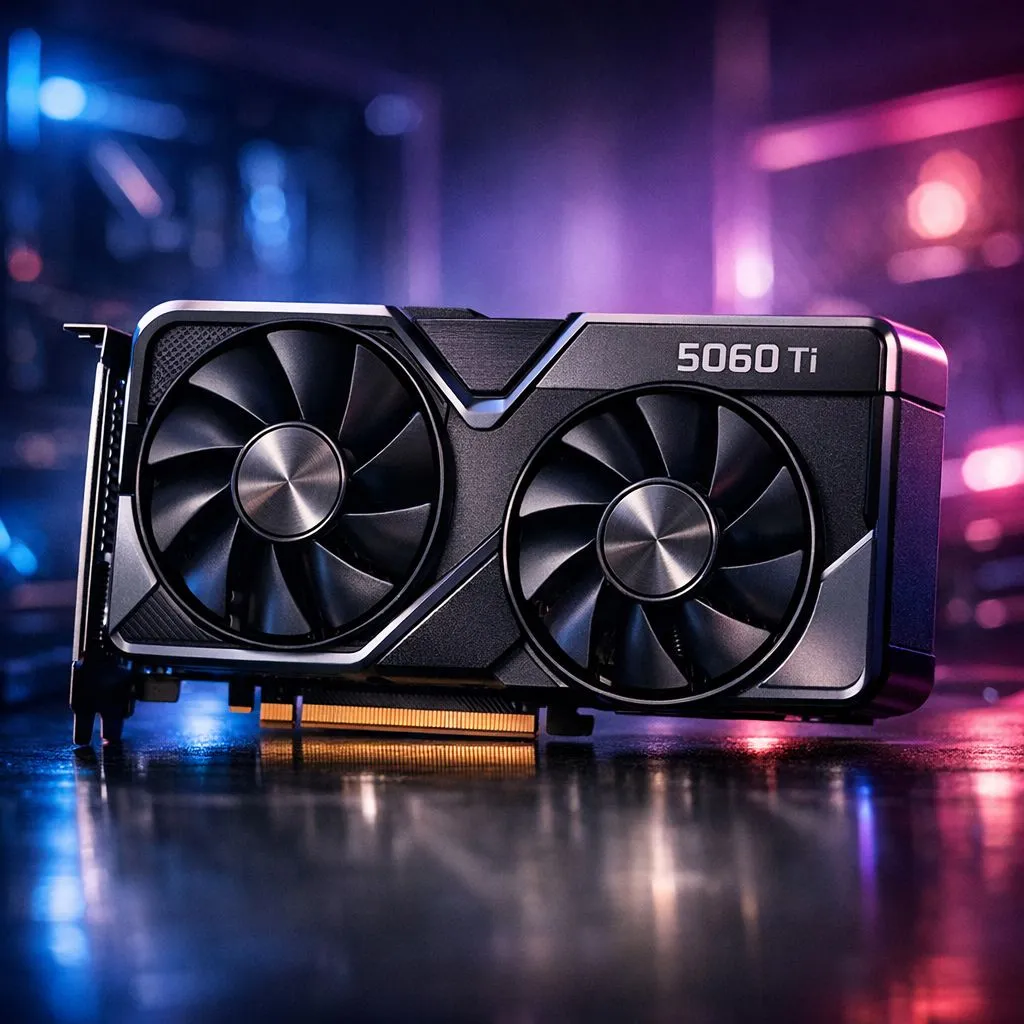
Exploring the sprawling streets of Baldur’s Gate 3 requires more than just high charisma... it needs a GPU that won't stutter during a critical dice roll. The RTX 5060 Ti is a fantastic mid-range contender for South African gamers looking to balance price and performance. While it handles Act 1 easily, the dense crowds of Act 3 can be a different story entirely.
To achieve a stable 60FPS at 1440p, you need to be smart with your presets. The latest NVIDIA graphics cards offer incredible features like DLSS 3 Frame Generation. This is your secret weapon for the Lower City. Start by setting your overall preset to High, then manually tweak the shadows. High-quality shadows look great but eat through your frames in crowded areas.
If you are using one of the MSI graphics cards, you likely have excellent cooling. This allows for more stable boost clocks during long gaming sessions. Ensure your "Model Quality" is set to High, but keep "Instance Distance" at Medium to help the CPU out.
Always use the Vulkan API if you are on an NVIDIA card and experiencing crashes. However, for most users on the RTX 5060 Ti, DirectX 11 provides a more consistent frame rate in the dense urban environments of Act 3. Switch between them to see which your specific build prefers.
While the RTX 5060 Ti is a powerhouse, it’s worth noting the competition. Some players might look at Intel Arc graphics cards for a budget-friendly entry into 1080p gaming. However, for the full Baldur's Gate 3 experience with Ray Tracing, NVIDIA still leads the pack.
If you prefer a pure rasterization approach, the AMD Radeon graphics cards offer massive VRAM buffers which help with high-resolution textures. It is important to remember that gaming hardware is specialised. While workstation graphics cards are brilliant for 3D modelling, they aren't the best value for conquering the Forgotten Realms.
For the best results, set DLSS to 'Quality' mode. This keeps the image sharp while giving you a 20% performance boost. Turn off 'Depth of Field' if you find the background blur distracting. This also saves a few precious milliseconds of frame time. With these tweaks, your RTX 5060 Ti will maintain a beautiful, cinematic 60FPS throughout your entire adventure.
Ready to Find Your Perfect Match? The RTX 5060 Ti offers incredible value for South African gamers looking to experience the latest titles. For maximum power, choice, and value in South Africa, Evetech is the place to be. Explore our massive range of NVIDIA graphics cards and find the perfect upgrade to conquer your favourite games.
Achieve a stable 60FPS by adjusting a mix of high and medium settings. Prioritize shadow quality, volumetric clouds, and ambient occlusion for the biggest performance gains while maintaining visual fidelity.
Yes, the RTX 5060 Ti is capable of running BG3 at 1440p with 60FPS, especially with DLSS enabled and careful optimization of demanding graphical options.
Absolutely. DLSS (Deep Learning Super Sampling) is highly recommended. It significantly boosts performance with minimal impact on image quality, helping maintain high frame rates.
Volumetric Fog & Clouds, Shadow Quality, and Ambient Occlusion are the most demanding settings. Lowering these first will yield the largest BG3 graphics optimization for FPS.
You can enable the in-game FPS counter through the game's options menu, or use third-party tools like NVIDIA GeForce Experience Overlay or MSI Afterburner for monitoring.
Yes, densely populated areas like cities (e.g., Baldur's Gate city itself) and complex combat scenarios tend to be more demanding. Adjust settings accordingly for these zones.
RTX 5070 Cyberpunk 2077 at 1440p: FPS Benchmark. Real-world benchmark data, FPS numbers & performance analysis. What SA gamers can actually expect.
Read more
RTX 3060 Crimson Desert at 1080p: FPS Benchmark. Real-world benchmark data, FPS numbers & performance analysis. What SA gamers can actually expect.
Read more
RTX 5060 Ti Starfield at 1080p: FPS Benchmark. Real-world benchmark data, FPS numbers & performance analysis. What SA gamers can actually expect.
Read more
Intel Arc B580 Assassins Creed Shadows at 1440p. Real-world benchmark data, FPS numbers & performance analysis. What SA gamers can actually expect.
Read more
RX 9070 Avowed at 4K: FPS Benchmark & Optimal. Real-world benchmark data, FPS numbers & performance analysis. What SA gamers can actually expect.
Read more
RX 9070 XT Linux Support: Benchmark & Real-World. Real-world benchmark data, FPS numbers & performance analysis. What SA gamers can actually expect.
Read more
RX 7800 XT The Witcher 4 Low Settings at 1440p. Real-world benchmark data, FPS numbers & performance analysis. What SA gamers can actually expect.

RTX 5070 GTA 6 High Settings at 1440p: FPS Results. Real-world benchmark data, FPS numbers & performance analysis. What SA gamers can actually expect.

Does RTX 5070 Run Hot in South African Climate Detailed answer with SA data, expert analysis & practical recommendations for local buyers.

How Long Will the RX 7900 XTX Last for Gaming Detailed answer with SA data, expert analysis & practical recommendations for local buyers.

Every spec on PCIe 5.0 explained in plain English. What matters for gaming and creator work in 2026, what's marketing fluff, and how each number translates to real-world performance.

Every spec on bios explained in plain English. What matters for gaming and creator work in 2026, what's marketing fluff, and how each number translates to real-world performance.

Every spec on gaming setups explained in plain English. What matters for gaming and creator work in 2026, what's marketing fluff, and how each number translates to real-world performance.

Every spec on cooling systems explained in plain English. What matters for gaming and creator work in 2026, what's marketing fluff, and how each number translates to real-world performance.

Every spec on 10tb enough storage explained in plain English. What matters for gaming and creator work in 2026, what's marketing fluff, and how each number translates to real-world performance.

External HDD vs External SSD: real-world performance, SA pricing, power draw and which one delivers better value for your build. The clear answer — without the fluff.

What to prioritise when shopping for external hard drive in South Africa: the specs that matter, Rand value tiers, and the trade-offs between budget and flagship picks in 2026.

Desktop External HDDs vs Portable Drives: real-world performance, SA pricing, power draw and which one delivers better value for your build. The clear answer — without the fluff.