


RTX 5070 Cyberpunk 2077 at 1440p: FPS Benchmark & Optimal Settings
RTX 5070 Cyberpunk 2077 at 1440p: FPS Benchmark. Real-world benchmark data, FPS numbers & performance analysis. What SA gamers can actually expect.
Read moreRTX 5060 vs RTX 5070 laptop — Checklist: • Compare VR frame rates and latency; • Measure thermals and power draw; • Recommend best buy for smooth VR racing 🎮⚡ Get clear performance results and buying guidance.
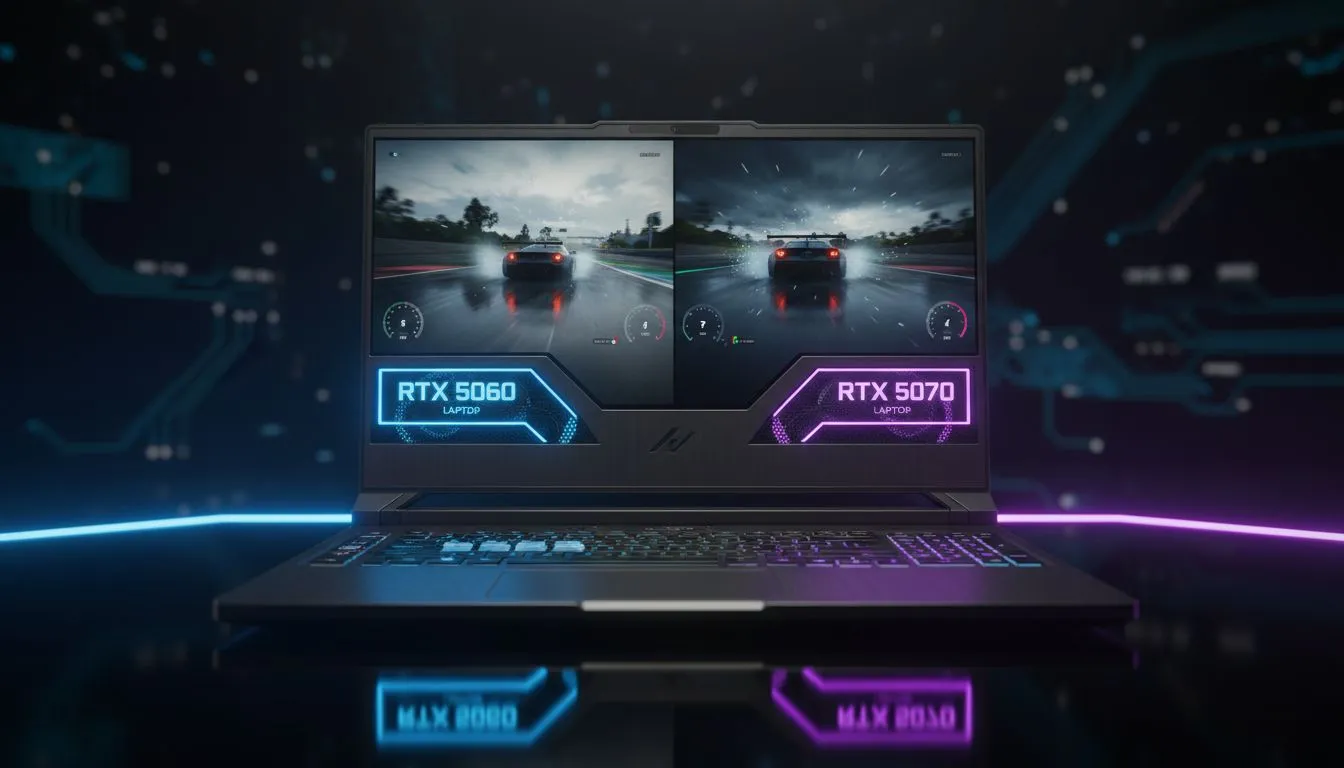
Imagine lining up at the Kyalami starting grid in VR. The sun reflects off your dashboard... every detail in your peripheral vision needs to be pin-sharp to maintain immersion. When comparing the RTX 5060 vs RTX 5070 laptop: VR Racing Performance, the difference isn't just about frames. It is about maintaining that 90Hz or 120Hz floor to prevent motion sickness during high-speed hairpins. 🏎️
For most South African sim racers, the RTX 5060 is the entry point into high-fidelity virtual reality. It handles titles like Assetto Corsa or iRacing admirably at medium settings. However, VR headsets demand massive resolutions... often exceeding 4K across both eyes. This is where the RTX 5070 starts to pull ahead. With its higher memory bandwidth and increased CUDA core count, the 5070 provides a smoother experience when the grid gets crowded.
If you are just starting your journey and need to keep costs down, you can find great laptops under R20k that offer a solid foundation for 1080p gaming, though VR might require more "oomph" for the best results.
VR racing relies heavily on VRAM. As track textures and car models load in, a laptop with limited video memory will stutter. The RTX 5070 typically offers more headroom for high-resolution texture packs. To get the most out of these GPUs, pairing them with the right processor is vital. Many local racers prefer the efficiency of AMD, so exploring Ryzen laptop deals is a smart move to ensure your CPU doesn't bottleneck your headset.
Always disable 'Motion Blur' and 'Depth of Field' in your racing sim settings when playing in VR. These effects are designed for flat screens and can cause significant nausea in a headset. Plus, turning them off frees up valuable GPU cycles for a higher, more stable frame rate.
Choosing between these two comes down to your specific headset. A Meta Quest 3 or Valve Index demands the extra power of the 5070 to stay fluid. If you are hunting for the top-tier performance, our best gaming laptop deals often feature high-refresh-rate machines that complement these GPUs perfectly.
For those who lean towards Team Blue, the latest Intel laptops on special provide the high clock speeds necessary for physics-heavy sims. It is all about balance. You don't want a beastly GPU held back by a slow processor or insufficient cooling. ✨
The RTX 5060 is a champion of value, but for serious VR enthusiasts, the RTX 5070 is the smarter long-term investment. It handles the overhead of VR "super-sampling" much better... ensuring your lap times aren't ruined by a sudden frame drop. Keep an eye on the GeForce RTX gaming laptops on special to snag a 50-series machine at a competitive ZAR price. 🚀
Ready to Find Your Perfect Match? The RTX 5060 vs RTX 5070 debate is complex, but for maximum power, choice, and value in South Africa, Evetech has you covered. Explore our massive range of laptop specials and find the perfect machine to conquer your world.
Yes. Many RTX 5060 laptops handle VR racing at playable settings (60+ FPS) on mid settings; heavier titles or higher detail may need RTX 5070.
RTX 5070 delivers higher frame rates and headroom for settings, offering smoother VR racing and better futureproofing than the 5060.
Expect roughly 10–30% higher FPS on RTX 5070 depending on title and settings; benchmarks vary by headset and CPU.
Yes. Thermals and power caps on laptops affect sustained VR performance; cooling and power profile matter as much as GPU choice.
For tight budgets, RTX 5060 offers solid VR value. If you want higher fidelity and longevity, prioritize RTX 5070 when possible.
Yes. RTX 5070 provides extra performance to reach higher refresh rates on modern headsets, improving smoothness and reducing reprojection.
Compare real-world VR benchmarks, thermals, CPU pairing, and power limits; look for RTX 5070 if you want consistent high-FPS VR.
RTX 5070 Cyberpunk 2077 at 1440p: FPS Benchmark. Real-world benchmark data, FPS numbers & performance analysis. What SA gamers can actually expect.
Read more
RTX 3060 Crimson Desert at 1080p: FPS Benchmark. Real-world benchmark data, FPS numbers & performance analysis. What SA gamers can actually expect.
Read more
RTX 5060 Ti Starfield at 1080p: FPS Benchmark. Real-world benchmark data, FPS numbers & performance analysis. What SA gamers can actually expect.
Read more
Intel Arc B580 Assassins Creed Shadows at 1440p. Real-world benchmark data, FPS numbers & performance analysis. What SA gamers can actually expect.
Read more
RX 9070 Avowed at 4K: FPS Benchmark & Optimal. Real-world benchmark data, FPS numbers & performance analysis. What SA gamers can actually expect.
Read more
RX 9070 XT Linux Support: Benchmark & Real-World. Real-world benchmark data, FPS numbers & performance analysis. What SA gamers can actually expect.
Read more
RX 7800 XT The Witcher 4 Low Settings at 1440p. Real-world benchmark data, FPS numbers & performance analysis. What SA gamers can actually expect.

RTX 5070 GTA 6 High Settings at 1440p: FPS Results. Real-world benchmark data, FPS numbers & performance analysis. What SA gamers can actually expect.

Does RTX 5070 Run Hot in South African Climate Detailed answer with SA data, expert analysis & practical recommendations for local buyers.

How Long Will the RX 7900 XTX Last for Gaming Detailed answer with SA data, expert analysis & practical recommendations for local buyers.

Every spec on PCIe 5.0 explained in plain English. What matters for gaming and creator work in 2026, what's marketing fluff, and how each number translates to real-world performance.

Every spec on bios explained in plain English. What matters for gaming and creator work in 2026, what's marketing fluff, and how each number translates to real-world performance.

Every spec on gaming setups explained in plain English. What matters for gaming and creator work in 2026, what's marketing fluff, and how each number translates to real-world performance.

Every spec on cooling systems explained in plain English. What matters for gaming and creator work in 2026, what's marketing fluff, and how each number translates to real-world performance.

Every spec on 10tb enough storage explained in plain English. What matters for gaming and creator work in 2026, what's marketing fluff, and how each number translates to real-world performance.

External HDD vs External SSD: real-world performance, SA pricing, power draw and which one delivers better value for your build. The clear answer — without the fluff.

What to prioritise when shopping for external hard drive in South Africa: the specs that matter, Rand value tiers, and the trade-offs between budget and flagship picks in 2026.

Desktop External HDDs vs Portable Drives: real-world performance, SA pricing, power draw and which one delivers better value for your build. The clear answer — without the fluff.