


RX 9070 XT Elden Ring Nightreign at 4K: FPS Benchmark & Optimal Settings
RX 9070 XT Elden Ring Nightreign at 4K: FPS. Real-world benchmark data, FPS numbers & performance analysis. What SA gamers can actually expect.
Read moreRTX 5070 path tracing settings guide: tune samples, denoiser, DLSS and driver tweaks to balance quality and framerate for smoother gameplay and sharper visuals ⚙️🎮
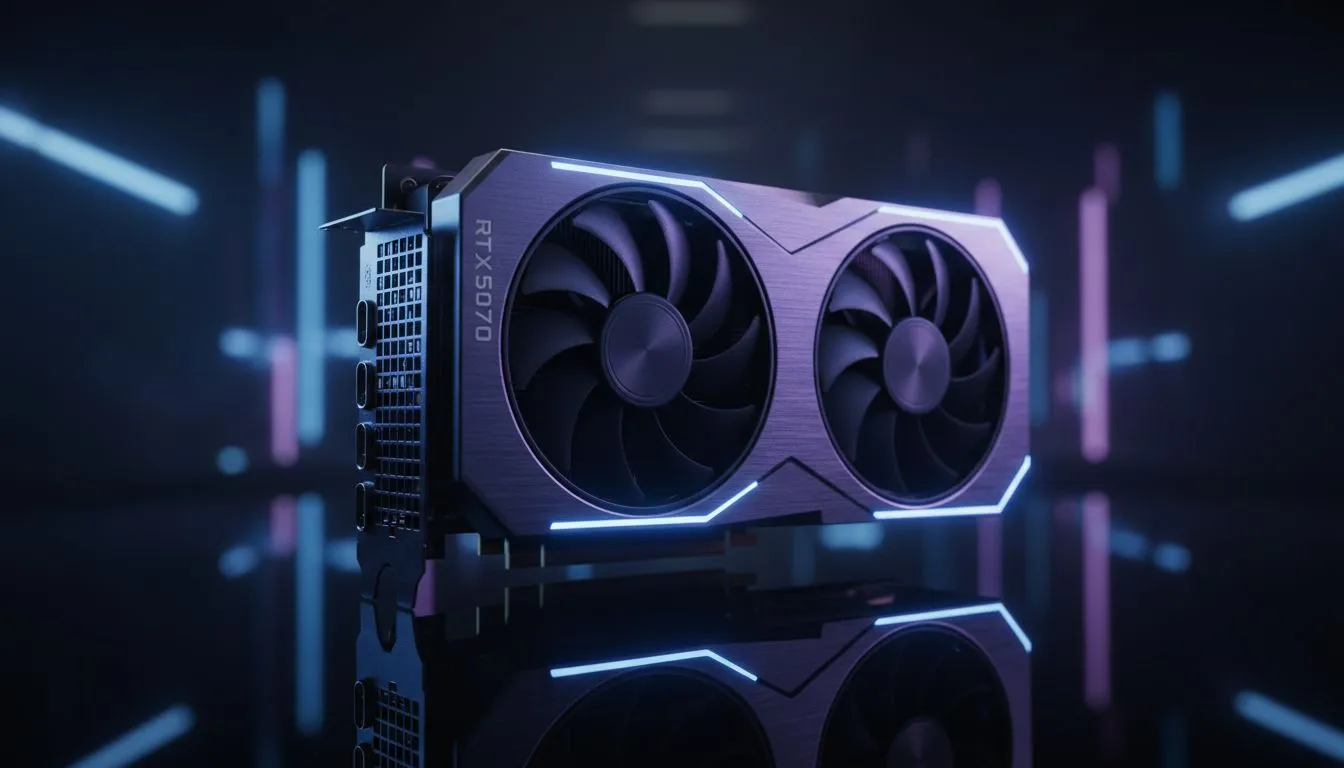
Getting your hands on an RTX 5070 in South Africa is the first step toward visual nirvana. But once you fire up Cyberpunk 2077 or Alan Wake 2... the real challenge begins. Path tracing is the holy grail of lighting and it is incredibly demanding. If you want those silky smooth frame rates without sacrificing that crisp 1440p detail... you need the right RTX 5070 path tracing settings. ⚡
The RTX 5070 is a powerhouse... but path tracing simulates the physics of light in a way that can bring even high-end systems to their knees. When browsing the latest NVIDIA graphics cards, you will notice the 50-series brings significant architectural improvements. To get the best out of this hardware, you should start by setting Path Tracing to "On" but keeping your base resolution scale sensible. At 1440p, your best friend will be DLSS Super Resolution set to "Quality" or "Balanced".
To truly optimise your RTX 5070 path tracing settings, you must lean heavily on NVIDIA’s AI stack. Ray Reconstruction (DLSS 3.5 and beyond) is non-negotiable. It replaces hand-tuned denoisers with an AI network that generates higher-quality pixels between sampled rays. This results in sharper reflections and less "shimmer" in dark corners.
If you are using premium variants like MSI graphics cards, you often have more thermal headroom to push slightly higher clocks... which helps maintain stability when Frame Generation is active. Frame Generation is essential here... it fills the gaps and ensures that the heavy computational load of path tracing does not result in a choppy experience on your high-refresh monitor.
Always enable "NVIDIA Reflex" when using Frame Generation with path tracing. Path tracing adds significant rendering latency... and Reflex helps counteract this by synchronising the CPU and GPU. This keeps your mouse movements feeling snappy even when the GPU is working at 99% capacity.
While NVIDIA currently leads the pack in heavy ray tracing tasks, it is worth looking at the broader market. For those focused purely on traditional rasterization or budget-friendly builds... AMD Radeon graphics cards offer incredible value in ZAR per frame. However... they generally struggle more with full path tracing compared to the 5070’s dedicated RT cores.
Even Intel Arc graphics cards have entered the fray with surprisingly decent ray tracing hardware for the price... though they are not quite in the same league as the RTX 5070 for "Overdrive" settings. For professionals who need these lighting features for rendering rather than gaming... specialized workstation graphics cards remain the gold standard for stability and driver certification. ✨
For the perfect balance... set your "Indirect Lighting" to ultra but consider dropping "Volumetric Fog" to medium. This often saves enough bandwidth to keep your path tracing effects looking crisp without a massive performance hit. Local shadows should remain high to ground the objects in the scene... as path tracing handles the global illumination and complex reflections beautifully. 🔧
Ready to Find Your Perfect Match? The RTX 50-series is a leap forward for lighting and realism. For maximum power, choice, and value in South Africa, Evetech has you covered. Explore our massive range of graphics card specials and find the perfect GPU to conquer your world.
Reduce sample count, enable DLSS, use temporal denoiser, lower ray bounces, and apply driver performance mode to lift framerate.
Start at 4-8 samples for 1080p and 8-16 for 1440p. Increase only if visuals need it; use denoising to preserve quality.
Yes. DLSS boosts framerate while keeping image fidelity. Use DLSS Quality or Balanced to retain detail in path tracing scenes.
Temporal denoisers usually balance noise and detail best. Combine with lower sample counts for smooth results.
Update GPU drivers, set power to performance, and enable low-latency modes where supported to reduce stutters.
Use medium samples, temporal denoiser, DLSS Balanced, moderate ray bounce limits, and optimized post-processing.
Check in-game presets labeled Performance or Balanced and then fine-tune samples, denoiser, and DLSS for best results.
RX 9070 XT Elden Ring Nightreign at 4K: FPS. Real-world benchmark data, FPS numbers & performance analysis. What SA gamers can actually expect.
Read more
RTX 5090 Marvel Rivals FPS: Performance Benchmark. Real-world benchmark data, FPS numbers & performance analysis. What SA gamers can actually expect.
Read more
Intel Arc A770 Escape from Tarkov Performance. Real-world benchmark data, FPS numbers & performance analysis. What SA gamers can actually expect.
Read more
Head-to-head comparison of RX 9070 XT vs RTX 6070: Gaming Performance for SA gamers. Performance benchmarks, Rand pricing & which delivers better value.
Read more
Head-to-head comparison of RTX 5060 Ti Mining vs Gaming: Does It Affect for SA gamers. Performance benchmarks, Rand pricing & which delivers better value.
Read more
Ryzen 7 7800X3D Gaming Benchmark: FPS Across 20. Real-world benchmark data, FPS numbers & performance analysis. What SA gamers can actually expect.
Read more
RX 7800 XT The Witcher 4 Low Settings at 1440p. Real-world benchmark data, FPS numbers & performance analysis. What SA gamers can actually expect.

RTX 5070 GTA 6 High Settings at 1440p: FPS Results. Real-world benchmark data, FPS numbers & performance analysis. What SA gamers can actually expect.

Does RTX 5070 Run Hot in South African Climate Detailed answer with SA data, expert analysis & practical recommendations for local buyers.

How Long Will the RX 7900 XTX Last for Gaming Detailed answer with SA data, expert analysis & practical recommendations for local buyers.

Every spec on PCIe 5.0 explained in plain English. What matters for gaming and creator work in 2026, what's marketing fluff, and how each number translates to real-world performance.

Every spec on bios explained in plain English. What matters for gaming and creator work in 2026, what's marketing fluff, and how each number translates to real-world performance.

Every spec on gaming setups explained in plain English. What matters for gaming and creator work in 2026, what's marketing fluff, and how each number translates to real-world performance.

Every spec on cooling systems explained in plain English. What matters for gaming and creator work in 2026, what's marketing fluff, and how each number translates to real-world performance.

Every spec on 10tb enough storage explained in plain English. What matters for gaming and creator work in 2026, what's marketing fluff, and how each number translates to real-world performance.

External HDD vs External SSD: real-world performance, SA pricing, power draw and which one delivers better value for your build. The clear answer — without the fluff.

What to prioritise when shopping for external hard drive in South Africa: the specs that matter, Rand value tiers, and the trade-offs between budget and flagship picks in 2026.

Desktop External HDDs vs Portable Drives: real-world performance, SA pricing, power draw and which one delivers better value for your build. The clear answer — without the fluff.