Staring at another loading screen in Baldur's Gate 3? We've all been there. That agonizing wait is often the biggest bottleneck in your gaming rig. The age-old debate of SSD vs HDD for gaming isn't just tech talk; it's about reclaiming your time and getting smoother performance. So, which drive truly boosts your PC's power and gets you into the action faster? Let's dive in and settle the score for South African gamers.
The Core Difference: Spinning Platters vs Flash Memory
Before we talk about frame rates and load times, it's crucial to understand the fundamental technology separating these two drives. The choice you make in the SSD vs HDD battle directly impacts your PC's responsiveness.
Hard Disk Drives (HDDs): The Reliable Workhorse
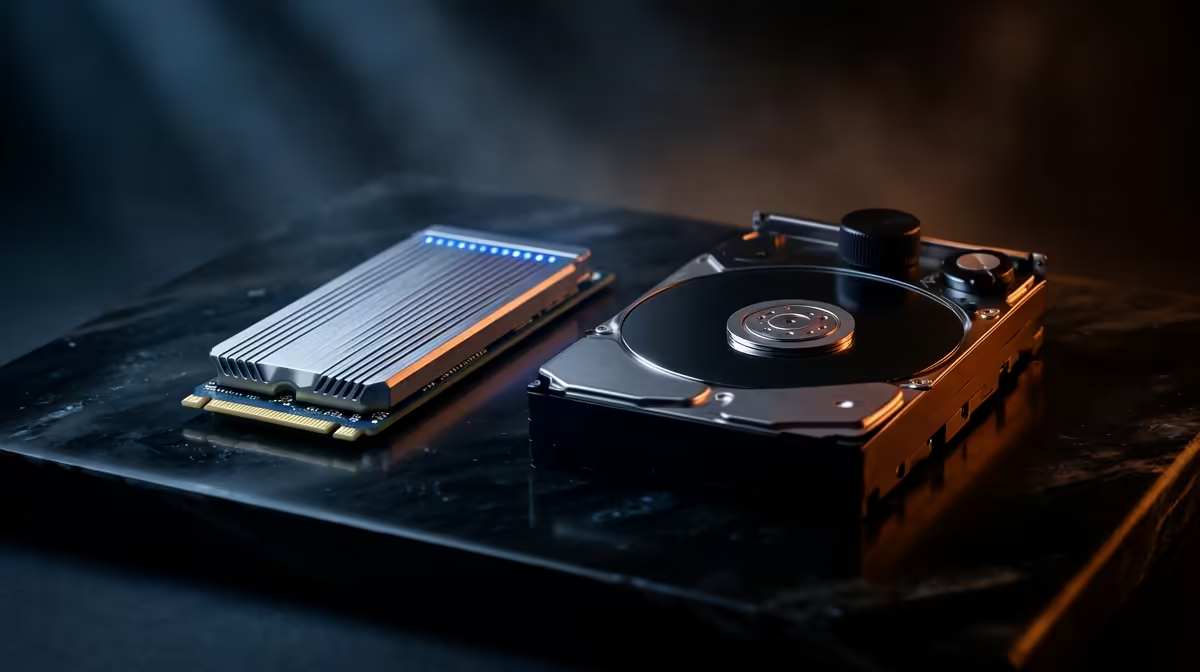
Think of a Hard Disk Drive (HDD) like a vinyl record player. It has a physical, spinning platter and a mechanical arm that reads and writes data. This technology has been around for decades, making it a proven and affordable way to store massive amounts of data. For hoarding games, movies, and photos without breaking the bank, traditional hard drives are still a solid choice for secondary storage.
Solid-State Drives (SSDs): The Modern Speedster ⚡
A Solid-State Drive (SSD), on the other hand, has no moving parts. It uses flash memory—similar to what's in your smartphone or a USB stick—to store data. This allows for near-instant access times. Because there's no physical arm seeking data, the speed difference is night and day. This is the key reason why the debate over SSD vs HDD for gaming performance almost always leans towards solid-state technology. A quick browse of available SSDs shows how accessible this speed has become.
How Your Storage Choice Impacts Gaming Performance
Okay, enough theory. How does this translate to your actual experience when you're trying to clutch a round in Valorant? The impact is bigger than you might think.
Blazing-Fast Load Times
This is the most obvious benefit. An SSD can slash game loading screens, map transitions, and save file loading from minutes to mere seconds. Games with huge, sprawling worlds like Cyberpunk 2077 or Starfield benefit immensely, getting you into the game faster and keeping you there.
Smoother In-Game Experience
Ever run through a massive open world and seen textures pop in late or noticed a slight stutter? That's often your storage drive struggling to feed assets to your graphics card. An SSD's rapid data access helps eliminate this texture-streaming bottleneck, leading to a smoother, more immersive experience without jarring interruptions. A faster drive truly helps your whole system work in harmony.
Not All SSDs Are Created Equal: NVMe vs SATA
Just when you thought you'd decided on an SSD, another choice appears: NVMe or SATA? Both are fantastic upgrades over an HDD, but they offer different levels of performance.
SATA SSDs
These typically come in a 2.5-inch rectangular casing and connect to your motherboard via a SATA cable, the same kind used by HDDs. They are significantly faster than any hard drive and offer a brilliant performance-per-Rand value. For breathing new life into an older PC or for a dedicated games-only drive, these 2.5-inch SSDs are an excellent, budget-friendly option.
NVMe M.2 SSDs 🚀
These are the peak performers. NVMe (Non-Volatile Memory Express) SSDs look more like a stick of RAM. They plug directly into an M.2 slot on your motherboard, bypassing the slower SATA interface entirely. This direct line to your CPU allows for breathtaking read/write speeds. For your operating system and your most-played games, nothing beats the responsiveness of modern NVMe SSDs.
Check Your Motherboard Manual! 🔧
Before you splash out on a super-fast NVMe drive, quickly check your motherboard's specs on its product page. Look for an 'M.2 slot' and confirm whether it supports PCIe NVMe or just SATA. This five-minute check can save you a huge headache and ensure you buy a compatible drive.
The Verdict: What's the Best Drive for Your Gaming PC?
So, in the SSD vs HDD for gaming showdown, the SSD is the undisputed champion for performance. It reduces load times, smooths out gameplay, and makes your entire PC feel snappier.
For most South African gamers, the ideal setup is a hybrid one:
- A smaller, super-fast NVMe SSD (250GB - 1TB) for your Windows installation and favourite games.
- A larger, more affordable HDD (1TB - 4TB) for your extended game library, media files, and backups.
This approach gives you lightning-fast performance where it counts most, without sacrificing bulk storage capacity. As prices continue to fall, an all-SSD setup is becoming more and more achievable, completely eliminating the mechanical bottleneck from your system. ✨
Ready to Annihilate Loading Screens?
The SSD vs HDD debate is clear: for pure gaming performance, an SSD is essential. Whether you're upgrading an old rig or building a new beast, the right drive makes all the difference. Explore our incredible SSD deals and find the perfect speed boost for your budget.