

Staring at a render bar that moves slower than traffic on the N1? We’ve all been there. That stuttering playback, the long waits for projects to load... it’s enough to kill any creative flow. For South African video editors, the choice between storage types is critical. The SSD vs HDD for video editing debate isn't just about specs; it’s about reclaiming your time and sanity. Let's dive into some real-world tests to see which drive truly delivers.
Understanding the SSD vs HDD Showdown for Video Editing
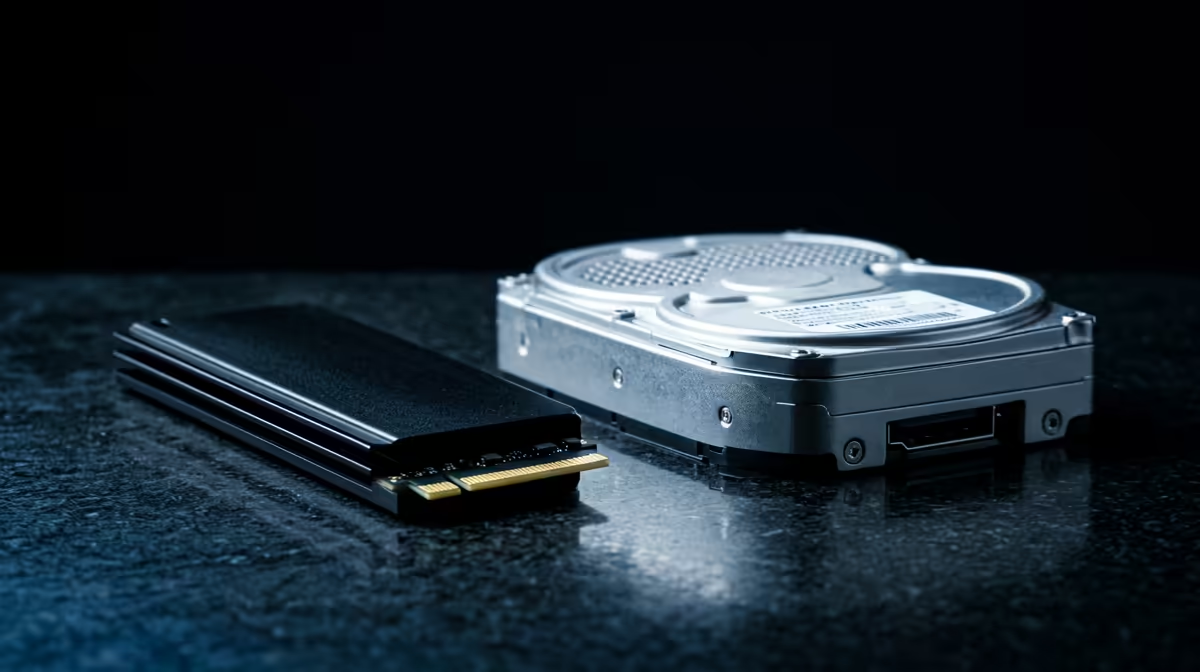
Before we get to the performance tests, let's quickly break down the technology. Think of a Hard Disk Drive (HDD) like a vinyl record player. It has a physical spinning platter and a mechanical arm that reads and writes data. It’s reliable for storing large files, but that physical movement creates a bottleneck.
An Solid-State Drive (SSD), on the other hand, has no moving parts. It uses flash memory, similar to a high-speed USB stick. This means data access is almost instantaneous. For video editing, where your system is constantly reading and writing large, complex files, this difference is massive.
Real-World Performance: SSD vs HDD for Video Editing Tasks
We can talk about theoretical speeds all day, but what really matters is how these drives perform when you're deep in a project. Let's compare the SSD vs HDD for video editing across a few common, time-consuming tasks. ��️
Timeline Scrubbing & 4K Playback
This is where an HDD often shows its weakness. Trying to scrub through 4K footage on a timeline with an HDD can be a choppy, frustrating experience, filled with dropped frames and delayed previews. An SSD, however, can feed that data to your processor and graphics card instantly. This results in buttery-smooth playback, even with multiple layers and effects. This fluid workflow is why many high-performance NVIDIA GeForce gaming PCs, often used for editing, now feature NVMe SSDs as standard.
Applying Effects & Colour Grading
Adding real-time effects, transitions, or complex colour grades requires your system to access source files on the fly. An SSD's low latency and high read speeds ensure there's no lag between adjusting a setting and seeing the result. This responsiveness is crucial for a productive creative session. Whether you're using Adobe Premiere Pro or DaVinci Resolve, a fast SSD helps your CPU and GPU work their magic without waiting for data, a benefit you'll find in many powerful AMD Radeon gaming PCs as well.
The Final Render: Exporting Your Masterpiece 🎬
The final export is the ultimate test of your system's power. While rendering is heavily dependent on your CPU and GPU, your storage drive plays a vital supporting role. The system needs to read all your source clips, audio files, and graphics from the drive before it can process and write the final video file. A faster drive shortens this entire process, getting your project out the door quicker. For professionals where time is money, shaving minutes or even hours off renders with one of our purpose-built workstation PCs is a massive win.
The Cost vs. Capacity Conundrum in South Africa
So, if SSDs are so much faster, why do HDDs still exist? The answer is simple: cost per gigabyte. In South Africa, getting the most storage for your Rand is important. A massive 8TB HDD is significantly cheaper than an 8TB SSD. This is where a hybrid approach offers the best of both worlds.
The Hybrid Workflow Pro Tip ⚡
Use a fast NVMe SSD (500GB to 2TB) as your primary drive. Install your operating system, editing software (like Premiere Pro), and store your active project files on it. Then, use a large, affordable HDD (4TB or more) for long-term storage, archiving completed projects, and storing raw footage you aren't currently using. This gives you incredible performance where it counts without breaking the bank.
This strategy is the most cost-effective way to build a powerful editing machine. You can see this balanced approach in many of our customisable Intel PC deals and across our latest AMD Ryzen PC deals, where you can mix and match storage to suit your exact needs and budget.
The Final Verdict: Which Drive Wins for Video Editing?
After looking at the real-world performance tests, the conclusion is clear. For any serious video editing work in 2024, an SSD for your operating system and active projects is no longer a luxury—it's an essential tool for a smooth, efficient workflow. The time you save and the frustration you avoid are well worth the investment.
The SSD vs HDD for video editing performance gap is simply too wide to ignore. While HDDs remain the undisputed king for cheap, high-capacity archival storage, they should not be the primary drive you work from. Upgrading to an SSD is one of the single most impactful performance boosts you can give your editing rig. You can find this essential upgrade included in many of Evetech's pre-built PC deals, configured for immediate performance. 🚀
Ready to Slash Your Render Times? The SSD vs HDD debate is settled for creative pros. For maximum performance and value in South Africa, a system built around a fast SSD is essential. Explore our massive range of workstation PCs and find the perfect machine to bring your vision to life.











