


RTX 5070 Cyberpunk 2077 at 1440p: FPS Benchmark & Optimal Settings
RTX 5070 Cyberpunk 2077 at 1440p: FPS Benchmark. Real-world benchmark data, FPS numbers & performance analysis. What SA gamers can actually expect.
Read moreTri-band router for large homes cuts WiFi congestion across wide floorplans and many devices in South African houses. Learn practical setup, placement, and model picks to boost speed and stability. 🇿🇦📶
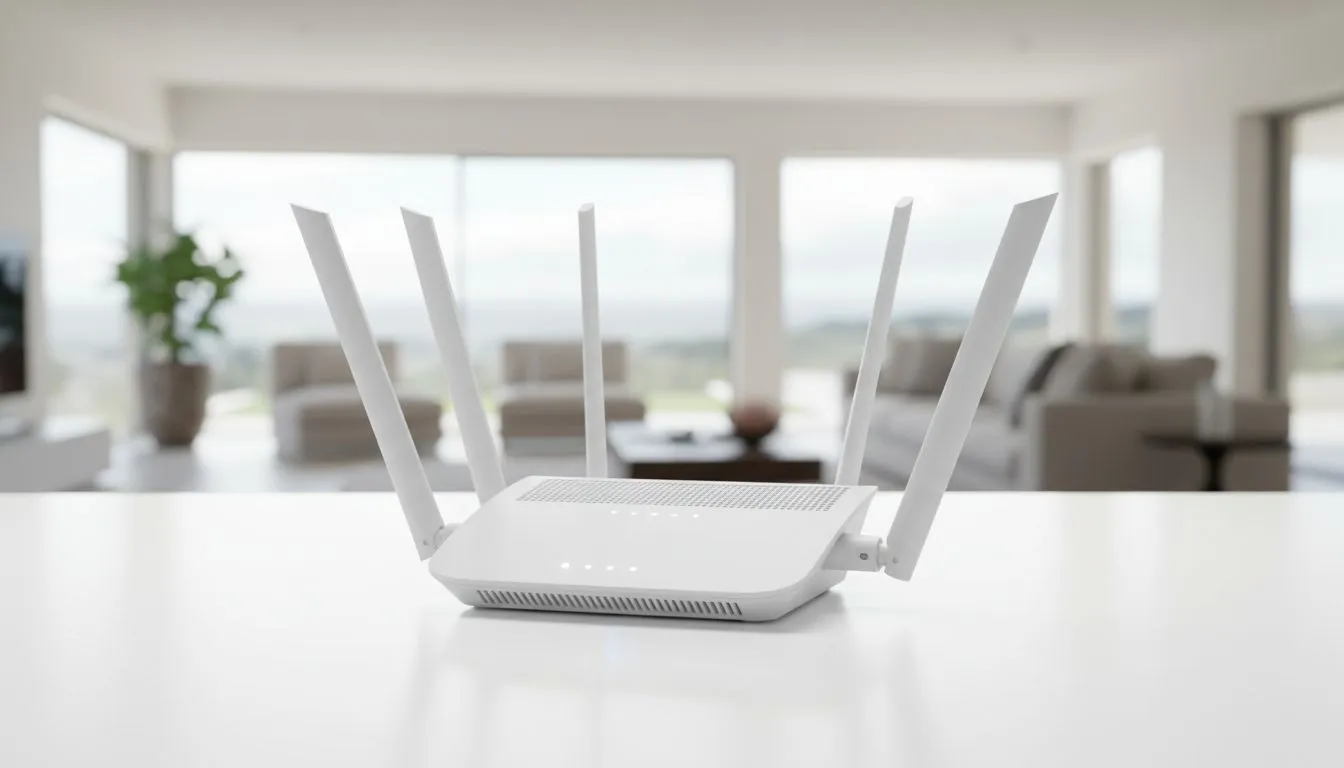
Is your home WiFi feeling the strain? The moment loadshedding ends, everyone jumps online—phones, laptops, smart TVs, gaming consoles—and your connection grinds to a halt. This digital traffic jam, known as WiFi congestion, is a massive headache in modern South African homes. If you're tired of buffering streams and laggy games, the solution might be simpler than you think: upgrading to a tri-band router for large homes is the key to a faster, more reliable connection.
So, what makes a tri-band router different? Think of it like upgrading a busy road.
A standard dual-band router has two "lanes" for your data traffic: a 2.4GHz band (slower, but with longer range) and a 5GHz band (much faster, but with shorter range).
A tri-band router adds a second, separate 5GHz lane. 🚀 This seemingly small change has a massive impact. It allows the router to automatically sort your devices, preventing a slow device on one lane from holding up a high-speed device on another. This intelligent traffic management is the secret to stopping WiFi congestion.
In a large, multi-story house filled with smart devices, a dual-band router quickly becomes overwhelmed. Imagine this scenario: your kids are streaming Showmax upstairs, you're on a critical Zoom call in the study, and your partner is downloading a massive game update on their PC. With a standard router, these devices are all competing for bandwidth, causing frustrating slowdowns for everyone.
A tri-band router for large homes solves this by dedicating an entire high-speed 5GHz band to your most demanding devices, like your gaming rig or 4K TV. This leaves the other two bands free for everything else, ensuring smooth performance across the board. It's the most effective way to guarantee a stable connection in every room. While a powerful router is your first step, for uniquely shaped homes with stubborn dead zones, complementing your setup with wireless range extenders can blanket your entire property in seamless WiFi.
For the best coverage in a multi-level home, place your router in a central, elevated location on the ground floor. Avoid tucking it away in a cabinet or near metal objects. A clear line of sight helps the signal travel further, reaching more rooms with less interference.
The ultimate benefit of a tri-band system is its ability to intelligently manage your network traffic. Modern tri-band routers use a feature often called "Smart Connect," which automatically assigns each device to the best possible band.
Your new smart fridge that only needs a little bit of data? It gets placed on the 2.4GHz band. Your 4K smart TV streaming the latest blockbuster? It gets its own express lane on the second 5GHz band. This dynamic allocation ensures that every device gets the speed and stability it needs without interfering with others. To take full advantage of these speeds, ensure your PC has a capable receiver; upgrading older machines with modern wireless adapters can unlock their full potential.
Ultimately, investing in a quality tri-band router is about future-proofing your home. As we add more connected devices, having a robust foundation for your entire wireless networking setup is no longer a luxury—it's a necessity for a smooth digital life.
Ready to End the WiFi Wars? A tri-band router isn't just a gadget; it's an investment in a smoother, faster, and less frustrating online life for your entire household. Explore our range of powerful wireless routers and find the perfect solution to conquer congestion in your home.
A tri-band router adds a second 5GHz band so devices spread across three bands, reducing interference and easing congestion for smoother connections.
Tri-band routers excel at handling many devices; mesh extends coverage. Use tri-band plus mesh nodes for best large home WiFi performance.
Prioritise MU-MIMO, QoS, band steering and good range. Look for models optimised for streaming and gaming in South Africa.
Yes. A dedicated 5GHz band for high-demand traffic reduces congestion and keeps latency low for streaming and gaming.
Place centrally, elevated and away from thick walls. Use band steering and add mesh satellites if range drops in distant rooms.
Yes. A tri-band router reduces local congestion but your internet plan caps WAN speed. Match router quality to your ISP package.
Enable band steering, QoS and separate SSIDs for IoT. These adjustments help distribute devices across bands and cut congestion.
RTX 5070 Cyberpunk 2077 at 1440p: FPS Benchmark. Real-world benchmark data, FPS numbers & performance analysis. What SA gamers can actually expect.
Read more
RTX 3060 Crimson Desert at 1080p: FPS Benchmark. Real-world benchmark data, FPS numbers & performance analysis. What SA gamers can actually expect.
Read more
RTX 5060 Ti Starfield at 1080p: FPS Benchmark. Real-world benchmark data, FPS numbers & performance analysis. What SA gamers can actually expect.
Read more
Intel Arc B580 Assassins Creed Shadows at 1440p. Real-world benchmark data, FPS numbers & performance analysis. What SA gamers can actually expect.
Read more
RX 9070 Avowed at 4K: FPS Benchmark & Optimal. Real-world benchmark data, FPS numbers & performance analysis. What SA gamers can actually expect.
Read more
RX 9070 XT Linux Support: Benchmark & Real-World. Real-world benchmark data, FPS numbers & performance analysis. What SA gamers can actually expect.
Read more
RX 7800 XT The Witcher 4 Low Settings at 1440p. Real-world benchmark data, FPS numbers & performance analysis. What SA gamers can actually expect.

RTX 5070 GTA 6 High Settings at 1440p: FPS Results. Real-world benchmark data, FPS numbers & performance analysis. What SA gamers can actually expect.

Does RTX 5070 Run Hot in South African Climate Detailed answer with SA data, expert analysis & practical recommendations for local buyers.

How Long Will the RX 7900 XTX Last for Gaming Detailed answer with SA data, expert analysis & practical recommendations for local buyers.

Every spec on PCIe 5.0 explained in plain English. What matters for gaming and creator work in 2026, what's marketing fluff, and how each number translates to real-world performance.

Every spec on bios explained in plain English. What matters for gaming and creator work in 2026, what's marketing fluff, and how each number translates to real-world performance.

Every spec on gaming setups explained in plain English. What matters for gaming and creator work in 2026, what's marketing fluff, and how each number translates to real-world performance.

Every spec on cooling systems explained in plain English. What matters for gaming and creator work in 2026, what's marketing fluff, and how each number translates to real-world performance.

Top RTX 5070 Under R25,000 picks evaluated on performance, value & SA availability with current Rand pricing from Evetech.

Core i5-14600K + B760 + RTX 5060 Build Under. Full parts list, Rand pricing & expected performance. Build confidently with SA-available components.

Top Monitor for RX 9070: Resolution & Refresh Rate picks evaluated on performance, value & SA availability with current Rand pricing from Evetech.

Valorant Settings on RX 9060 XT: Performance. Real-world benchmark data, FPS numbers & performance analysis. What SA gamers can actually expect.