

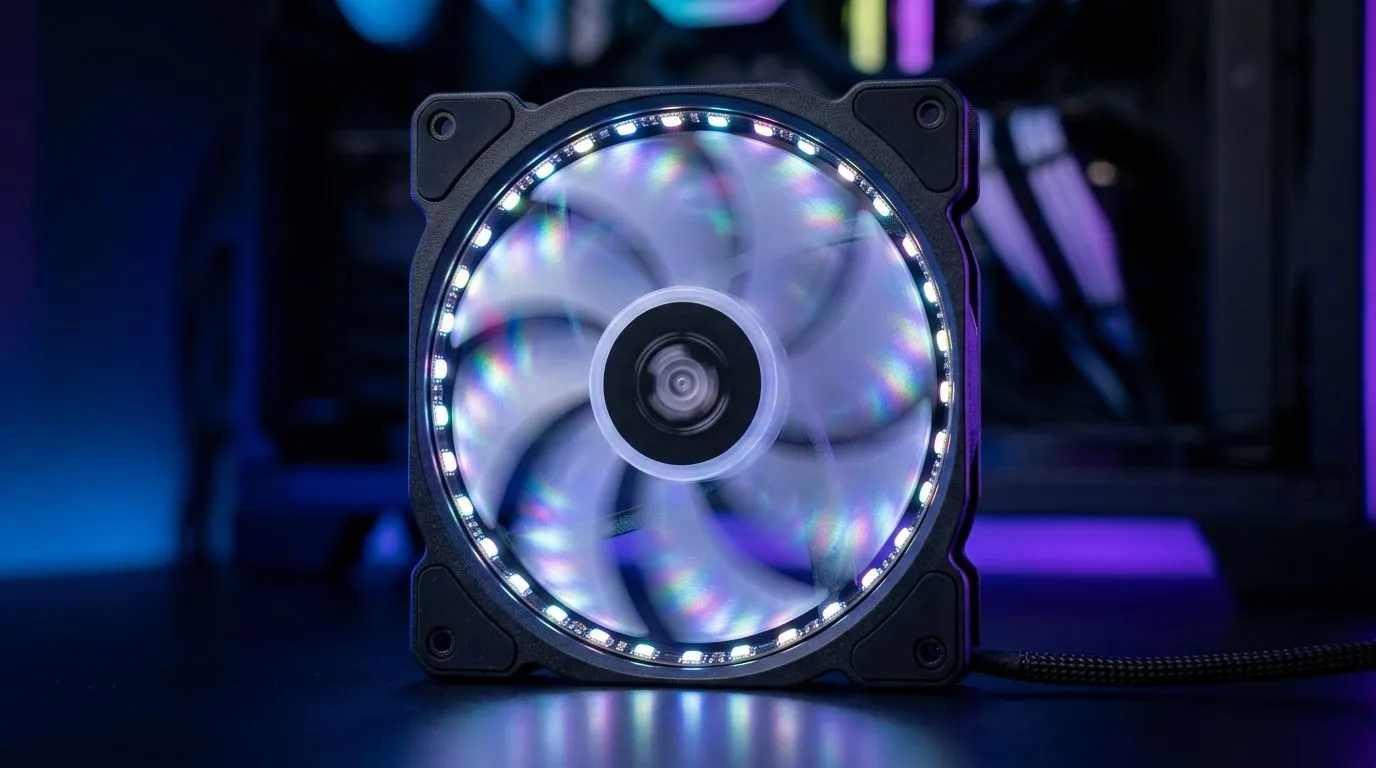
Do 24 ARGB LEDs on a Case Fan Make a Visible Difference?
South African gamers love RGB. It’s part of the vibe in every LAN setup… and every streaming room. But before you spend extra on “more LEDs”, ask one thing: will you actually see a difference? If you’re comparing fans based on ARGB LED count, you’re not alone. Let’s break down whether 24 ARGB LEDs on a case fan really stands out, and how to choose lighting that looks clean, not cluttered 🔧✨.
The short answer: sometimes, but LED count isn’t the whole story
24 ARGB LEDs can look great, especially in a dark room. However, what you perceive as “visible” depends more on design than raw count. LED layout matters: how the LEDs are spaced, how diffusers are shaped, and whether the fan has a ring-style or blade-edge light pattern.
Here’s the reality from a buyer’s point of view:
- If the LEDs are evenly spaced with a good diffuser, 24 can look bright and smooth.
- If the LEDs are grouped or the diffuser is weak, 24 may look “spotty”.
- If your case has airflow mesh or thick shrouds, the lighting can get muted.
- If you’re using a powerful controller effect, the animation can hide “low-count” gaps by cycling colours quickly.
If you’re shopping through Evetech’s case fan options, you’ll notice listings grouped by lighting effects and size, which is exactly how you should compare. For example, browse fans by lighting effects like RGB and non-RGB here:
What “visible difference” actually depends on (fan + lighting setup)
To see lighting clearly, think beyond LED count. Your fan placement, case aesthetics, and sync method all change the look.
1) Where you mount the fan
Top-front or side panels are usually the best for showing off ARGB. If the fan is hidden behind a solid dust filter, you’ll lose contrast.
2) Fan size and how lighting wraps
A 140mm fan typically gives you a wider visual span. That can make the same LED count look more “continuous” simply because it covers more area. Compare 120mm vs 140mm options here:
3) Brand differences in diffuser quality
Two fans can both be “ARGB”, but one will glow evenly and the other will look like pinlights. That’s why brand and design matter. If you’re deciding between brand styles, start by comparing options like:
So, are 24 ARGB LEDs enough for a clean look? 🔍
In most mid-range builds, 24 ARGB LEDs is enough to look intentional. You’ll notice the effect more when:
- your case has a clear front panel or ARGB-friendly window,
- your fans are visible from your gaming position,
- you keep lighting brightness consistent across all fans.
If you’re the kind of person who hates “patchy” lighting, then LED spacing and diffuser quality will matter more than going from 24 to 30 or 36.
RGB Reality Check ⚡
On ARGB fans, don’t judge in bright rooms. Set your PC up in a dim environment, then test a single static colour first (like white). If the glow looks even, you’re good. If you see distinct dots, animation effects may help, but you’ll still notice the pattern during streaming or menu screens.
Quick buying checklist before you click “Add to cart” 🚀
Before you upgrade your case fans for more sparkle, confirm:
- Lighting effect type (ARGB vs RGB vs none) based on your controller and motherboard headers.
- Fan size you actually need for your case airflow layout.
- How visible the fans are through your panel.
- Brand/style if you care about even diffusion, not just brightness.
When you’re ready to compare models quickly on Evetech, use the filters for lighting and size, and make sure your build is coherent.
Ready to Find Your Perfect Match?
Ready to Find Your Perfect Match? Whether you care about airflow first or want ARGB that looks crisp in South Africa’s darker gaming setups, you’ll get better results by choosing the right fan size and lighting style. Browse our massive range of case fans and ARGB options and build your ideal setup today: Explore Evetech case fans.











