

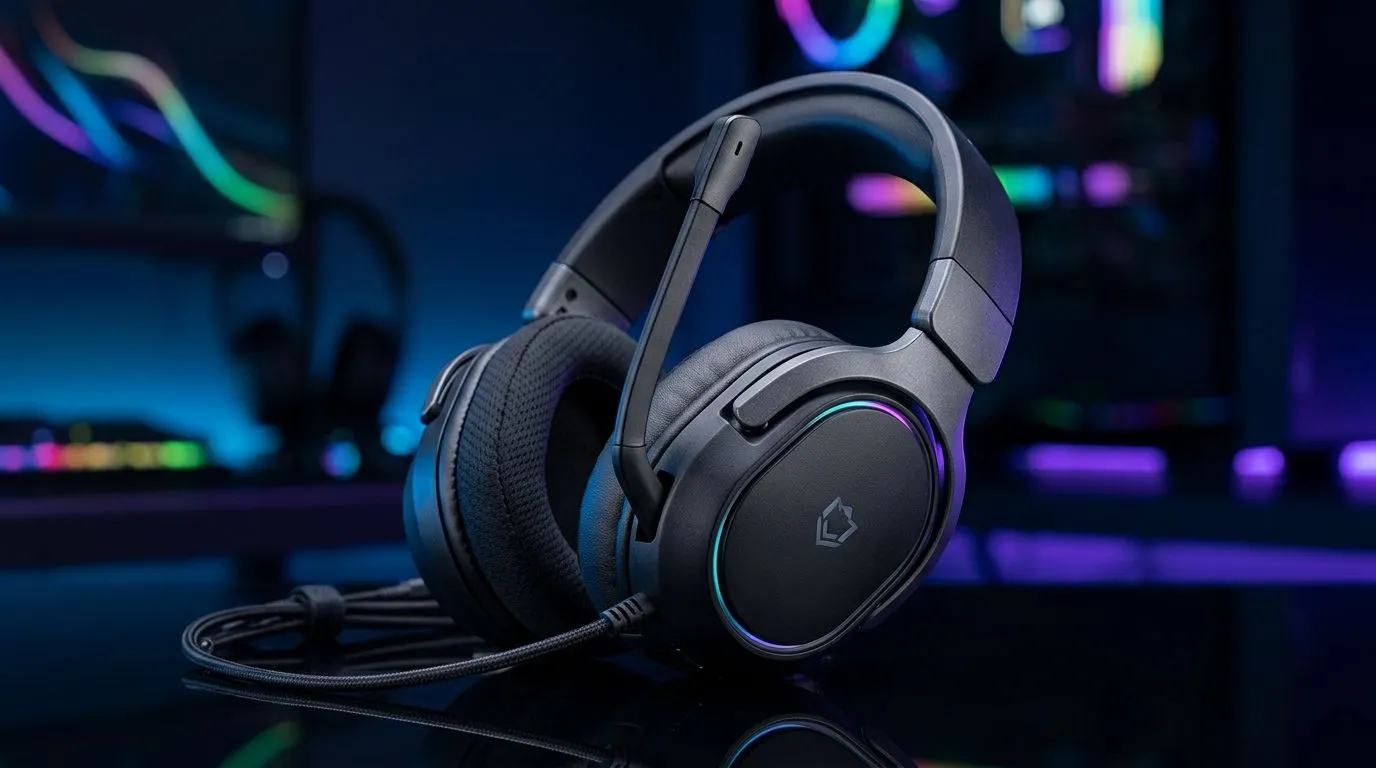
Flip-to-Mute Microphone on a Gaming Headset: Why It Still Wins in South Africa
If you’ve ever been mid-clutch in Discord and had to cough, shout, or answer a family member, you already know the value of a flip-to-mute microphone on a gaming headset. It’s simple, fast, and there’s no fumbling for a tiny button while your squad is waiting. For South African gamers, that kind of convenience matters... especially when you’re jumping between ranked matches, voice chat, and everyday PC use. 🔧
Flip-to-Mute Microphone on a Gaming Headset: What It Does
A flip-to-mute mic works exactly how it sounds. Lift the mic boom up, and it mutes. Bring it back down, and you’re live again. No menus. No software. No awkward “Can you hear me?” moments.
That simplicity is why many players still prefer it over more complicated mute controls. In fast-paced games, fewer steps mean fewer mistakes. If your headset is also comfortable enough for long sessions, the mic feature becomes one more small reason the whole setup feels easier to live with.
Flip-to-Mute Microphone on a Gaming Headset: Why Gamers Like It
The biggest advantage is muscle memory. After a few sessions, muting becomes automatic. That’s useful when you want to:
- cough without broadcasting it to the team
- talk to someone in the room
- pause a call during a voice chat
- avoid background noise in busy home environments
It also helps keep the headset feeling clean and uncluttered. For gamers who like straightforward gear, that matters. Not every feature needs a companion app and RGB drama.
Flip-to-Mute Microphone on a Gaming Headset: The Practical Side
A good headset is about more than just the mic. Comfort, cable length, clamping force, and audio balance all shape the experience. If you’re upgrading your desk setup, it can be worth looking at other accessories too. Some players pair their headset choice with a better mouse mat or a new mouse for a smoother overall setup. You can browse mouse accessories if you’re tightening up the rest of your battlestation.
If you’re comparing input devices as part of a full setup refresh, it may also help to look at a wired mouse selection, wireless mouse options, or even the best gaming mouse deals. For more specific browsing, Evetech also has a dedicated gaming mouse category. 🚀
Quick Audio Habit ⚡
Flip the mic up the moment you leave voice chat. It keeps background noise out of the channel and makes muting second nature.
Flip-to-Mute Microphone on a Gaming Headset: What to Look For
Not every flip-to-mute headset feels the same. Before buying, check for these basics:
1. Clear mute action
The mic should mute decisively when flipped up. If it feels vague, you may not trust it in a tense match.
2. Comfortable boom placement
A mic that sits too close to your mouth can pick up breathing. Too far away, and your voice may sound thin.
3. Durable hinge design
That flip motion gets used a lot. A solid hinge matters more than most people realise.
4. Easy everyday use
If you game, work, and chat from the same headset, convenience becomes a real selling point.
Flip-to-Mute Microphone on a Gaming Headset: Who It Suits Best
This style works especially well for:
- competitive gamers who need quick muting
- streamers and casual creators
- students using one headset for classes and games
- households where background noise is common
If that sounds like your setup, the feature is more than a nice extra. It becomes part of how smoothly you communicate.
Flip-to-Mute Microphone on a Gaming Headset: Final Take
The best headset features are often the ones you stop thinking about. A flip-to-mute microphone on a gaming headset does exactly that. It keeps voice chat simple, fast, and reliable. For South African gamers who want less fuss and more focus, that’s a solid reason to care.
Ready to Find Your Perfect Match? The Mac vs Windows debate is complex, but for maximum power, choice, and value in South Africa, Windows is hard to beat. Explore our massive range of laptop specials and find the perfect machine to conquer your world.











