



How to Fix FPS Drops on an RTX 5090 Build
FPS drops on an RTX 5090 build often have a fixable cause. Check settings, drivers, thermals, background tasks, network conditions, and bottlenecks before assuming a part must be replaced.
Read moreHow many case fans a gaming PC really needs. Diminishing returns explained with practical setups for 2-fan, 3-fan, and 6-fan configurations.
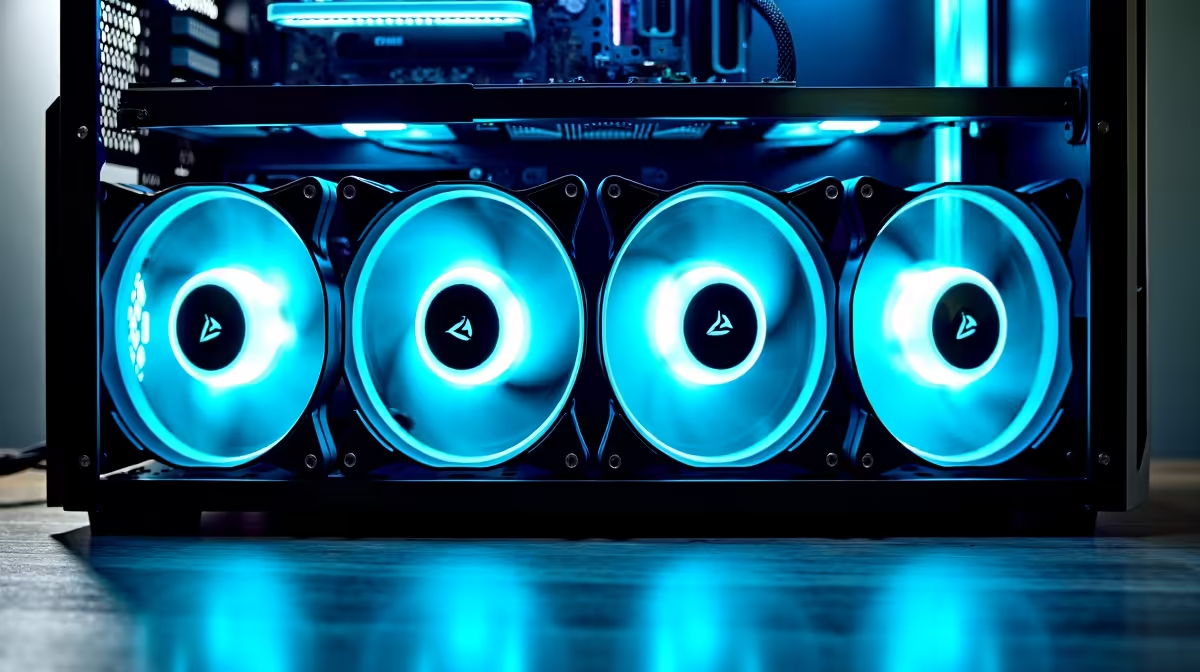
Most gaming PCs require 5-6 case fans total: 3 intake (drawing cool air in) and 2-3 exhaust (pushing hot air out). This configuration establishes balanced airflow, maintains component temperatures within optimal ranges (CPU ≤70°C, GPU ≤80°C during gaming), and accommodates modern high-performance hardware without excessive noise or power draw. Fewer fans risk thermal throttling; more than 6 delivers diminishing cooling returns.
Case cooling isn't just about raw fan count—it's about intake vs exhaust balance. Every cubic foot of air entering the case must exit somewhere. Misbalancing this relationship creates problems:
Positive Pressure (More Intake Than Exhaust):
Negative Pressure (More Exhaust Than Intake):
Neutral/Balanced Pressure (Equal Intake and Exhaust):
The optimal 5-6 fan setup uses balanced pressure: 3 filtered intake + 2-3 exhaust. This ensures hot air exits through fans (where you control the path) rather than leaking through case gaps.
Different component tiers generate different thermal loads. Match fan count to expected power consumption:
Entry-Level Gaming Build (R3000-R4500):
Mid-Range Gaming Build (R5500-R8000):
High-End Gaming Build (R9000+):
Overclocking-Focused Build:
The rule of thumb: for every 100W of combined CPU/GPU TDP, you need approximately 1 case fan. A 350W system needs 3-4 fans; a 550W system needs 5-6 fans.
Front Panel (Intake) — Usually 3×120mm or 2×140mm:
Top Panel (Exhaust) — Usually 2×120mm:
Rear Panel (Exhaust) — Usually 1×120mm:
Bottom Panel (Intake) — Optional, usually 1×120mm:
PSU Compartment — Usually Built-in:
Different case styles have different optimal fan setups:
Full-Size ATX Cases (e.g., Corsair 4000D Airflow):
Mid-Tower ATX Cases (e.g., NZXT H7 Flow):
Compact ITX Cases (e.g., Cooler Master NR200):
Enthusiast Showcase Cases (e.g., Lian Li O11 Dynamic):
Adding fans beyond the optimal point shows rapidly diminishing returns:
| Fan Count | Airflow Improvement | Noise Increase | Thermal Gain | Verdict |
|---|---|---|---|---|
| 3 total | Baseline | Baseline | Baseline | Minimum acceptable |
| 5 total | +40% | +15% | -6°C | Sweet spot |
| 7 total | +60% | +35% | -7°C | Marginal |
| 9+ total | +75% | +60% | -8°C | Excessive |
Going from 3 to 5 fans drops temps 6°C while increasing noise only 15%. Going from 5 to 9 fans drops temps only 2°C more while increasing noise 45%. The cost-to-cooling ratio becomes terrible at 7+ fans.
For gaming specifically, 5-6 fans is the mathematical optimum. You get maximum cooling efficiency without the acoustic and power penalties of overkill configurations.
Liquid Cooling (AIO or Custom Loop):
Low-Noise Enthusiast Builds:
Overclocking Builds (Air Cooling):
Extreme Climate Conditions:
Power Consumption (PWM fans at gaming load, ~60% speed):
Even 8-fan setups consume minimal power relative to CPU/GPU. Power budget is not a limiting factor for case fans.
Noise Accumulation (dBA at gaming load, properly tuned curves):
Noise scales logarithmically, not linearly. Adding 2 fans to a 5-fan setup increases noise only ~1-2 dBA—imperceptible to human hearing. However, running 8 fans at higher speeds (overclocking) can hit 38-40 dBA, which becomes noticeably loud.
For the vast majority of SA gaming builds, 5-6 case fans is optimal:
Don't overthink it. Grab quality case fans from Evetech in the 5-6 fan range, optimise your PWM curves, and enjoy stable thermals with acceptable noise. You're cooling a gaming PC, not a data centre.
Determine your optimal fan count based on your hardware's TDP, then invest in quality low-noise fans rather than excess quantity. Most gaming setups thrive with 5-6 fans. Browse Evetech's case fan selection and build an optimal airflow configuration for your specific PC setup.
FPS drops on an RTX 5090 build often have a fixable cause. Check settings, drivers, thermals, background tasks, network conditions, and bottlenecks before assuming a part must be replaced.
Read more
How to fix low FPS on 240Hz monitor starts with refresh rate, GPU load, and game caps. In South Africa, also check power mode, thermals, and display cable quality before assuming your PC cannot keep up.
Read more
31.5-inch 4K OLED gives SA gamers sharp work space and rich contrast for play. It suits buyers who want one high-end display for study, streaming, or editing by day, then immersive gaming after hours. Check desk depth and panel care first.
Read more
All-in-One PCs are niche in SA because they package the display and desktop into one tidy unit. That helps with space and setup, but SA buyers should weigh repair access, upgrade limits, monitor choice, and gaming expectations.
Read more
All-in-One PCs are niche in SA because the neat design comes with upgrade, repair, and performance trade-offs. They appeal to tidy desks and shared spaces, but buyers often compare them against laptops, towers, and separate monitors.
Read more
ARGB Cases In Mid-Tier SA Builds can change budget, compatibility or upgrade plans. SA PC builders should compare fit, warranty, platform needs and real workload value before committing.
Read more
Pre-Black Friday AIO cooler needs practical checks before buyers act. Build the shortlist around specs, warranty, fit, and real discount checks before campaign prices or ranges change. Keep it guide-safe for South African readers.

Used parts can lower the build cost, while buying new gives the SA warranty angle named in the title.

Choosing the right USB-C hub is essential for a clean, efficient desk setup. 🖥️ Discover exactly how many ports you need to replace your bulky desktop docking station without sacrificing performance or connectivity. ⚡

Black Friday Gaming PC Wait can help if your PC need is flexible. On a R5,000 SA budget, compare deal risk, component balance, warranty, and timing before waiting.

A gaming pc with a current mid-range GPU roughly matches the PS5 Pro's ray tracing and upscaled 4K performance, paired with a modern six or eight core CPU. The PC route also adds mouse and keyboard support and a far wider game library.

An overseas gaming pc quote is priced in foreign currency, so the Rand you pay shifts with the exchange rate on invoice day, not order day. Evetech prices locally in Rand, removing that daily currency risk from the final bill.

DisplayPort 2.1 carries more raw bandwidth than HDMI 2.1, so it generally wins for the highest refresh rates at full resolution, though cable choice can still cap either port. Evetech's high-refresh monitors list both port options to match your PC's output.

New console games routinely land near R1,400 in South Africa once import duties and Rand conversion are baked into the shelf price. Regional sales, bundle deals and a PC controller from Evetech all trim that bill legitimately, no piracy or grey imports needed.
FPS drops on an RTX 5090 build often have a fixable cause. Check settings, drivers, thermals, background tasks, network conditions, and bottlenecks before assuming a part must be replaced.

The real world difference between PCIe 5.0 and PCIe 4.0 in competitive esports is rarely raw FPS. SA esports players should compare GPU lane needs, CPU limits, latency goals, and NVMe loading before upgrading.
How to fix low FPS on 240Hz monitor starts with refresh rate, GPU load, and game caps. In South Africa, also check power mode, thermals, and display cable quality before assuming your PC cannot keep up.

PCIe 5.0 vs PCIe 4.0 for aAA single-player gaming buyers - what changes is mostly about compatibility, budget, upgrade path, and setup fit. SA buyers should check device support and real needs before expecting a clear win from either option.