



650W PSU Planning for RTX 5090 Builds in SA
650W for RTX 5090 needs a full-build check, not a simple yes. Review GPU guidance, CPU draw, transient load, connectors, PSU quality, and upgrade plans before deciding.
Read moreFix Lenovo Legion Compatibility Issues. Step-by-step instructions with SA-specific tips, common pitfalls to avoid & expert recommendations.
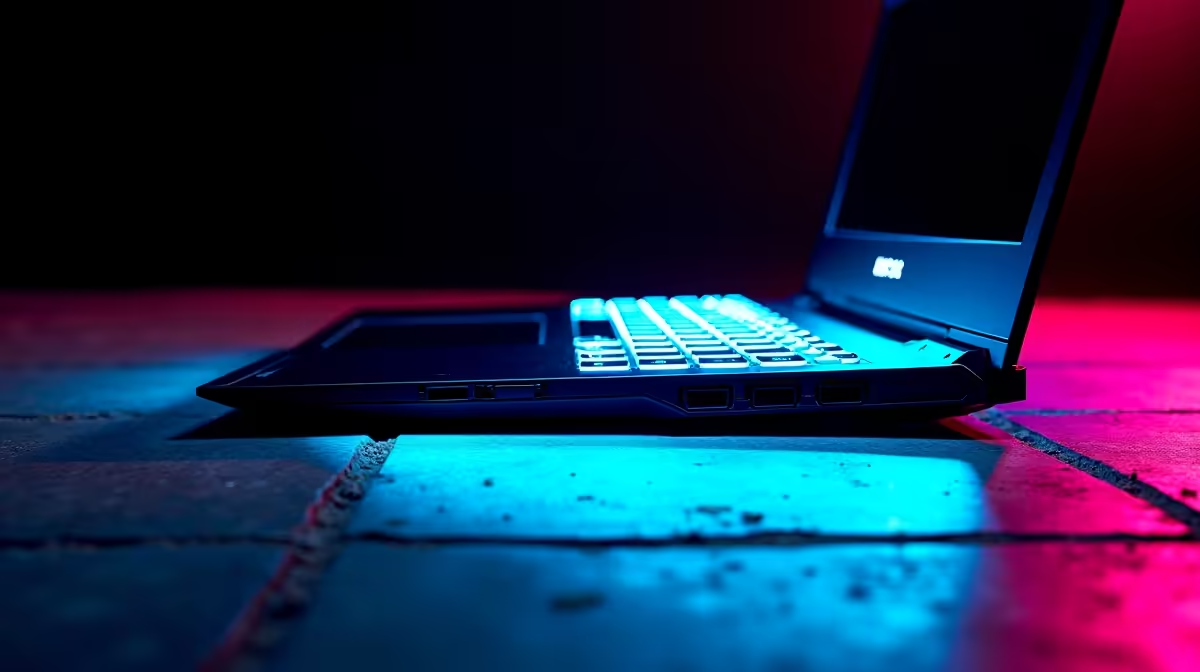
Lenovo Legion compatibility issues most commonly involve driver conflicts with Legion-specific software, RAM XMP not being enabled by default, Wi-Fi adapter driver problems in Windows 11, and USB-C display output not functioning as expected. Most fixes involve updating BIOS firmware, reinstalling Legion Zone software, and configuring memory settings in BIOS.
The Lenovo Legion lineup is popular among South African gamers precisely because it delivers strong performance at competitive ZAR price points, but compatibility quirks are a recurring discussion in local PC communities. These typically surface after Windows updates, driver updates, or peripheral connections. The good news is that most Legion compatibility issues are well-documented and solvable without professional intervention.
Legion Zone, Lenovo's gaming software hub for performance profiles and fan control, occasionally conflicts with other installed software. If Legion Zone stops detecting hardware properly or causes performance profiles to not apply, the fix is usually to uninstall Legion Zone completely via Windows Add or Remove Programs, restart, then reinstall the latest version from Lenovo's support site for your specific model. Do not install Legion Zone from generic PC optimiser tools - always use Lenovo's official support pages for your model's driver downloads. A related issue involves the Lenovo Vantage app conflicting with Legion Zone on systems that have both installed - uninstall whichever is not needed for your use case to prevent software conflicts. Wi-Fi adapter issues are another common source of compatibility complaints, particularly after Windows 11 feature updates. The Intel or Killer Wi-Fi adapters used in Legion models occasionally lose drivers after major updates. Updating the Wi-Fi adapter driver directly from Device Manager using Windows Update or downloading the driver from Lenovo's support page resolves most wireless issues.
Lenovo Legion laptops default to running installed RAM at JEDEC speeds rather than rated XMP or overclocked speeds. If you have upgraded RAM or are seeing lower-than-expected memory bandwidth, check the BIOS for memory speed options. Not all Legion models expose XMP settings, but recent models with LPDDR5 or DDR5 memory have BIOS options to enable the rated memory frequency. BIOS updates from Lenovo also resolve compatibility issues with newer operating system builds and peripheral detection problems. Check Lenovo's support pages every six to twelve months for your specific Legion model's BIOS update history and apply relevant updates.
Some Legion models use USB-C ports that support DisplayPort Alt Mode but not all ports on the same device have equal capabilities. If an external display is not detected through USB-C, check whether the specific port you are using supports display output - Lenovo's spec sheets list which ports carry video signal. Thunderbolt 4 ports are always safe for external displays; standard USB-C ports may not carry video. For USB device compatibility issues including external drives or hubs not being detected, checking for driver conflicts in Device Manager is the starting point.
Q: Why does my Lenovo Legion run hot even when gaming performance is low? A: Legion models default to a balanced performance mode. Switching to Performance or Extreme Performance mode in Legion Zone or using the hardware toggle on the keyboard (often Fn+Q) increases fan speed and unlocks the CPU and GPU for full performance - resolving both thermal and performance issues.
Q: Can a BIOS update fix Lenovo Legion compatibility problems? A: Yes - BIOS updates from Lenovo frequently address hardware compatibility, peripheral detection, memory configuration, and power delivery improvements. Always check for and apply available BIOS updates before pursuing more complex troubleshooting.
Q: Does Lenovo Legion have warranty support in South Africa? A: Yes - Lenovo has local SA service infrastructure, and Legion laptops bought through authorised SA retailers include local warranty coverage. SA warranty terms typically cover carry-in service for one year, with extended options available at purchase.
Ready to Find Your Perfect Match? Find the best gaming laptop deals including Lenovo Legion at Evetech
How to Fix Lenovo Legion Compatibility I available at Evetech.co.za with local warranty and fast delivery.
How to Fix Lenovo Legion Compatibility I - check Evetech for latest stock and SA pricing.
Depends on your use case. How to Fix Lenovo Legion Compa offers good value at current Rand pricing.
650W for RTX 5090 needs a full-build check, not a simple yes. Review GPU guidance, CPU draw, transient load, connectors, PSU quality, and upgrade plans before deciding.
Read more
How to fix FPS drops Windows 11 RX 9070 XT starts with GPU drivers, overlays, power plans, and frame pacing checks. For SA gaming PCs, verify chipset updates, HAGS, refresh rate, thermals, and per-game graphics settings.
Read more
How to fix FPS drops on X870E motherboard starts with BIOS, chipset drivers, PCIe settings, and memory stability. SA gamers can check EXPO, resize BAR, thermals, display refresh, and background apps before replacing components.
Read more
RTX 5060 is popular with SA students because it can fit gaming, coursework, and creative app needs in one setup. Compare total system price, cooling, RAM, storage, and screen quality before picking a desktop or laptop.
Read more
1440p is the sweet spot for SA gamers because it balances sharp visuals, high frame rates, and GPU cost better than 4K. It is a practical monitor target for players who want smoother upgrades without the heavier hardware demands of 4K.
Read more
RAM pricing for Midrand gamers can shift with exchange rates, supply, specs, and model tier. Treat the title as a buying prompt, then compare SA warranty, timing, and build priorities.
Read more
From 1 October 2026, WhatsApp Business Platform service replies in South Africa are expected to cost about $0.0076, or 12 cents, per delivered message.

DDR5-8000 RAM Kits pros and cons depend on the build, budget, and workload. Weigh gaming needs, platform fit, power, cooling, warranty support, and South African pricing context before shortlisting it.

Wi-Fi 6E vs Wi-Fi 6 depends on AAA single-player gaming needs, platform limits, and budget fit. Compare compatibility, latency, upgrade path, and real setup constraints before choosing for an SA build.

Ryzen 9 9950X3D dead pixel checks should isolate the panel first. Run colour fills, inspect the monitor menu, test another cable or input, and capture proof before linking it to the SA CPU upgrade.

YouTube will count public views from the first frame across video formats from 24 August, while earnings and eligibility remain tied to engaged viewing.

Canonical expects Ubuntu on WSL users to outnumber native Ubuntu desktop users before the end of 2026. The software is open source and runs inside supported Windows PCs.

Telkom's daily bundles pair WhatsApp access with 10 all-network voice minutes. The R15 option includes 300MB, while the R17 option uses a fair-use threshold.

A 10,000-hour test found similar image retention across older and newer OLED TVs, while newer panels were brighter and more efficient. Local OLED monitors started at R9,999.

Windows 11 update KB5121003 is linked to crashes in several multiplayer games on versions 24H2 and 25H2. Check the build, report the fault and avoid risky file or update changes unless the problem is confirmed on your PC.

Comsol's standalone 5G network covers about one million Gauteng homes and starts commercial ISP service in September. Early packages range from R275 to R875 a month, but coverage and fair-use rules still decide the real value.

Sennheiser's Momentum True Wireless 5 adds user-replaceable batteries, 12-hour playback and a $299.95 launch price. There is no confirmed South African date, so compare longevity with live earbuds from R199 to R2,999.

AVerMedia's GC531 and GC535 are professional HDMI capture devices for continuous streaming, with RGB24 capture up to 2K30 and 4K30. South African creators should compare them with live 4K capture cards from R2,099.