

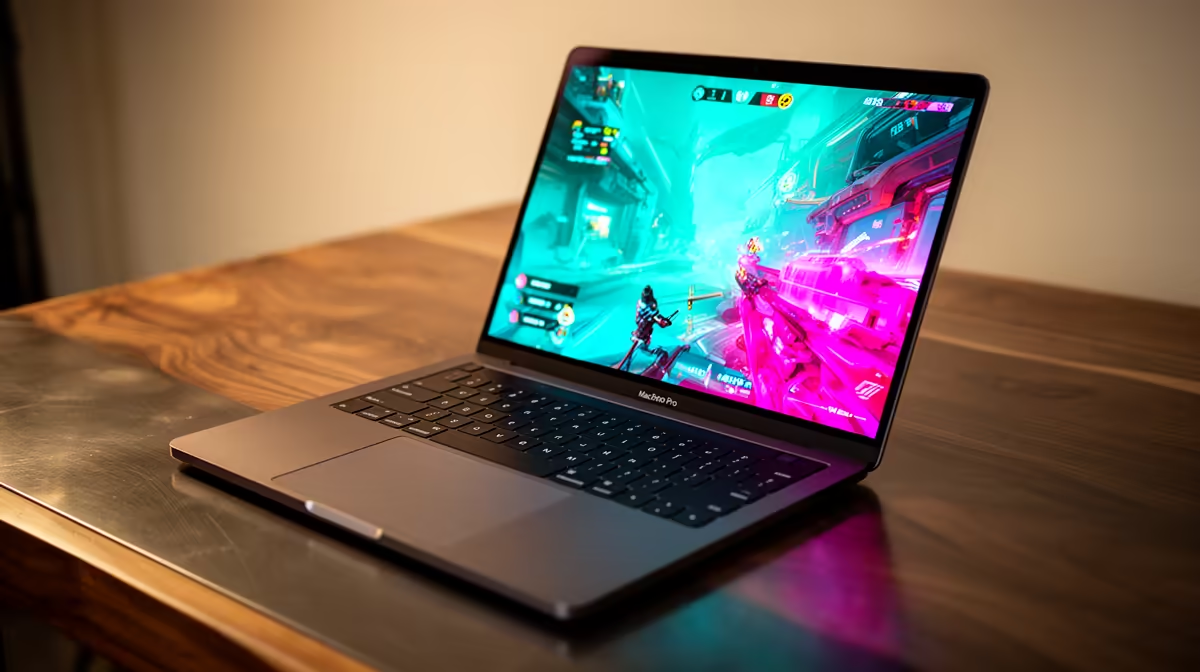
M5 MacBook Gaming Performance: What FPS to Expect
The M5 chip (released in 2025) is Apple's fastest consumer processor, with significant GPU improvements over the M4. If you're considering an M5 MacBook Air or MacBook Pro for gaming, you'll want honest numbers: what framerates can you actually expect in popular titles? This guide provides real-world gaming performance data for M5 Macs, breaking down which games run well natively and which require compatibility layers like Crossover or Wine. Spoiler: the M5 is capable for casual gaming, but serious gamers should still invest in a Windows laptop.
M5 Specs for Gaming
- CPU: 8-core (4 P + 4 E cores) or 10-core variant
- GPU: 10-core (base) or 20-core (Pro) — dramatic improvement over M4
- Memory: 8 GB base, upgradeable to 24 GB+
- Storage: 256 GB base (SSD speed matters for game load times)
- Thermal headroom: Excellent on Pro models; Air can throttle under sustained load
The M5's GPU upgrade is the key gaming improvement. More cores mean better parallel processing for graphics.
Native Mac Games on M5
These titles run natively on M5 using Metal 4, with no emulation or compatibility layers required.
Baldur's Gate 3 (Mac Native)
- Resolution: 1440p (MacBook Air), 1600p (MacBook Pro)
- Settings: Medium (Air) to High (Pro)
- FPS: 45–55 fps (Air), 60–70 fps (Pro)
- Verdict: Excellent. BG3 is fully optimised for M-series. The M5's extra GPU cores push framerates into the "smooth" zone. This is the poster child for M5 gaming.
Death Stranding (Mac Native)
- Resolution: 1440p
- Settings: High
- FPS: 50–60 fps (Air), 60+ fps (Pro)
- Verdict: Smooth and beautiful. Death Stranding runs natively on M-series with excellent visuals and stable framerates.
No Man's Sky (Mac Native)
- Resolution: 1440p
- Settings: High
- FPS: 45–55 fps (Air), 55–65 fps (Pro)
- Verdict: Strong performance. Procedural generation is handled well by the M5's GPU.
Lies of P (Mac Native)
- Resolution: 1440p
- Settings: Medium-High
- FPS: 40–50 fps (Air), 55–65 fps (Pro)
- Verdict: Playable and visually appealing. A solid Souls-like on Mac.
Civilization VI (Mac Native)
- Resolution: 1600p
- Settings: High
- FPS: 60+ fps (Air), 60+ fps (Pro)
- Verdict: Very smooth. Turn-based strategy doesn't demand high framerates, but M5 delivers them anyway.
Games via Crossover/Wine (Compatibility Layers)
These titles run on M5 using Crossover (paid, ~R300–R500) or Wine (free, open-source), which translates Windows DirectX to Metal. Performance is solid for many games but not equivalent to native Windows.
Cyberpunk 2077 (Crossover)
- Resolution: 1080p
- Settings: Low
- FPS: 30–35 fps (Air), 40–45 fps (Pro)
- Verdict: Playable but demanding. Cyberpunk's size and complexity challenge even the M5. The 30 fps on Air is tolerable for story-driven play, but action sequences are choppy. Pro is better but still far from ideal.
Counter-Strike 2 (Crossover)
- Resolution: 1080p
- Settings: Low
- FPS: 80–100 fps (Air), 120–140 fps (Pro)
- Verdict: Excellent for competitive play. CS2's simplicity means high framerates even on Air. If you play FPS games, the M5 in Crossover can deliver competitive framerates (75+ fps is considered viable).
Resident Evil 4 Remake (Crossover)
- Resolution: 1080p
- Settings: Low
- FPS: 35–40 fps (Air), 50–55 fps (Pro)
- Verdict: Playable on Air, smooth on Pro. RE4 Remake is visually intensive, so low settings are necessary. The M5 Pro pushes it into comfortable territory.
Fortnite (via Epic Games Launcher on Mac)
- Resolution: 1080p
- Settings: Low
- FPS: 45–55 fps (Air), 60–75 fps (Pro)
- Verdict: Acceptable for casual play. Not competitive (pros play at 144+ fps on Windows), but serviceable.
Elden Ring (Crossover)
- Resolution: 1080p
- Settings: Low-Medium
- FPS: 40–50 fps (Air), 55–65 fps (Pro)
- Verdict: Playable. Elden Ring demands consistency for combat timing, and 40 fps on Air is borderline. Pro is more comfortable.
Games That Struggle on M5
Some games simply don't run well on M5 even with Crossover, due to heavy CPU/GPU demands or poor optimisation:
- Starfield: Not available on Mac; Windows exclusive
- Call of Duty Modern Warfare III: Runs but demands 60+ fps for competitive play; M5 Air gets 25–30 fps (unplayable for multiplayer)
- Avatar: Frontiers of Pandora: Heavy engine; 15–20 fps on Air, 30–35 fps on Pro (too slow for action)
- Microsoft Flight Simulator: Extreme GPU demands; Air: 10–15 fps, Pro: 20–25 fps
Metal 4 and Future Games
As developers adopt Metal 4 in 2026–2027, native Mac games should see improved performance. New releases optimised for M5 will see 10–20% performance gains over current optimisations.
Comparative Performance: M5 Air vs Pro for Gaming
| Aspect | M5 Air | M5 Pro |
|---|---|---|
| GPU cores | 10 | 20 |
| Thermal throttling | Possible under sustained load | Minimal, excellent cooling |
| Price premium for gaming | Base R22,000–R26,000 | +R10,000–R15,000 |
| Gaming worth the Pro? | Only if you play intensively; Air is fine for casual | Yes, if gaming is primary use |
Should You Buy an M5 MacBook for Gaming?
Yes, if you:
- Play casual games (Baldur's Gate 3, Death Stranding, Civilization VI)
- Use your Mac primarily for work/study and gaming is secondary
- Prefer the Mac ecosystem (Final Cut Pro, Logic Pro) alongside gaming
- Want a portable, all-in-one machine
- Have a budget of R22,000–R30,000+ for a MacBook
No, if you:
- Want 100+ fps in competitive FPS games (get a Windows laptop)
- Play demanding AAA titles at high settings (Cyberpunk, Starfield, Flight Simulator)
- Prioritise gaming above all else
- Have a limited budget (Windows gaming laptops offer far better performance per rand)
Honest Take: M5 MacBook vs Windows Gaming Laptop
M5 MacBook Air (~R24,000–R28,000):
- Excellent for native Mac games
- Passable for Crossover games at low settings
- Casual gaming only
Windows Gaming Laptop (~R15,000–R25,000 at Evetech):
- High framerates in competitive games
- High settings in AAA titles
- Dedicated GPU (RTX 4050+) vastly outperforms M5's integrated GPU
- Larger game library (90% of new releases are Windows-first)
For serious gaming, a Windows laptop from Evetech's range (R15,000–R40,000+) is objectively better. The M5 MacBook is for users who prioritise Mac's ecosystem and accept gaming as a secondary use case.
M5 Gaming Pro Tip ⚡
you buy an M5 MacBook for gaming, invest in a cooling pad (R200–R500) — the Air's thermals can limit performance in long sessions. Use Crossover (R300–R500 one-time) for Windows games; it's worth the cost for better compatibility than Wine. Enable Game Mode in System Settings > Battery to prioritise gaming performance. Check ProtonDB (https: www.evetech.co.za gaming-laptops laptops-for-gaming.aspx) for game compatibility reports before buying via Crossover.
Upgrading for Gaming
If you're customising an M5 for gaming:
- RAM: 16 GB minimum (8 GB is tight for multitasking while gaming)
- GPU: 20-core on Pro is worth it if gaming is a priority
- Storage: 512 GB SSD (games are large; 256 GB fills fast)
- Cooling: Fans on Pro are louder but handle heat better than Air
Verdict
Ready to build your gaming setup — Mac or Windows? Whether you choose an M5 MacBook or a high-performance Windows laptop, Evetech has the gaming peripherals and accessories you need. Explore gaming monitors, mechanical keyboards, gaming mice, and RGB setups at https://www.evetech.co.za/gaming-monitors/monitors-for-gaming.aspx. Get competitive-grade gear at local pricing.











