

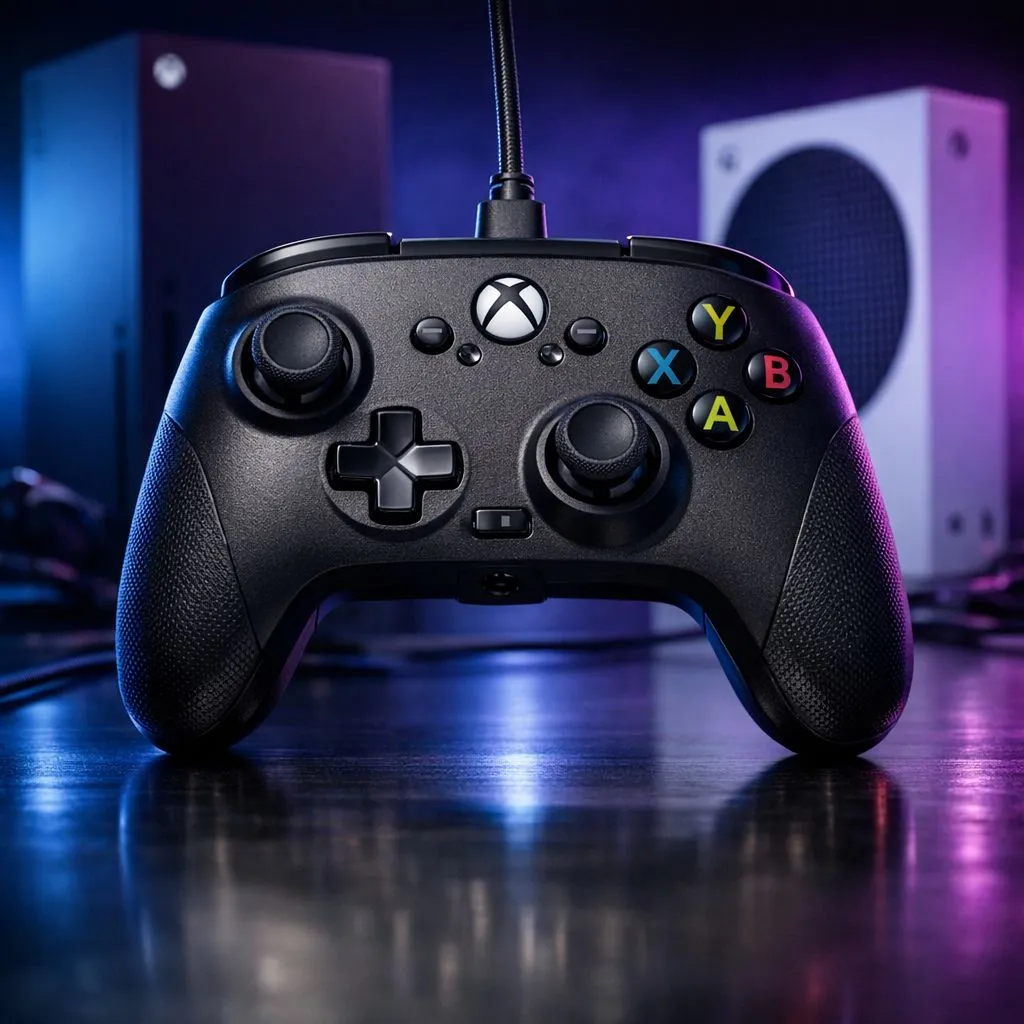
Getting Started with Your PowerA Wired Controller Xbox Setup
Tired of your controller dying right when you’re about to clinch a win in Apex Legends? We’ve all been there... scrambling for AA batteries while the screen fades to grey. A PowerA Wired Controller Xbox Setup for your Series X or S is the ultimate solution for South African gamers who value zero-latency and zero-battery anxiety during those long weekend sessions. 🎮
Setting up your new peripheral is incredibly straightforward. For most local players, the appeal of a wired connection is the immediate response time... something vital when your local ping is already a factor in competitive matches. Simply plug the included 3-metre USB cable into any available port on your Xbox Series X or Series S console. The Xbox button will light up almost instantly... indicating you are ready to jump into the action. If you are still weighing up your options, you can browse the full range of gaming controllers available at Evetech to find the perfect fit for your hands.
Optimising Performance on Series X and S
While the PowerA is a fantastic, budget-friendly beast, some players eventually look for the elite feel of professional gear. For those who want to push their limits, the Razer Wolverine V3 Tournament Edition offers an incredible 8K polling rate for the ultimate competitive edge. However, the PowerA Wired Controller Xbox Setup remains a favourite for those who want a reliable primary pad that doesn't break the bank while still offering tactile feedback and ergonomic comfort. ⚡
The beauty of the Xbox ecosystem is how it treats wired devices. There is no complex pairing process or Bluetooth syncing to worry about. Once connected, your console recognises the device as an official input, ensuring full compatibility with every title in the Game Pass library.
Pro Calibration Tip ⚡
Download the 'PowerA Xbox Setup' app directly from the Microsoft Store on your console. This free utility allows you to test button inputs, calibrate analogue stick deadzones, and adjust trigger sensitivity. It is a fantastic way to ensure your controller is performing exactly how you need it for high-stakes shooters.
Customising Your Gameplay Experience
One of the standout features of this specific controller is the inclusion of mappable advanced gaming buttons on the back. You can assign these on the fly without needing any external software... just hold the program button on the back, press the trigger or face button you want to mirror, and then tap the rear button. It is a simple way to keep your thumbs on the sticks at all times.
If you find yourself wanting even more customisation or mechanical switches, you might want to explore our selection of premium Razer controllers to see how they compare in terms of build and features. Whether you are playing a casual round of FIFA or grinding ranks in Valorant on PC, having a controller that feels right is half the battle won. ✨
Why Wired is Still King in SA
In South Africa, where loadshedding can strike or internet stability fluctuates, the last thing you want is a hardware failure. A wired connection eliminates interference from other wireless devices in your lounge. It also means you never have to spend extra ZAR on expensive battery packs or disposable cells. The PowerA Wired Controller Xbox Setup provides a "set and forget" experience that lets you focus entirely on the game. 🚀
Ready to Level Up Your Loadout? Whether you need the reliability of a wired connection or the elite features of a pro-grade peripheral, we have you covered. Explore our massive range of gaming controllers and find the perfect gear to dominate your next session.











