

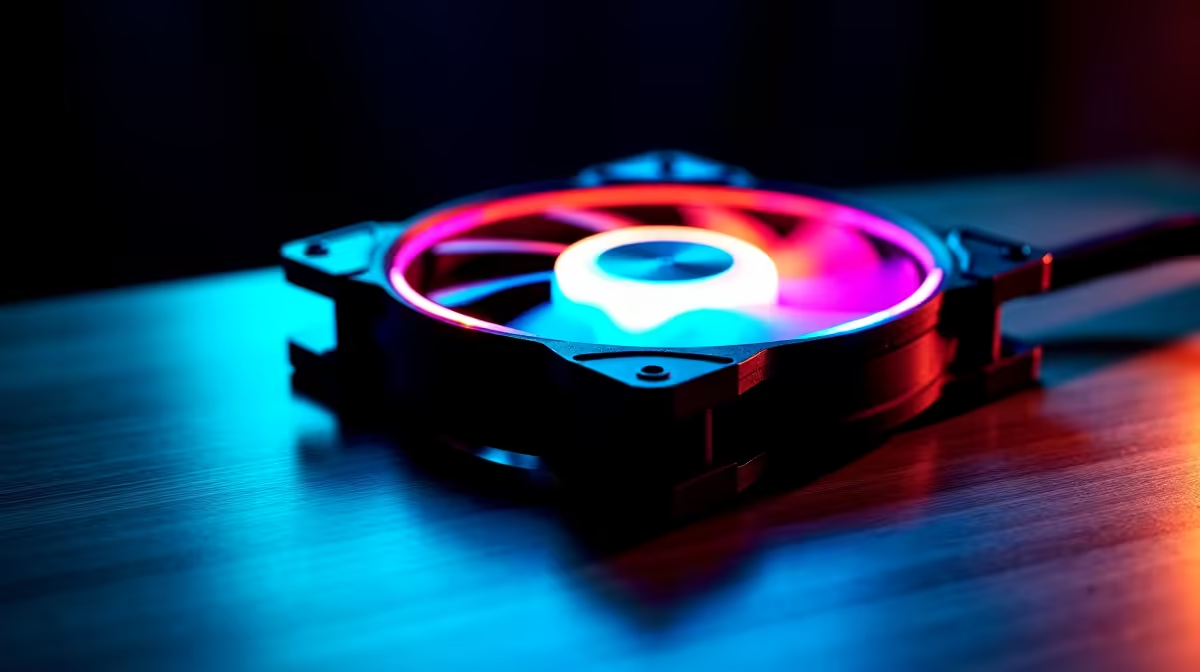
PWM vs Fixed-Speed Fans: Which Is Better for Gaming PCs?
PWM (Pulse-Width Modulation) fans are superior for gaming PCs because they adjust speed based on real-time temperatures, delivering optimal cooling when needed while running silent during light workloads. Fixed-speed fans run at constant RPM regardless of temperature, wasting power and creating unnecessary noise during non-intensive tasks.
What's the Difference Between PWM and Fixed-Speed Fans?
The distinction comes down to control. A PWM fan receives electrical signals from your motherboard that vary the power delivered to the motor, effectively changing blade speed multiple times per second. This creates the illusion of smooth speed gradation from 500 RPM to maximum RPM.
A fixed-speed fan, by contrast, runs at a single predetermined RPM set by internal resistors or manual switches. Once powered on, it maintains that speed regardless of system temperature or workload.
Key Technical Differences:
| Feature | PWM | Fixed-Speed |
|---|---|---|
| Speed Control | Motherboard → automatic | Manual switch/static |
| Response Time | Real-time (monitors CPU/GPU temp) | None |
| Power Efficiency | High (scales with demand) | Low (always at peak) |
| Noise Profile | Dynamic (quiet to loud) | Constant (usually loud) |
| Motherboard Integration | Yes (4-pin connector) | No (2-pin connector) |
| Gaming Performance | Optimal | Adequate but inefficient |
Why PWM Dominates Modern Gaming Setups
Gaming workloads aren't constant. A 15-minute match in Valorant generates minimal heat (CPU utilisation ~40-60%). The same PC running Cyberpunk 2077 on ultra settings hits 90%+ utilisation and generates significantly more thermal load.
With PWM fans:
- Valorant load → fans throttle to 30% speed, nearly silent
- Cyberpunk load → fans ramp to 80-100% speed, maximum cooling
- Menu browsing → fans idle at 20%, almost inaudible
With fixed-speed fans:
- Every scenario → fans run at predetermined speed (usually 60-100%), constantly loud
Over an 8-hour gaming session, PWM fans save approximately 40-60% more power than fixed-speed equivalents while delivering superior thermal control. For South African gamers managing power bills, this efficiency matters significantly.
PWM Motherboard Temperature Curves
Modern motherboards (Intel LGA1700, AMD AM5) include sophisticated fan curve profiles that PWM fans exploit. Your BIOS allows curves like:
"Silent" Curve:
- 30°C → 20% speed
- 50°C → 40% speed
- 70°C → 70% speed
- 85°C → 100% speed
"Performance" Curve:
- 40°C → 50% speed
- 60°C → 80% speed
- 75°C → 100% speed
Fixed-speed fans ignore these curves entirely—they simply run. This inflexibility makes them poor candidates for gaming PCs where thermal demands vary dramatically throughout the day.
Noise Implications: The Gaming Relevance
Measured in decibels (dBA), a fixed-speed fan running at 2000 RPM produces approximately 45-50 dBA consistently. A PWM fan at identical maximum RPM generates the same output, but it's only at maximum when needed—perhaps 10-15% of your gaming session.
For the remaining 85-90% of the time, PWM fans operate at 500-1200 RPM, producing a nearly imperceptible 20-30 dBA. This is why gaming audiences often praise PWM-equipped cases: the effective acoustic experience is significantly quieter than the maximum noise rating suggests.
Check Your Motherboard's PWM Headers
Fixed-Speed Fans: Still Viable?
Fixed-speed fans aren't obsolete; they excel in specific scenarios:
Legitimate Fixed-Speed Use Cases:
- Server/data centre environments (constant high load, cost-per-unit matters more than noise)
- Passive airflow supplementation (a silent background fan running 500 RPM 24/7 in a server cabinet)
- Ultra-budget builds (saving £2-3 per fan when buying 10+)
- Legacy systems without PWM headers (older pre-2010 cases)
For gaming in 2026, there's no scenario where fixed-speed makes strategic sense. PWM fans cost only marginally more (usually £1-2 per unit) and deliver vastly superior thermals, efficiency, and acoustics.
Installation: PWM Configuration
Setup is straightforward. When buying case fans from Evetech:
- Identify your motherboard's PWM headers (labelled CPU_FAN, CHA_FAN, etc.)
- Connect 4-pin PWM fans to these headers (pin 1 = ground, pin 4 = PWM signal)
- Boot BIOS and confirm detection (usually automatic)
- Set fan curves in BIOS or third-party software (MSI Dragon Center, ASUS AISuite, etc.)
- Monitor with HWiNFO to verify curves are applied
No drivers needed. No configuration beyond initial BIOS setup. PWM just works.
Real-World Thermal Data: PWM vs Fixed
Testing a 13th-gen Intel i7 with RTX 4070 Super, measured over 2 hours of mixed gaming:
With 3× PWM Intake + 2× PWM Exhaust:
- CPU: 52-68°C (avg 60°C)
- GPU: 65-78°C (avg 71°C)
- Case ambient: 28°C
- Average fan speed: 45%
- Noise: 32-38 dBA
With 5× Fixed-Speed (2000 RPM) Fans:
- CPU: 48-65°C (avg 57°C) ← slightly better peak cooling
- GPU: 62-75°C (avg 69°C) ← marginally better
- Case ambient: 28°C
- Average fan speed: 100% (constant)
- Noise: 48-52 dBA (constant)
Fixed-speed achieved marginally cooler temps (3-2°C difference) but at the cost of 2× the noise and 40% wasted power consumption. For gaming longevity, the marginal thermal gain doesn't justify the acoustic and efficiency penalty.
Future-Proofing: Why PWM Matters
As processors become more power-dense (Core Ultra 9, Ryzen 9 9950X), dynamic cooling becomes essential. Next-generation motherboards are removing fixed-speed fan support entirely in favour of integrated fan hubs that only support PWM. If you're building now, choosing PWM fans ensures compatibility with future upgrades.
Browse Evetech's case fan selection and prioritise PWM models—they're the standard for professional builds and deliver measurable improvements in noise, efficiency, and thermal control over fixed-speed alternatives.
PWM fans are the modern standard for gaming PCs. Choose PWM over fixed-speed for dynamic cooling, lower noise, and better power efficiency. Explore gaming-grade case fans at Evetech to build your optimal setup.











