



1000W PSU Planning for RTX 5090 Builds in SA
1000W for RTX 5090 needs a full-build check, not a simple yes. Review GPU guidance, CPU draw, transient load, connectors, PSU quality, and upgrade plans before deciding.
Read moreRyzen 9 9950X Underperforming: Performance. Diagnosis steps, proven fixes & when to seek professional help. SA-specific support info included.
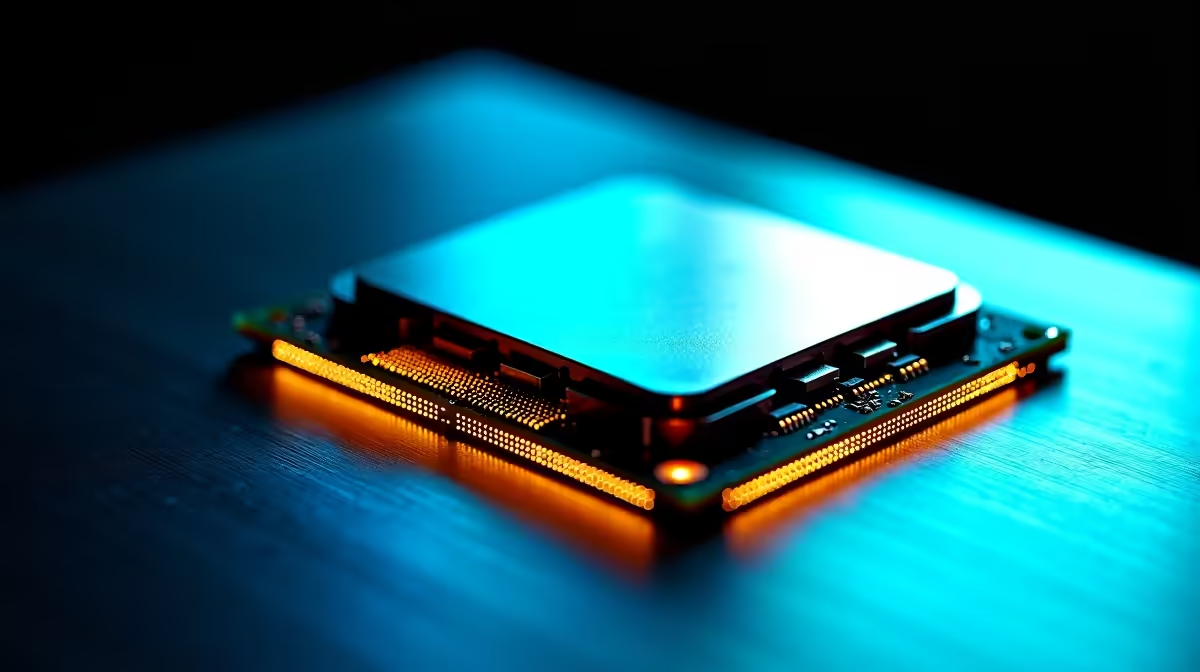
A Ryzen 9 9950X running below its expected performance is usually caused by thermal throttling, power limit restrictions set by the motherboard, incorrect memory speed, or Windows power plan settings. Each of these is addressable without replacing any hardware.
The Ryzen 9 9950X is AMD's flagship 16-core, 32-thread Zen 5 processor and should consistently deliver strong single and multi-threaded results. When it does not, the problem is almost never the chip itself. The following are the most common culprits and their fixes.
The 9950X has a 170W TDP that spikes significantly higher under all-core boost. Entry and mid-range air coolers struggle to keep it below the 95°C throttle threshold during sustained workloads like rendering, compilation, or video encoding.
Check your CPU temperature under load using HWInfo64 or Ryzen Master. If temperatures exceed 90-95°C, the processor is reducing its boost clocks to protect itself. Solutions include:
Many B650 and even some X670 motherboards ship with conservative power delivery settings that prevent the 9950X from reaching its full boost frequency under sustained loads. In BIOS, look for settings labelled PPT (Package Power Tracking), TDC (Thermal Design Current), and EDC (Electrical Design Current). Setting these to their AMD-specified maximums (PPT 230W, TDC 160A, EDC 225A) allows the processor to boost freely.
This single BIOS change frequently resolves underperformance reports on otherwise capable boards.
Zen 5 performance scales significantly with memory speed. If your DDR5 kit is running at 4800 MHz (JEDEC default) instead of its rated 6000 MHz or 6400 MHz, you are leaving a meaningful performance margin on the table. Enable your EXPO (AMD's equivalent of XMP for DDR5) profile in BIOS and verify the speed is active in Windows Task Manager under the Performance tab.
The 9950X's memory controller targets 6000 MHz as its Infinity Fabric sweet spot. Kits rated faster than 6000 MHz are supported but may require manual sub-timing adjustments for stability.
Windows often defaults to Balanced power mode, which aggressively reduces CPU frequency when loads are light. Switch to High Performance or AMD Ryzen Balanced plan (available after installing AMD chipset drivers) to ensure the processor ramps up instantly when needed. The AMD Ryzen Balanced plan specifically is tuned to work with AMD's boost algorithms and should be the default choice for 9950X users.
For gaming alone, yes. The 9950X is designed for workstation-class workloads like 3D rendering, software compilation, and video production. A Ryzen 7 9700X or Ryzen 5 9600X offers near-identical gaming performance at a lower price.
This is the hallmark of thermal throttling or power limit restrictions. The CPU boosts freely for short durations but cannot sustain peak clocks once heat builds up or power limits are hit.
Yes, ideally. The 9950X should be paired with an X670E or high-quality X670 motherboard with a robust VRM rated for 16 or more power stages. A weak VRM will throttle the CPU under sustained all-core loads even if BIOS power limits are set correctly.
Ready to Find Your Perfect Match? Pair your workload with the right processor. Shop AMD CPUs at Evetech
Ryzen 9 9950X Underperforming: Performan available at Evetech.co.za with local warranty and fast delivery.
Ryzen 9 9950X Underperforming: Performan - check Evetech for latest stock and SA pricing.
Depends on your use case. Ryzen 9 9950X Underperforming: offers good value at current Rand pricing.
1000W for RTX 5090 needs a full-build check, not a simple yes. Review GPU guidance, CPU draw, transient load, connectors, PSU quality, and upgrade plans before deciding.
Read more
RTX 5080 Super with a 750W PSU is more comfortable than lower wattage if the unit is quality. SA builders should still confirm GPU guidance, CPU draw, connector type, airflow, and upgrade room.
Read more
How to fix FPS drops after a RX 9070 XT starts with driver cleanup, chipset updates, thermals, and power checks. For SA gaming PCs, confirm PCIe seating, monitor refresh, frame caps, and per-game graphics settings before replacing parts.
Read more
How to fix low FPS Windows 11 Wi-Fi 7 issues starts by checking whether the problem is frame rate or network lag. Test ping, drivers, power settings, Ethernet, and game FPS before adjusting visuals.
Read more
AM5 is smart for SA builders because it supports newer Ryzen CPUs, DDR5 memory, and a longer upgrade path. Compare board cost, cooling, gaming needs, and local part availability before choosing your next PC platform.
Read more
AM5 gives Randburg gaming builders a longer upgrade path. For SA buyers, DDR5 support, newer board features, and future CPU options can justify the platform. Weigh board cost, cooler support, BIOS maturity, and upgrade timing before choosing.
Read more
RTX 5090 on a 550W PSU leaves almost no practical room for OC plans. Treat the setup as constrained, with CPU draw, power spikes, cable quality, thermals, and stability checks more important than chasing extra clocks.

FPS drops on a Ryzen 9 9950X3D build often have a fixable cause. Check settings, drivers, thermals, background tasks, network conditions, and bottlenecks before assuming a part must be replaced.

The difference between PCIe 5.0 and PCIe 4.0 for SA gamers is mostly bandwidth headroom. Compare GPU slot needs, NVMe speed, motherboard support, and upgrade timing before paying extra for a newer platform.

Gaming PC stuck pixel checks in South Africa should confirm the monitor fault first. Use colour tests, screenshot comparison, cable swaps, display menu checks, and clear photos before deciding on support.

AMD's current driver now lists a Radeon RX 9050 4GB, while product coverage details a narrowed memory system. SA buyers should weigh the low VRAM ceiling against current local Radeon options.

Samsung Display has demonstrated a 16-inch 2.5K OLED laptop panel running at 300Hz. SA buyers should wait for a named notebook, full panel specifications and a local price before planning an upgrade.

Microsoft says some Windows 11 game crashes after recent updates are linked to RGB-related drivers. Affected SA gamers should confirm the update and driver before using the published registry workaround.

Thermalright's Fan Frame Vision-1 adds a 640x172 status screen to a standard 120mm fan. SA builders should check clearance, USB routing and local support before treating it as an easy upgrade.
1000W for RTX 5090 needs a full-build check, not a simple yes. Review GPU guidance, CPU draw, transient load, connectors, PSU quality, and upgrade plans before deciding.

Wi-Fi 6E vs Wi-Fi 6 matters for 4K video editing when files move across a network. The real-world difference between Wi-Fi 6E and Wi-Fi 6 for video editing in 4K depends on NAS access, cloud uploads, router range, and SA creator workflows.
RTX 5080 Super with a 750W PSU is more comfortable than lower wattage if the unit is quality. SA builders should still confirm GPU guidance, CPU draw, connector type, airflow, and upgrade room.

Wi-Fi 6E vs Wi-Fi 6 for Video Editing in 4K comes down to router support, latency, client devices, band support, and home network layout. SA buyers should match the choice to their setup instead of assuming one option always wins.