

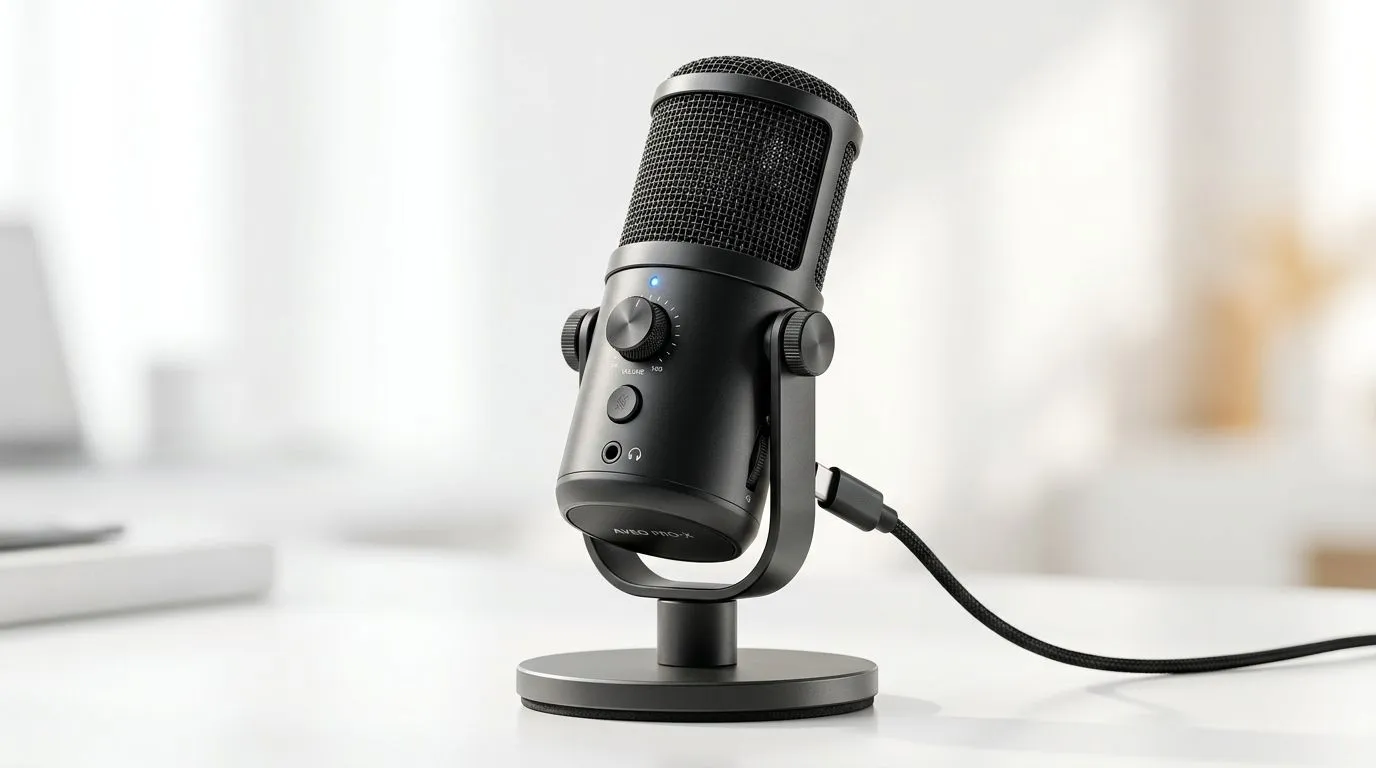
USB Microphone Buying Guide: Clear Voice in Minutes
If your stream sounds like it was recorded in a kitchen during load shedding, your audience notices. The good news? You do not need a studio to sound clear. A solid USB microphone can lift your voice, reduce frustration, and make calls, streams, and voice notes feel instantly more professional. In this quick guide, we’ll help South African gamers and creators choose smarter... without wasting rand. 🔧
USB Microphone Buying Guide for South African Gamers
A USB mic is the simplest way to improve your audio fast. Plug it in, select it as your input, and you are ready to speak. No audio interface. No confusing setup. Just clearer voice capture for Discord, Twitch, YouTube, podcasts, and remote work.
For a broader look at streaming setup basics, check Evetech’s streaming essentials range. It’s a useful place to compare the gear that often sits around a mic, like mounts, lighting, and other creator staples.
What matters most in a USB mic
The first thing to look at is pickup pattern. Cardioid mics focus on sound from the front, which helps reduce keyboard clatter and room noise. That’s usually the best fit for gaming rooms and home setups.
Next, check monitoring. A headphone jack lets you hear yourself in real time. That can help you catch clipping, pops, or a mic that is too far from your mouth.
Build quality matters too. A stable stand or boom arm reduces desk vibrations. If you have a mechanical keyboard, that can make a big difference.
USB Microphone Buying Guide: Features that actually help
Some specs sound impressive but matter less in real use. Focus on the features you’ll notice every day.
Look for easy gain control
A gain knob on the mic is handy. It lets you adjust sensitivity without diving into software. That means less fiddling before a match starts.
Check for mute control
A quick mute button is very useful for streamers and meetings. Nobody wants a sneeze, cough, or family interruption going live. ✨
Think about your room
If your room is echoey, a sensitive mic may pick up more reflections. Soft furnishings help. So do curtains, carpets, and a mic positioned close to your mouth.
Quick Audio Tip ⚡
Keep your USB microphone about a hand’s width from your mouth. Speak slightly across the mic, not straight into it. That cuts harsh plosives and makes your voice sound cleaner without any extra software.
USB Microphone Buying Guide: Matching gear to your setup
If you’re building a full creator desk, it helps to think beyond the mic alone. Lighting, webcams, and accessories can improve the overall result.
For example, if you also need desk-friendly add-ons, browse Evetech’s streaming essentials selection from CORSAIR. If you want a bit of flair for your setup, the Cololight streaming essentials range is worth a look too.
And if you stream with face cam, pairing your mic with one of Evetech’s webcams can give your content a much cleaner, more polished feel. Clear video and clear voice usually win more trust than either one alone.
A simple buying rule
If you mostly game and chat, choose a reliable cardioid USB mic with easy controls. If you stream often, prioritise monitoring, mute access, and a boom arm-ready design. If you record in a noisy room, keep the mic close and the room as soft as possible.
USB Microphone Buying Guide: Final thoughts before you buy
The best USB microphone is not the fanciest one. It is the one that suits your desk, your room, and how you actually speak. That’s where value comes from.
A good mic can make your voice sound calmer, clearer, and more confident in minutes. And in gaming, content creation, and online meetings, that first impression matters.
Ready to Find Your Perfect Match? The Mac vs Windows debate is complex, but for maximum power, choice, and value in South Africa, Windows is hard to beat. Explore our massive range of laptop specials and find the perfect machine to conquer your world.











