Quick Answer
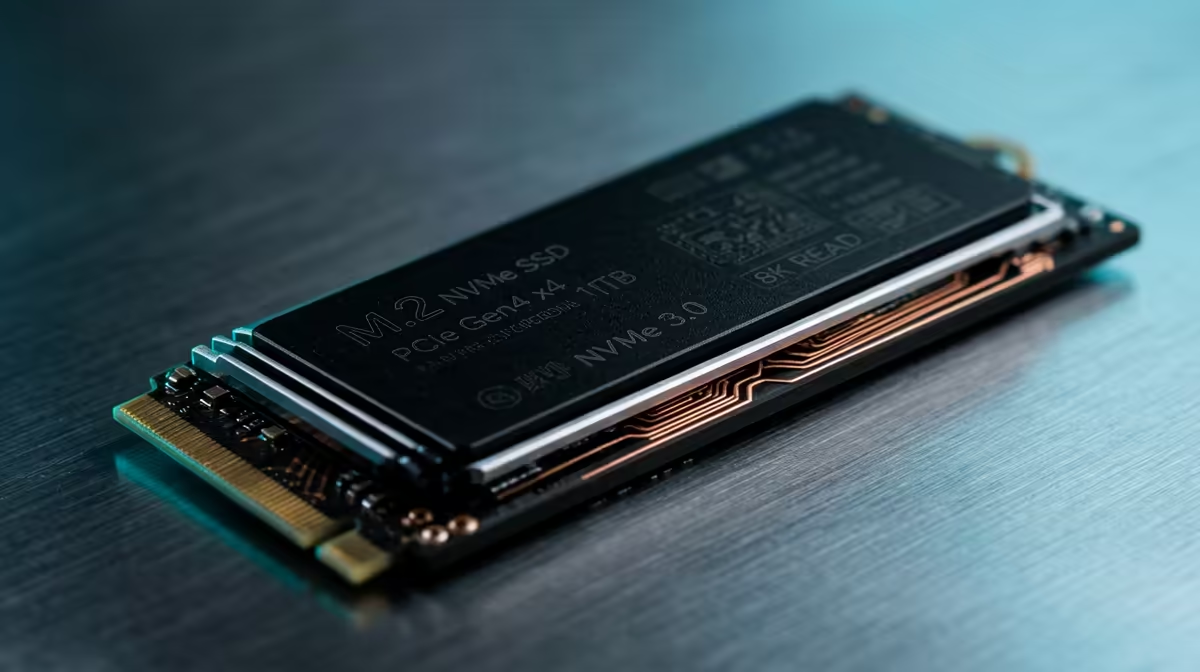
For SA builders on X870, a 1 TB Gen 4 NVMe with a DRAM cache — like the Samsung 980 Pro or WD Black SN850X — is the right choice for the primary drive. DRAM-cached drives deliver 700,000–1,000,000 IOPS random read versus 200,000–400,000 IOPS for DRAM-less models, which directly improves OS responsiveness, game texture streaming, and load times. Prices at Evetech: R900–R1,200 for a 1 TB DRAM-cached Gen 4 NVMe.
DRAM Cache vs DRAM-Less: What the Numbers Mean
A DRAM cache is a small onboard RAM chip (256 MB–1 GB) that the NVMe controller uses as a fast address table. Without it, the controller accesses the NAND directly for every random I/O request — significantly slower:
| Metric |
DRAM-Cached (SN850X) |
DRAM-Less (SN580) |
| Random read (4K QD32) |
1,000,000 IOPS |
400,000 IOPS |
| Sequential read |
7,300 MB/s |
4,150 MB/s |
| Windows app launch (average) |
~1.2 seconds |
~1.8 seconds |
| Game texture streaming (CS2) |
No stutter |
Occasional micro-stutter |
| ZAR price (1 TB) at Evetech |
~R900–R1,200 |
~R600–R800 |
For an X870 build (Ryzen 9000 platform, R3,500–R8,000 for the board), the R200–R400 premium for a DRAM-cached drive is justified — it completes the platform without a weak link in storage performance.
Best 1 TB DRAM-Cached Gen 4 Options at Evetech
- WD Black SN850X 1 TB (~R900–R1,100): 7,300/6,600 MB/s, 1,000,000 IOPS random read, 5-year warranty
- Samsung 980 Pro 1 TB (~R950–R1,200): 7,000/5,100 MB/s, 1,000,000 IOPS, Samsung Magician software
- Seagate FireCuda 530 1 TB (~R900–R1,200): 7,300/6,900 MB/s, 1,000,000 IOPS, includes M.2 heatsink in some SKUs
FAQ
Is a DRAM cache necessary for an X870 gaming build with a Ryzen 9 9950X3D?
For a flagship build yes — the 9950X3D's fast memory bandwidth and high CPU performance can expose storage bottlenecks during rapid asset streaming. A DRAM-cached SN850X or 980 Pro eliminates storage as a constraint. Using a DRAM-less drive on a R14,000+ CPU platform is a false economy.
What M.2 slot should I install the DRAM-cached Gen 4 NVMe in on an X870 board?
Install in M.2_1 (CPU-direct PCIe 4.0 x4 slot). This gives dedicated bandwidth and the lowest access latency. X870 boards (unlike X870E) may not include a native PCIe 5.0 M.2 slot on all models — verify your board's spec sheet.
Does the X870 M.2 heatsink cover a DRAM-cached Gen 4 NVMe drive?
Most premium X870 boards include an M.2 heatsink on M.2_1. DRAM-cached Gen 4 drives run at 65–75°C under sustained loads in SA's warmer ambient temperatures — the heatsink keeps them in the 55–65°C range. If your X870 board lacks a heatsink, add a third-party M.2 heatsink (R150–R300 at Evetech).
Magician (for 980 Pro) or WD Dashboard (for SN850X) to check the drive's health and temperature monthly — both tools show if the DRAM cache is functioning correctly and alert you to any firmware updates that improve the drive's compatibility with X870 AGESA versions.