

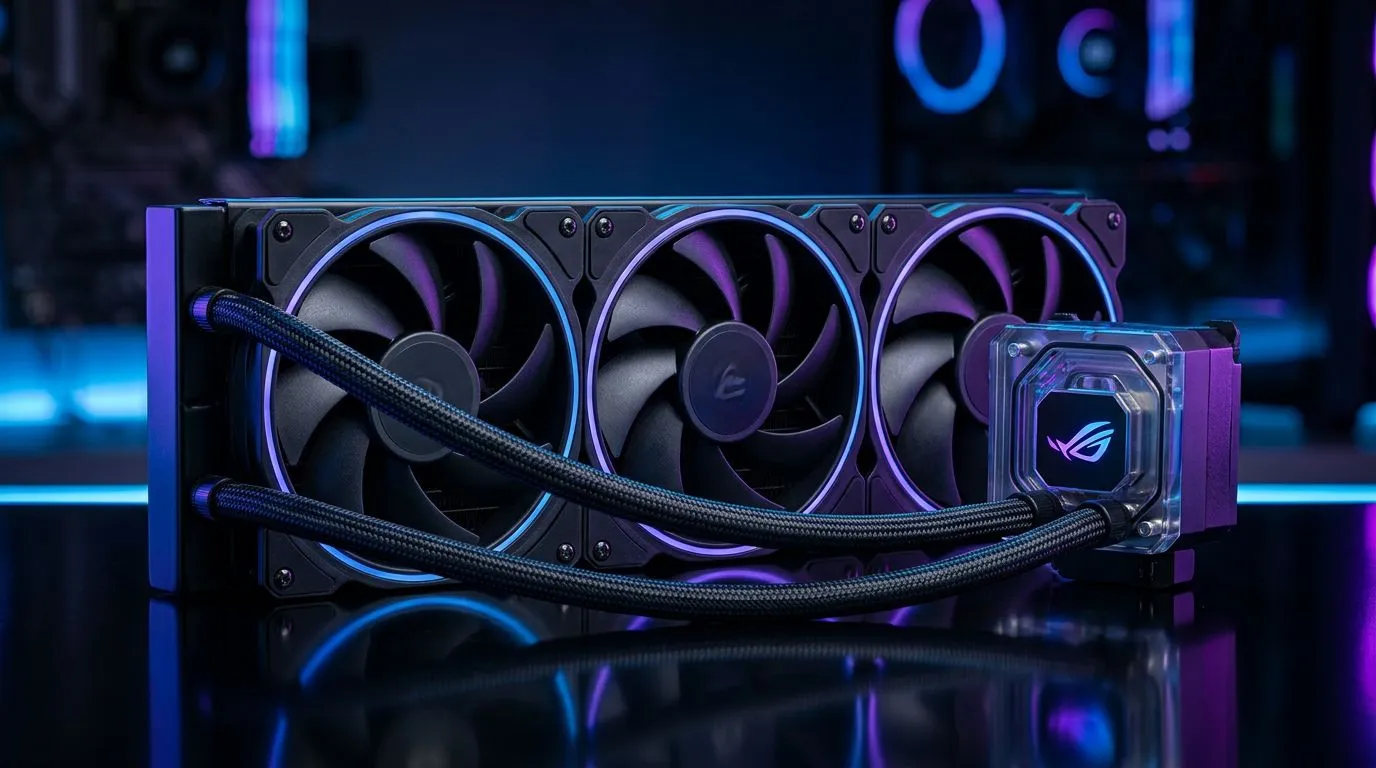
360mm Radiator GPU Upgrade: PSU and Case Requirements for SA Builders (Without the Headaches) 🔧
If you’re building or upgrading in South Africa, you already know the struggle… one wrong fitment and suddenly your beautiful water-cooling plan turns into a messy spreadsheet. A 360mm radiator GPU upgrade can look straightforward, but PSU clearance, case support, and tubing routing decide whether it “just works” or leaks your weekend. Let’s get you from “maybe” to “installed” with the right requirements, the right order, and the right parts choices. 🚀
360mm Radiator GPU Upgrade: Start with your case, not your GPU ⚙️
Before you buy anything for a 360mm radiator GPU upgrade, confirm your case can actually mount a 360mm radiator where you want it. Many cases support 360mm radiators, but not all do in the same position (front, top, or side). Also, clearance matters: radiator thickness, fan depth, and GPU length can clash.
Here’s a practical approach:
Check radiator position and clearances
- Front mount: Often the easiest airflow path, but your front intake fans and any dust filters can add clearance constraints.
- Top mount: Can be great for exhaust, but your motherboard height and VRM heatsinks can complicate things.
- Rear mount: Rare for 360mm; usually not an option.
Match your radiator thickness
Radiators come in different thicknesses (commonly around 27mm to 30mm for standard 360mm units, with variations). Fan thickness (often ~25mm) means your “total stack” can be closer to 55–60mm depending on configuration. If your case spec doesn’t mention radiator + fan clearance, don’t assume.
If you’re unsure about compatible hardware, compare GPU and cooling options first. You can browse a wide selection of graphics cards from Evetech here:
- MSI graphics cards: MSI options at Evetech
- Radeon graphics cards: Radeon graphics cards at Evetech
- All graphics cards (general browsing): NVIDIA/ATI graphics cards at Evetech
- GeForce cards: GeForce graphics cards at Evetech
360mm Radiator GPU Upgrade: PSU requirements that prevent surprise shutdowns ⚡
A 360mm radiator upgrade itself doesn’t magically solve power. Your PSU quality and wattage still matter, especially when you add a power-hungry GPU plus extra fans/pumps.
South African builders often learn this the hard way when the PC hard shuts during a benchmark… or the system becomes unstable after hours. So here’s what to do.
Step 1: Look at GPU power draw on the box
Use the GPU’s stated TDP / power requirements as your baseline. Then add:
- CPU power draw (another big variable)
- Fans and pump power (usually not huge, but still count)
- Margin for transient spikes (modern GPUs can spike briefly)
Step 2: Ensure your PSU has the right connectors
If you’re installing a GPU water block or an AIO-style setup, your pump and controller might need SATA, Molex, or specific cables depending on the product. Your GPU also may require 8-pin/12VHPWR style connectors. Don’t “cable-adapt” at the last second unless you’re sure the PSU supports it.
Step 3: Prioritise stable power delivery
Even if the wattage looks “close”, a cheaper PSU can struggle under transient loads. When buying in SA, it’s usually better to spend on PSU reliability than to chase watts.
Evetech carries a range of compatible components for upgrades across builds. When you’re planning around GPU selection, start with the GPU listings above and work backwards to PSU needs based on those models’ specs.
Productivity Pro Tip ⚡
On a new build, lay out your parts on the desk in mounting order (case fans → radiator → GPU → pump wiring). Before you tighten a single screw, route cables for the pump and fans so they don’t block radiator screws or fan clips. A 10-minute pre-route saves 45 minutes of “why won’t this mount align?” later. It’s especially helpful in South African homes where space can be tight and you don’t want to keep rebuilding.
360mm Radiator GPU Upgrade: Thermals, airflow, and fan strategy ✨
Once fitment and power are sorted, you’ll get the real win… cooler GPU temps and more consistent boosts. But only if your airflow is coherent.
Use the “radiator direction” logic
Radiators work best when they match your case airflow:
- Front intake radiator: Great for pushing cooler air in.
- Top exhaust radiator: Often helps remove warm air efficiently.
- Avoid scenarios where your radiator fights your case fans.
Fan orientation and noise trade-offs
If you run all fans at max for constant benchmarks, your temps will look great… and your ears won’t. Instead:
- Use a fan curve that ramps under load.
- Keep idle reasonable for daily play.
- Expect better stability at mid speeds than aggressive peaks.
360mm Radiator GPU Upgrade: A clean upgrade path for SA builders 🔧
If you want the smoothest upgrade experience, follow this order:
- Confirm case radiator support (front/top), radiator thickness, and fan clearance.
- Pick the GPU model first based on real dimensions and power needs.
- Choose PSU wattage and connectors based on GPU specs, plus headroom.
- Plan tubing routing early to avoid bends that stress the tubing.
- Install radiators and fans before final GPU mounting, so screw access isn’t a nightmare.
This is the mindset that keeps builders from buying “almost compatible” parts. And if you’re trying to keep your costs grounded in reality, benchmark prices in ZAR and build from the core GPU first, not the last accessory.
360mm Radiator GPU Upgrade: FAQ builders ask in South Africa 🤔
Does a 360mm radiator guarantee lower temps?
Not automatically. A good mount and airflow plan matter as much as size. Radiator placement, fan curve, and case airflow often change results more than you’d expect.
Will my PSU need a full replacement?
Maybe. If your PSU is older, lacks the correct connectors, or is near its limit, it’s safer to upgrade. When in doubt, increase headroom rather than pushing “minimum spec” territory.
Can I reuse fans and radiators?
Often yes for fans, but radiators and pump systems depend on your specific cooling plan. Make sure the mounting standard and thickness match your case.
Ready to Find Your Perfect Match? The Mac vs Windows debate is complex, but for maximum power, choice, and value in South Africa, Windows is hard to beat. Explore our massive range of laptop specials and find the perfect machine to conquer your world.











