

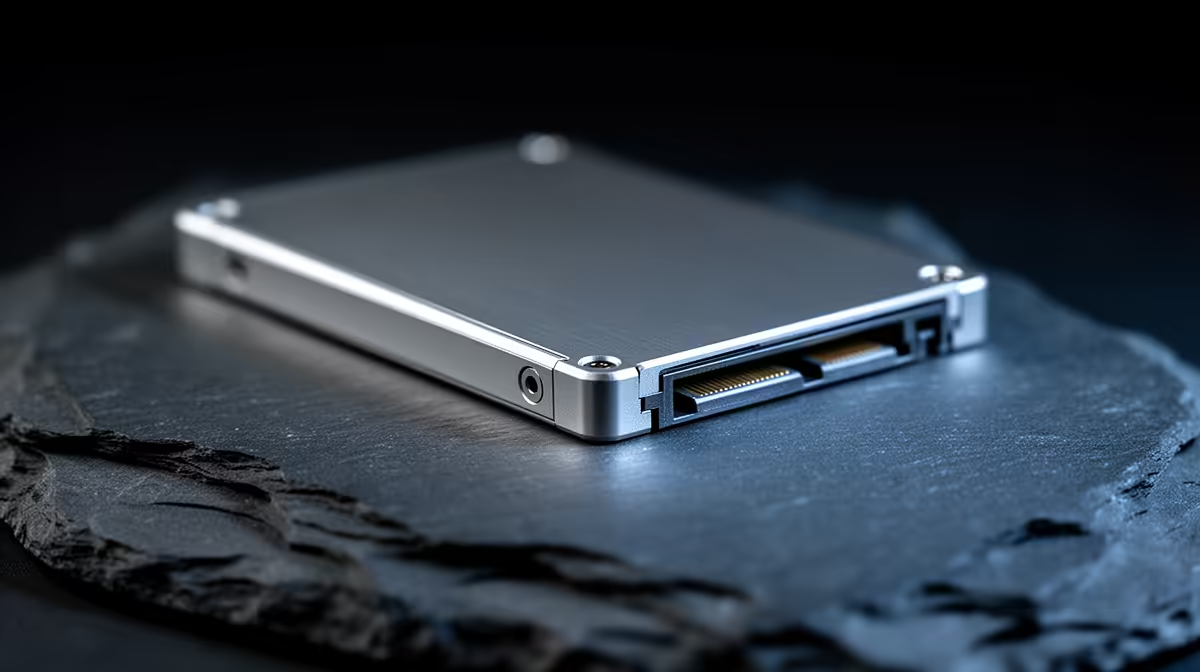
Affordable SATA SSD Upgrades in South Africa: the quick win gamers feel immediately 🔥
If your PC still “boots… eventually”, you’re not alone. In South Africa, lots of gamers are juggling tight budgets and rising electricity costs… so spending R2000-R3000 wisely matters. The good news? An Affordable SATA SSD Upgrades in South Africa can turn slow load screens into near-instant map entries. Less waiting also means smoother alt-tabbing and fewer stutters when you jump between Discord, launchers, and your game.
This guide walks you through the safest, cheapest path to a noticeable upgrade. 🔧
Affordable SATA SSD Upgrades in South Africa: what to check before buying
Before you click “add to cart”, confirm three things:
- Your connection type (SATA vs M.2) A SATA SSD uses a 2.5-inch form factor and connects with SATA data and power cables. If your PC is older, SATA is usually the most straightforward upgrade. Browse SATA options here: Solid State Drives (SATA) on Evetech
- Your drive bay space Most desktops can take a 2.5-inch SSD in the SSD tray. If you’re unsure, measure the space and compare it to the “2.5 inch” spec.
- Item
Affordable SATA SSD Upgrades in South Africa: smart brand and capacity choices ✨
Budget-friendly SATA SSDs often come from well-known brands. If you want a simple starting point, choose a trusted lineup and match capacity to your library.
- ADATA SATA SSDs: Shop ADATA SSDs
- Kingston SATA SSDs: Shop Kingston SSDs
Capacity tip (practical, not hype): If you install multiple AAA titles and a couple of co-op games, consider at least 500GB. 250GB fills up fast once patches and launchers start doubling your storage usage.
Avoid the “wrong upgrade” trap 🚀
Some newer boards support M.2 2280 NVMe, which can be faster than SATA. That said, SATA is often the best “cost per improvement” move for older systems. If you’re curious, you can also compare form factors: M.2 2280 drives.
Affordable SATA SSD Upgrades in South Africa: installation and migration that actually work ✅
A clean install is best, but cloning is faster if you want zero downtime.
Productivity Pro Tip 🔧
On Windows, clone your old drive only after you confirm you’re upgrading to the correct type (SATA vs M.2) and that the SSD has enough capacity. After cloning, boot once, check drive letters in File Explorer, then update game launcher settings so new installs go to the SSD.
If you do a fresh install:
- Disconnect extra drives temporarily (reduces confusion).
- Install Windows on the SSD first.
- Reinstall game launchers, then install games to the SSD.
Migration pain point: Some people clone, then forget to enable the SSD as the boot drive in BIOS. If Windows won’t boot, that’s usually the reason. Quick fix, but annoying if you’re gaming tonight.
A note on “Gen 5” expectations
If you’re looking at newer NVMe options, interfaces can go far beyond SATA speeds. Evetech lists different “Gen” attributes for NVMe drives, so filter carefully: Gen 5 (NVM… options.
Affordable SATA SSD Upgrades in South Africa: which upgrade path fits your budget?
Here’s the no-drama decision tree:
- Old desktop / limited upgrade budget: go SATA SSD in 2.5-inch.
- You already have an M.2 slot: consider M.2, but only if price is close.
- Your goal is shorter loading and smoother desktop use: SATA SSD is the cheapest “feel it today” upgrade.
If you’re upgrading around game nights, plan the install for a time you can test boot and launch.
Ready to Find Your Perfect Match? The Mac vs Windows debate is complex, but for maximum power, choice, and value in South Africa, Windows is hard to beat. Explore our massive range of laptop specials and find the perfect machine to conquer your world.











