

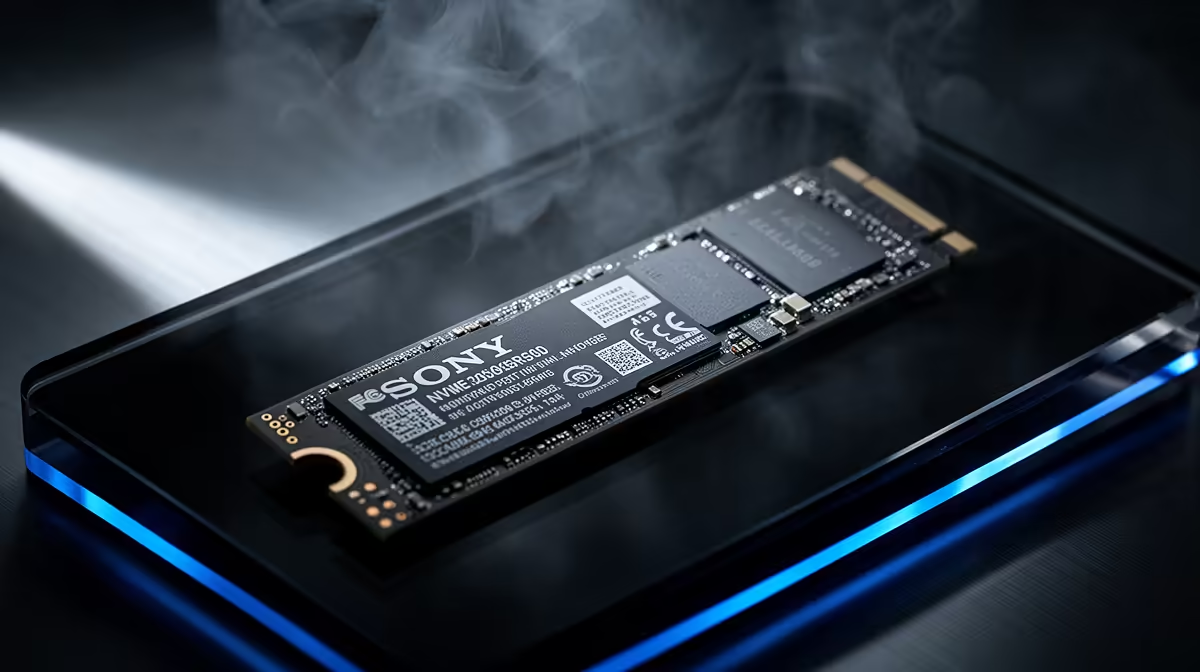
Is your PC feeling a bit sluggish? Staring at a loading screen while your mates are already dropping into the game is a special kind of pain. Before you blame your CPU or GPU, the real bottleneck might be your storage drive. The NVMe vs SATA South Africa debate is heating up, and choosing the right one can feel like navigating a maze. Let's cut through the noise and find the best budget SSD for your PC. 🚀
Understanding the Basics: What's the Real Difference?
Think of it like this: a traditional SATA SSD is like a reliable delivery bakkie. It gets the job done way faster than an old donkey cart (your mechanical hard drive), but it's still limited by the road network it uses. It’s a fantastic upgrade, but the technology has a ceiling.
An NVMe (Non-Volatile Memory Express) SSD, on the other hand, is a Formula 1 car. It connects directly to your PC’s motherboard via the PCIe slot—the same super-fast lane your graphics card uses. This direct connection slashes latency and unlocks incredible speeds, often 5 to 7 times faster than its SATA cousin. For a deep dive into all the options, check out Evetech's full range of SSDs.
NVMe vs SATA in South Africa: Real-World Performance
Okay, specs are one thing, but what does this speed difference actually mean for your daily gaming sessions in SA?
- Lightning-Fast Boot Times: Your PC will go from off to fully operational in seconds. Seriously, your coffee won't even have time to brew.
- Shorter Loading Screens: In massive open-world games like Starfield or Elden Ring, an NVMe drive can shave precious seconds... or even minutes... off loading times. More playing, less waiting. ✨
- Snappier System: Everything just feels faster. Opening apps, transferring files, and even browsing the web becomes more responsive.
While an NVMe offers a clear advantage, don't write off the older tech just yet. A high-quality 2.5-inch SATA SSD is still a monumental upgrade from a mechanical hard drive and offers excellent value, especially for storing a large library of games you don't play every day.
🔧 Check Your Motherboard First!
Before you buy an NVMe SSD, double-check your motherboard's manual or product page. You'll need a free M.2 slot that supports the PCIe NVMe standard. Some slots only support SATA M.2 drives, so confirming compatibility is key to unlocking that top-tier speed!
Finding the Best Budget SSD for Your PC
Here’s the great news for South African builders: the price gap between NVMe and SATA drives has shrunk dramatically. A few years ago, NVMe was a premium luxury. Today, you can often find a budget-friendly Gen3 NVMe SSD for a price that's very competitive with a high-end SATA drive of the same capacity.
When considering the NVMe vs SATA choice on a budget in South Africa, a 1TB Gen3 NVMe drive often hits the sweet spot. It provides a massive performance uplift for your operating system and favourite games without forcing you to survive on two-minute noodles for a month. For pure, unadulterated speed and future-proofing your rig, a fast NVMe SSD is the logical choice.
The Hybrid Strategy: Best of Both Worlds?
A popular and cost-effective setup is the hybrid approach. Use a smaller, super-fast 500GB or 1TB NVMe drive for your Windows installation and the games you play most often. Then, add a larger, more affordable 2TB or 4TB SATA SSD for your massive Steam library, media files, and backups. This gives you instant responsiveness where it counts and bulk storage where it's needed most.
Ready to Obliterate Loading Times? Stop letting slow storage hold your rig back. Explore the latest and greatest storage drives and find the perfect performance boost for your budget with our incredible SSD deals at Evetech for performance that leaves lag in the dust.











