

NVMe vs SATA SSD: Do You Need NVMe for Your Next Upgrade?
If your PC feels like it takes forever to load a match, you are not alone. South African gamers fight the same battle: faster game launches, smoother Windows boot, and less waiting before you can frag. The upgrade path usually starts with storage… and that is where NVMe vs SATA SSD: Do You Need NVMe? becomes the real question. 🔥
Let’s break it down without the hype.
NVMe vs SATA SSD: Do You Need NVMe (and when SATA is still fine)?
Both NVMe and SATA SSDs use flash storage, so both are a big upgrade from a hard drive. The difference is speed and how they talk to the motherboard.
- SATA SSDs use the older SATA interface. They still deliver fast boot times and snappy game loads.
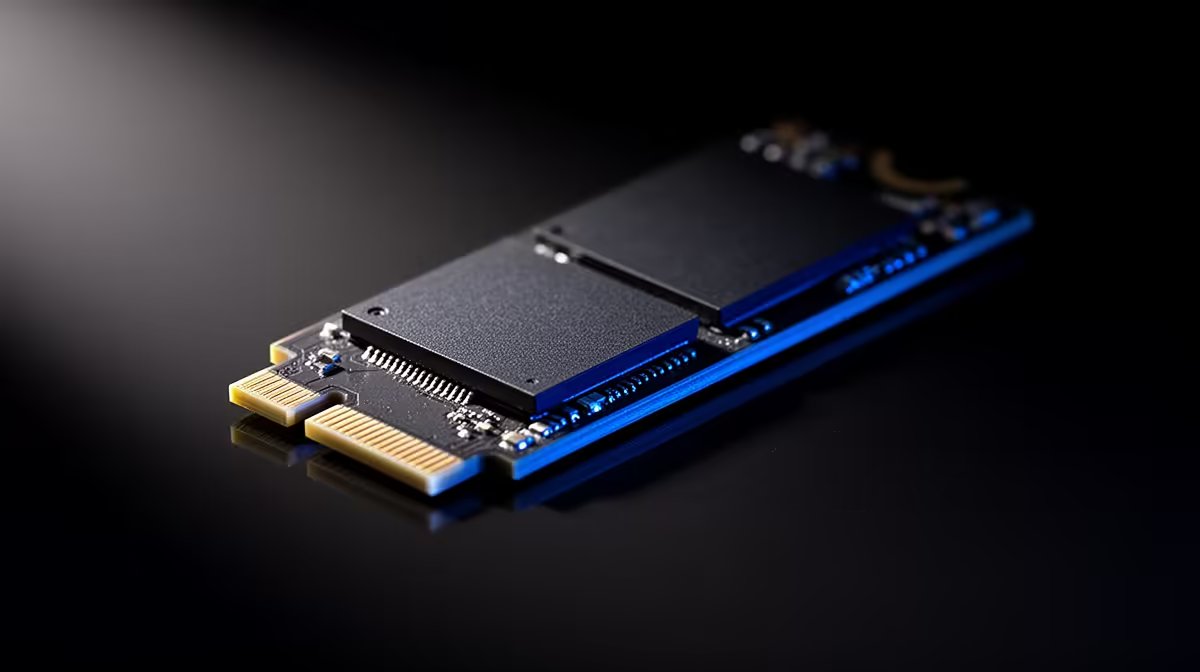
- NVMe SSDs use the modern PCIe pathway. They can be dramatically faster, especially for large files and high queue workloads.
Typical “SATA is enough” scenarios 🎮
SATA SSDs are often a smart, budget-friendly choice if you:
- Mainly play esports titles with smaller install sizes
- Want faster Windows boots than HDD, not “benchmarks”
- Are upgrading an older PC where PCIe slots or M.2 support are unclear
Typical “NVMe is worth it” scenarios ⚡
NVMe tends to shine when you:
- Install big AAA games and regularly swap between them
- Edit video, capture clips, or handle large game archives
- Want the snappiest OS responsiveness under real multitasking
Local buyer reality (South Africa) 💸
In SA, the best choice usually comes down to what your motherboard supports and how much storage you need. A slightly slower drive can still feel amazing if it replaces a failing HDD.
NVMe vs SATA SSD: Do You Need NVMe? The checklist that saves you money 🔧
Before you buy, confirm three things:
- Does your motherboard support M.2 NVMe? Many boards support M.2, but not all M.2 slots support NVMe. Some are SATA-only.
- What form factor does your board accept? Common sizes include 2280.
- What do you actually do on your PC? If your workflow includes frequent downloads, large file copying, and heavy multitasking, NVMe feels more “instant”.
Upgrade Pro Tip ⚡
On Windows, track what you’re loading during play and work using Task Manager → Performance. If your “Disk” activity stays high while games load screens or when launching applications, moving to any SSD helps. If your system supports NVMe, you’ll usually feel the difference in heavier multitasking and large installs.
NVMe vs SATA SSD: Do You Need NVMe for gaming performance?
For gaming, you’ll typically notice the biggest improvement from SSD over HDD: faster “time to menu”, quicker map loads, and less stutter while assets stream. Between SATA SSD and NVMe, the difference can be smaller for many games, but NVMe often wins in:
- Faster copying and patch installs
- Heavier background tasks (downloads plus gaming)
- Large library management, especially with multiple AAA titles
If you want the smoothest upgrade path, treat storage like part of your performance setup, not an afterthought.
NVMe vs SATA SSD: Do You Need NVMe? Choose your drive the smart way at Evetech 🚀
Ready to choose without guessing? Start by browsing solid state drives and then filter by interface and size to match your board.
- Shop from Evetech’s solid state drive selection: buy solid state drives
- If you have a brand preference, check ADATA SSD options
- Or go with Kingston SSD models
- If you need the right physical fit, filter by M.2 2280 form factor
- And if you’re hunting top-end performance, explore Gen 5 NVMe SSD interface options
Ready to Find Your Perfect Match? The Mac vs Windows debate is complex, but for maximum power, choice, and value in South Africa, Windows is hard to beat. Explore our massive range of laptop specials and find the perfect machine to conquer your world.











