

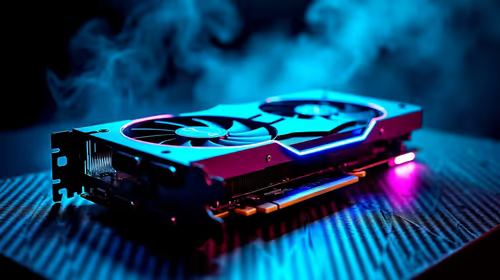
Should You Upgrade to the RTX 4090 from a RTX 5050?
Should You Upgrade to the RTX 4090 from a RTX 5050 Detailed answer with SA data, expert analysis & practical recommendations for local buyers.
Read moreDiscover how a touch screen monitor for kiosk systems can skyrocket user engagement and operational efficiency. We explore the key benefits, from intuitive interfaces to durable designs perfect for public use. Upgrade your interactive kiosk today! 💻✨

Struggling with long queues or clunky customer interfaces at your South African business? Imagine empowering your customers with a sleek, intuitive way to check in, place orders, or find information instantly. A dedicated touch screen monitor for your kiosk isn't just a fancy upgrade; it's a direct investment in better user experience (UX) and streamlined productivity. It transforms a frustrating wait into a fast, modern, and satisfying interaction that keeps people coming back.
Switching from a traditional setup to an interactive kiosk brings immediate and tangible benefits. It's about meeting modern customer expectations head-on and optimising your internal workflows. Many businesses are discovering that a wide variety of PC monitors can be adapted for this purpose, offering incredible flexibility.
People understand touch. It's the language of smartphones and tablets, making it instantly familiar. A touch screen for a kiosk eliminates the need for clumsy keyboards or mice, reducing friction and speeding up interactions. For a truly captivating, single-user experience, like a virtual product demo or a gallery exhibit, some high-end kiosks even use immersive curved monitors to draw the user in and create a memorable engagement.
Every tap on a kiosk screen can be a task your staff no longer has to handle manually. This frees up your team to focus on more complex, high-value customer needs. A well-implemented interactive kiosk monitor can handle:
Not all touch screens are created equal. When selecting a monitor for a public-facing kiosk, you need to prioritise features that ensure reliability and a great user experience under constant use.
Your kiosk monitor will be used by hundreds, if not thousands, of people. It needs to be tough. Look for screens with hardened glass, dust and spill resistance, and a sturdy build. Interestingly, the high-refresh-rate panels and robust construction required for competitive gaming mean some of our most durable all gaming monitors are surprisingly well-suited for high-traffic commercial environments.
Your content needs to be seen. For kiosks displaying detailed product images, architectural plans, or intricate maps, nothing beats the crispness of high-resolution 5K & 4K monitors. Also, consider the ambient lighting. A bright, anti-glare screen is essential for usability in well-lit indoor spaces or semi-outdoor locations.
Your kiosk doesn't have to be a permanent fixture. For trade shows, pop-up shops, or temporary informational booths, lightweight and easy-to-set-up portable monitors offer incredible versatility, allowing you to create an interactive station anywhere you need one.
installing your touch screen monitor, security and stability are key. Use a high-quality VESA mount to secure the display to a wall or a floor stand. Running cables through the mount or stand not only looks cleaner but also prevents tampering. Explore our range of [monitor accessories](https: www.evetech.co.za PC-Components buy-monitor-accessories-368.aspx) to find the right mounting solution for your specific setup.
Ultimately, integrating a touch screen monitor for your kiosk is a powerful step towards modernising your business. It shows your customers that you value their time and are committed to providing a seamless, efficient service. By automating simple tasks, you empower both your customers and your staff, creating a win-win scenario that pays dividends in satisfaction and productivity.
Ready to Revolutionise Your Customer Experience? From interactive menus to seamless check-ins, the right touch screen monitor is a powerful tool. Don't let outdated tech hold you back. Explore the best PC monitor deals in South Africa and find the perfect interactive display for your business today.
The primary touch screen kiosk benefits include improved user engagement, faster transaction times, reduced need for staff assistance, and an intuitive, modern user interface.
Consider durability (vandal resistance), screen brightness for visibility, multi-touch capabilities for complex interactions, and compatibility with your kiosk software.
Yes, commercial touch screen displays are designed for 24/7 operation in high-traffic areas. They offer greater durability, better brightness, and longer warranties than consumer models.
Absolutely. Look for a specialized outdoor kiosk touch screen monitor with high brightness for sunlight readability, an IP rating for weather resistance, and a wide operating temperature range.
Capacitive screens offer a superior multi-touch experience and better image clarity, ideal for most modern kiosks. Resistive screens are less responsive but can be operated with gloves.
A touch screen creates an intuitive experience similar to a smartphone. This familiarity reduces user frustration, leading to higher satisfaction and task completion rates for your kiosk.
Should You Upgrade to the RTX 4090 from a RTX 5050 Detailed answer with SA data, expert analysis & practical recommendations for local buyers.
Read more
RX 7800 XT The Witcher 4 Low Settings at 1440p. Real-world benchmark data, FPS numbers & performance analysis. What SA gamers can actually expect.

RTX 5070 GTA 6 High Settings at 1440p: FPS Results. Real-world benchmark data, FPS numbers & performance analysis. What SA gamers can actually expect.

Does RTX 5070 Run Hot in South African Climate Detailed answer with SA data, expert analysis & practical recommendations for local buyers.

How Long Will the RX 7900 XTX Last for Gaming Detailed answer with SA data, expert analysis & practical recommendations for local buyers.

Every spec on PCIe 5.0 explained in plain English. What matters for gaming and creator work in 2026, what's marketing fluff, and how each number translates to real-world performance.

Every spec on bios explained in plain English. What matters for gaming and creator work in 2026, what's marketing fluff, and how each number translates to real-world performance.

Every spec on gaming setups explained in plain English. What matters for gaming and creator work in 2026, what's marketing fluff, and how each number translates to real-world performance.

Every spec on cooling systems explained in plain English. What matters for gaming and creator work in 2026, what's marketing fluff, and how each number translates to real-world performance.

Every spec on 10tb enough storage explained in plain English. What matters for gaming and creator work in 2026, what's marketing fluff, and how each number translates to real-world performance.

External HDD vs External SSD: real-world performance, SA pricing, power draw and which one delivers better value for your build. The clear answer — without the fluff.

What to prioritise when shopping for external hard drive in South Africa: the specs that matter, Rand value tiers, and the trade-offs between budget and flagship picks in 2026.

Desktop External HDDs vs Portable Drives: real-world performance, SA pricing, power draw and which one delivers better value for your build. The clear answer — without the fluff.