

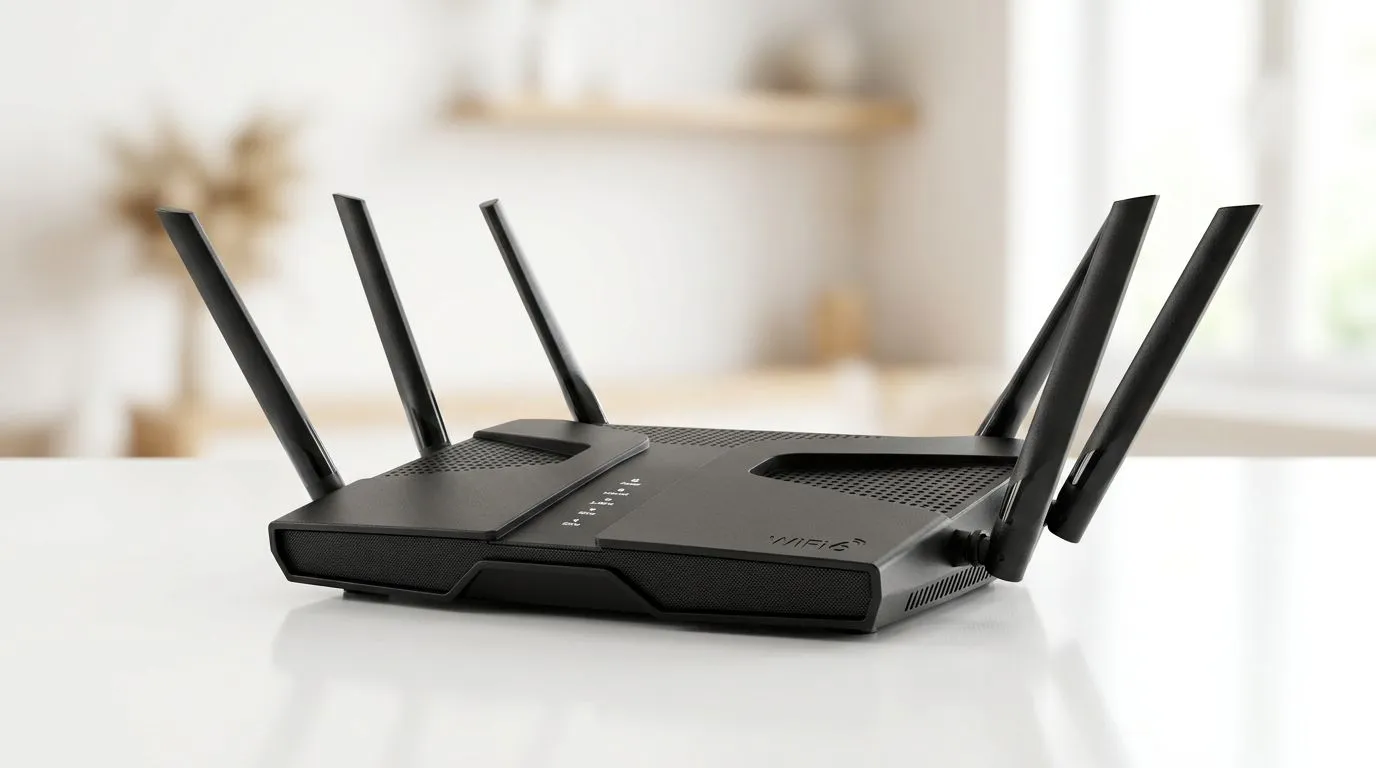
Upgrade Your ISP Router to High-Performance WiFi 6 for Smoother Gaming 🔥
If your matches feel like they’re running on dial-up… it’s probably your WiFi, not your aim. South African gamers in particular notice it fast: micro-lag in ranked games, stutter during downloads, and voice chat that drops right when the fight starts.
A lot of people try to “fix it later” with random settings or a repurchased SIM… but the smartest move is upgrading to a router built for modern WiFi. In this guide, we’ll show you how to upgrade your ISP router to a high-performance WiFi 6 router, what to check before you buy, and how to set it up properly so your network finally behaves.
Why an ISP Router Swap Matters for WiFi 6 Gaming ⚡
Most ISP routers are fine for basics like browsing and streaming… until you add multiple devices. In a typical SA home, that means:
- A gaming PC or console
- Phones on WiFi calling and social apps
- Smart TVs streaming locally on the network
- Family members working from home or downloading updates
WiFi 6 (802.11ax) helps by being more efficient when many devices share the same airspace. The result you’ll feel is steadier performance… especially during busy hours.
For the hardware side, Evetech carries networking gear from WiFi routers to adapters and access equipment. Start by browsing the broader wireless networking options here: Evetech wireless networking products.
How to Upgrade Your ISP Router to a High-Performance WiFi 6 Router (Step-by-Step) 🚀
1) Confirm your internet setup (and what’s actually limiting you)
Before you spend money, do a quick reality check:
- Run a speed test while standing near the router (WiFi test).
- Run another speed test after connecting via Ethernet (wired test).
- If wired speeds are strong but WiFi is weak, the WiFi router upgrade makes sense.
Also, check if your ISP provided a router combo (router + ONT or modem functions). Some lines need specific handshakes or VLAN settings. If you’re unsure, consult your ISP first so you don’t fight settings that aren’t yours to control.
2) Choose a WiFi 6 router that fits your home
Look for features that match your layout:
- Coverage: larger homes benefit from either strong antennas or mesh-style options.
- Client support: if your household is “everything on WiFi”, you want a router that can handle multiple devices gracefully.
- Compatibility: ensure it supports the WiFi standards your devices use (WiFi 5 and WiFi 6 both work together).
If you’re unsure where to start, Evetech lists WiFi routers in this category: buy wireless routers.
3) Plan device upgrades with WiFi adapters (optional but impactful)
Even with a great router, old WiFi adapters can bottleneck you. If your gaming PC or laptop has an older wireless card, swapping to a WiFi 6 adapter can help.
For adapter options, see: buy wireless adapters.
4) Decide what to do about coverage gaps
If your router can’t reach the room where you game, upgrading the router alone won’t solve everything. You have two common routes:
- Add a range extender (simpler setup)
- Move toward a more capable multi-node approach (often better consistency)
Evetech carries range extender units here: wireless range extenders.
5) If you’re on fibre, don’t ignore the fibre side
Some fibre setups use a fibre router (or a fibre ONT plus router). If your ISP’s equipment is the bottleneck, you may need a proper fibre-capable unit, not just a generic WiFi router.
Browse fibre router options here: fibre routers.
Setup Tips That Reduce Lag (Not Just “Faster WiFi”) 🎮
Upgrading is step one. The setup is where you win.
Place the router correctly (this is free performance) ✨
- Put it high, not in a cupboard.
- Keep it away from thick walls and microwaves.
- If you can, centralise it between rooms.
Most homes fail here. Fixing placement often looks like “magic”, but it’s really signal strength and reduced interference.
Use a 5 GHz or WiFi 6 network for gaming
In many setups, devices can connect to both 2.4 GHz and 5 GHz bands. For gaming, prefer 5 GHz where possible. It tends to have less interference and more consistent speeds indoors.
If your router supports it, use separate SSIDs (network names) for each band so your console/PC doesn’t randomly roam.
Use Ethernet when it matters
If you can run a cable to the gaming station, do it. Even a good WiFi 6 setup can’t beat a wired connection for stability. If you’re testing changes, compare “wired vs WiFi” first, so you know what you’re improving.
Productivity Pro Tip ⚡
On your new WiFi 6 router, name your 2.4 GHz and 5 GHz networks differently (for example, Home_24 and Home_5). Then force your console or gaming PC onto Home_5 so it doesn’t hop bands during matches. This tiny change often cuts “random lag” caused by roaming behaviour.
Update firmware after you install
Router firmware updates can fix stability issues, improve WiFi behaviour, and patch bugs. After swapping to your new router, check for firmware updates and apply them once the setup is stable.
What to Expect After Upgrading (A Realistic Checklist) ✅
After you upgrade your ISP router to a high-performance WiFi 6 router, aim for:
- Fewer disconnects and fewer voice chat drops
- More consistent download speeds during peak times
- Better performance when multiple family members are online
If you still see lag, revisit:
- Router placement
- Wireless band selection
- Whether your device WiFi adapter supports WiFi 6
- Coverage gaps (extenders instead of a single hope-and-pray router)
The key is isolating the bottleneck. Once you find it, fixing it is usually straightforward.
Before you choose specific gear, it helps to look across Evetech’s wireless categories first so you match routers, adapters, and networking equipment correctly: Explore wireless networking options.
Ready to Choose the Right WiFi Upgrade for Your Home? 🔧
If you’re ready to upgrade, you don’t have to guess. Start with the router that fits your home, then match your devices and coverage needs. That approach is how you get reliable gaming WiFi, not just a new box with the right marketing.
Now, take the next step while you’re thinking about it. The best upgrades feel noticeable within a day, not a month.
Ready to Find Your Perfect Match? The Mac vs Windows debate is complex, but for maximum power, choice, and value in South Africa, Windows is hard to beat. Explore our massive range of laptop specials and find the perfect machine to conquer your world.











