

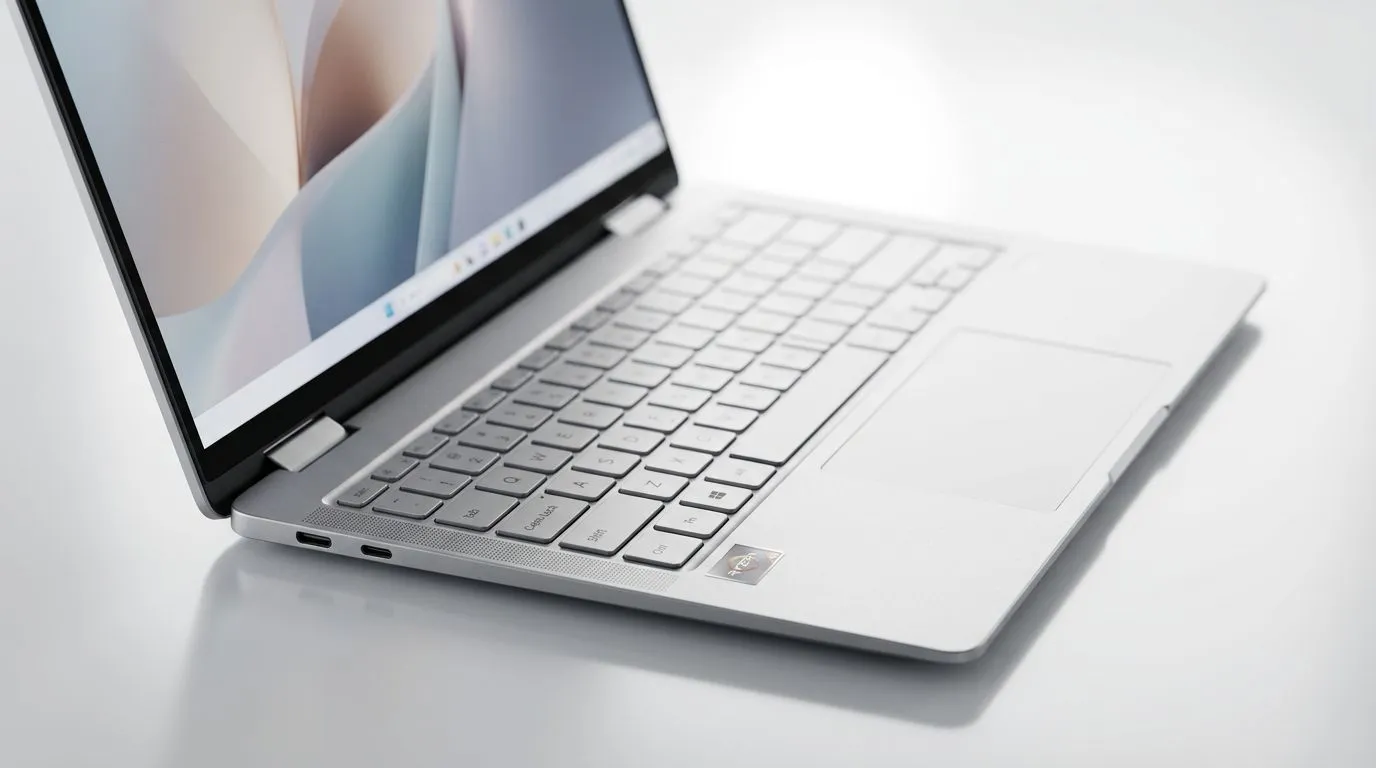
Best Ryzen AI Ultrabook for Work-From-Home Under R25,000: The “Wait, is this enough?” checklist
If you’re working from home in South Africa, you know the struggle… load shedding, spotty Wi‑Fi, and that one video call where your laptop suddenly decides to breathe heavily. 😅 A good ultrabook should stay silent, stay cool, and keep up with AI-assisted work like docs, research, and light content editing.
So what’s the best move when your budget sits under R25,000? For most people, a Best Ryzen AI Ultrabook for Work-From-Home Under R25,000 is the sweet spot: strong efficiency, reliable performance, and everyday portability you can actually feel.
What “Ryzen AI” should mean under R25,000 (and what to verify)
“Ryzen AI” can show up in marketing in a few different ways. The important part is not just the label, but the practical specs that affect your day-to-day work.
Must-check specs for WFH reality
- CPU performance (Ryzen generation + cores): More cores help with multitasking. For WFH, you’ll usually juggle browser tabs, Office apps, and meetings.
- RAM (minimum 16GB recommended): AI workflows and browser tabs add up fast.
- SSD storage (at least 512GB if possible): You want headroom for downloads, caches, and offline files.
- Display quality (1080p minimum): Crisp text matters for long admin sessions.
- Battery + thermals: Ultrabooks only feel “fast” when they don’t throttle under sustained use.
Keep your expectations realistic
AI features in ultrabooks are often a mix of on-device helpers and cloud apps. Either way, you should still buy for the basics: RAM, SSD, and a CPU that doesn’t stall your system during calls and document edits.
Productivity Pro Tip 🔧
Windows, keep your meeting and work tabs separate. Create two browser profiles (for example: Work + Personal). It reduces clutter, avoids accidental logins, and can make the browser feel snappier when you’re running web apps alongside your documents.
A WFH buyer’s decision path for the Best Ryzen AI Ultrabook for Work-From-Home Under R25,000
Here’s a simple way to pick without getting lost in spec sheets.
Step 1: Decide what “work” means for you
Most South African WFH users fall into one of these categories:
- Admin and communication: Office, email, Zoom/Teams, PDFs.
- Content and research: Docs + tabs + occasional light editing.
- Creator-lite: Canva, basic photo work, maybe light editing.
If you’re mostly in the first group, you can prioritise efficiency and screen comfort. If you’re in the latter two, push for 16GB RAM or more and a better SSD.
Step 2: Choose Wi‑Fi and ports like you mean it 🚀
Your laptop should match your desk reality:
- HDMI output helps with a monitor.
- USB‑C for docking and fast charging.
- Stable Wi‑Fi module matters when your home network is… let’s say “creative.”
Step 3: Don’t ignore serviceability and cooling
Ultrabooks can run warm under continuous loads. In real life, that impacts fan noise and performance stability during long calls. If the laptop is constantly throttling, even a “fast” CPU won’t feel fast.
Why Ryzen tends to fit the R25,000 WFH sweet spot (without the hype)
Ryzen platforms are popular with South African buyers for a reason: strong efficiency and solid multitasking in compact designs. That means you get a laptop that can handle meetings, spreadsheets, and plenty of browser tabs without turning your desk into a mini heater. ✨
But the real win is value. Under R25,000, you’re usually better off buying a Ryzen ultrabook that balances CPU, RAM, and SSD rather than paying extra for marketing terms.
Compare your options with Evetech deal pages (and build a shortlist fast) ⚡
Instead of guessing, use Evetech’s deal pages to cross-check current pricing and configurations in South Africa. Here are the pages to browse while you narrow your shortlist:
- Start with Ryzen laptop deals here: Ryzen laptop deals
- If you want an Intel alternative for comparison, check: Intel laptops on special
- For more budget-friendly performance ideas alongside your WFH needs: Best gaming laptop deals
- If your budget has wiggle-room and you’re comparing value tiers, browse: Buy gaming laptops under r20k
- And if you’re doing creator work that benefits from GPU acceleration, explore: GeForce RTX gaming laptops on special
Quick shortlist template you can copy
Use this when you find 2–4 options:
- CPU: Ryzen (what series exactly?)
- RAM: 16GB minimum, ideal if expandable
- Storage: 512GB or better
- Ports: HDMI + USB‑C
- Weight: under what you’re comfortable carrying
- Price: keep it under R25,000 if possible, but watch total value
Buying Pro Tip 🚀
If you’re planning to use AI tools in the browser, prioritise 16GB RAM and a clean SSD. Even if the laptop “has AI features,” low RAM will still cause stutters when your browser and meeting apps run together.
What to expect after you buy: setup steps that make any ultrabook feel faster
Once you’ve selected your Best Ryzen AI Ultrabook for Work-From-Home Under R25,000, do these immediately:
- Update Windows and your browser.
- Install one security tool (don’t stack five).
- Move big files off C: downloads, video caches, and installers.
- Use a power mode that matches your day: balanced for WFH, high performance only when you need it.
- Tame startup apps so your laptop wakes up fast after loadshedding.
These steps don’t “increase specs”, but they reduce the daily friction that makes a laptop feel slow.
How to choose the Best Ryzen AI Ultrabook for Work-From-Home Under R25,000 without regrets
You don’t need the most expensive ultrabook. You need one that stays responsive when your real workload starts:
- lots of tabs
- long calls
- documents, PDFs, and shared drives
- occasional AI-assisted research
If the laptop hits 16GB RAM + a decent SSD, you’ll feel the difference within the first week. And if it’s priced under R25,000, you’ll feel even better when the next deal pops up… because you already bought smart. 😄
Ready to Find Your Perfect Match? The Mac vs Windows debate is complex, but for maximum power, choice, and value in South Africa, Windows is hard to beat. Explore our massive range of laptop specials and find the perfect machine to conquer your world.











