


Best RTX 5090 Under R12000 in South Africa 2026
Top RTX 5090 Under R12000 picks evaluated on performance, value & SA availability with current Rand pricing from Evetech.
Read moreLearn how to set up a 120mm ARGB case fan with PWM control for quieter, stronger airflow and clean lighting sync. Follow this checklist and get the right temps faster. ⚙️💡
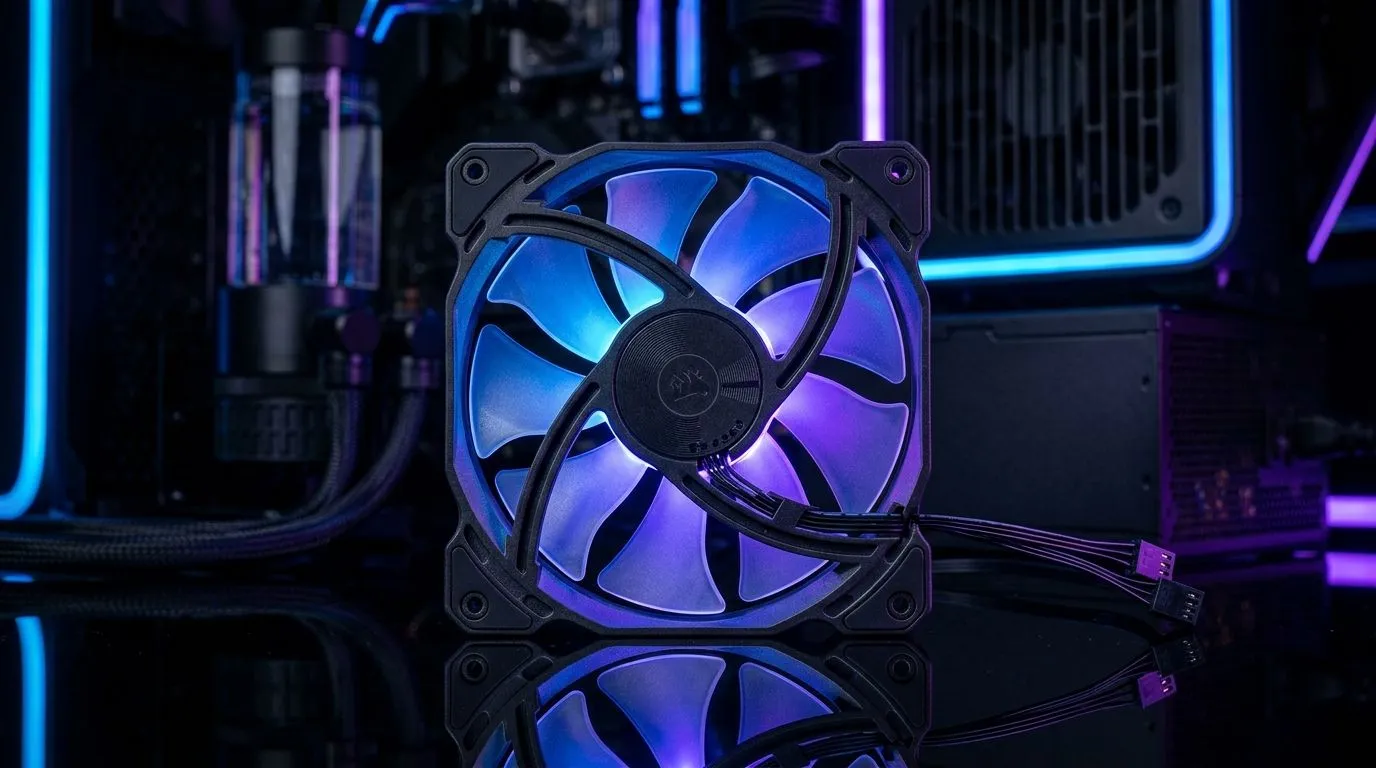
If you game in Durban heat or run long ranked sessions in a warm room, airflow matters more than RGB. 🔥 A good fan curve means lower temps, less noise, and more stable boosting on your CPU and GPU. The sweet spot is airflow you can control… not “all speed all the time”. With a solid 120mm ARGB Case Fan PWM setup for best airflow, you get smooth, predictable cooling you can actually tune.
PWM fans use a 4‑pin connection and respond to a control signal. That lets your motherboard (or fan hub) adjust speed based on CPU/GPU temperature. ARGB is separate lighting control, so you can run lighting effects without affecting fan speed. ✨
When you mix cheap non-PWM fans with a modern motherboard, you often lose fine control. That’s how you end up with either excessive noise or fans that react too late.
“Best” is balance:
For many builds, a common starting point is:
If your case supports it, placing 120mm fans where they pull air directly across the GPU helps a lot.
Start with compatible 120mm models for your front/rear/top mounts, then match them where the case allows it. If you’re buying, check Evetech’s case-fan selection for both general and 120mm-specific options:
Before you connect, decide the airflow direction:
Then label your headers in your head: “CPU_FAN” for the cooler, “CHA_FAN1/2/3” for case fans.
PWM fans should go into PWM headers. If you use a hub, ensure it supports PWM control, not just power.
Aim for stability:
Why this range? It prevents the annoying “fan ramp loop” where fans keep spiking when temperatures hover. Over time, your build settles into a predictable thermal pattern. ⚡
On your first tuning run, monitor CPU and GPU temperatures for 10–15 minutes in the same game scene. Then adjust in small steps (5–10%) so you can tell what actually changed. If you change everything at once, you will never know which setting helped.
If you’re running ARGB, you can pick fans with lighting features you like, without confusing cooling control:
Brand consistency can reduce “why does this behave differently?” moments:
If temps are still high:
If noise is the problem:
Ready to Find Your Perfect Match? The Mac vs Windows debate is complex, but for maximum power, choice, and value in South Africa, Windows is hard to beat. Explore our massive range of laptop specials and find the perfect machine to conquer your world.
PWM control adjusts fan speed for better airflow and quieter operation. Pair it with smart fan curves to maintain stable CPU and GPU temperatures.
Connect the fan’s PWM control lead to a PWM-capable header and connect the ARGB 5V data lead to an ARGB header. Power and ground should match your board.
Use SYS_FAN for case fans when possible. CPU_FAN is usually reserved for the CPU cooler’s RPM feedback requirements and fan curve profiles.
Check ARGB header type, 5V support, and correct orientation of the 3-pin connector. Also verify your motherboard software lighting settings.
Confirm the fan is on a PWM header and the header is enabled in BIOS. If using DC mode, switch the header to PWM for proper control.
Start with a gentle curve: keep speeds low at idle, ramp smoothly under load, and aim to hold target temps without sudden spikes for noise.
Use the motherboard ARGB ecosystem (software sync) and connect fans to compatible ARGB headers using supported splitters if needed.
Not always. If your motherboard has PWM and ARGB headers, you can run everything directly. Use a controller when headers are limited or fan types vary.
Top RTX 5090 Under R12000 picks evaluated on performance, value & SA availability with current Rand pricing from Evetech.
Read more
When Will the RTX 6090 Launch in South Africa Detailed answer with SA data, expert analysis & practical recommendations for local buyers.

Top Valorant Settings for RTX 5070: FPS Optimisation picks evaluated on performance, value & SA availability with current Rand pricing from Evetech.

RDNA 3.5 Graphics in Ryzen AI 400? Can You Game. Plain-English explanation of what it means, why it matters & how it affects your buying decisions in SA.

GPU Price Index : December Report. Current stock data & price tracking for SA buyers. See what is available and where prices are heading.

Core i5-14600K + B760 + RTX 5060 Build Under. Full parts list, Rand pricing & expected performance. Build confidently with SA-available components.

RX 7600 Apex Legends at 4K: FPS Benchmark. Real-world benchmark data, FPS numbers & performance analysis. What SA gamers can actually expect.

RX 7900 XTX GTA 6 at 4K: FPS Benchmark & Optimal. Real-world benchmark data, FPS numbers & performance analysis. What SA gamers can actually expect.

Head-to-head comparison of RTX 5070 vs RX 9070 XT: Gaming Performance for SA gamers. Performance benchmarks, Rand pricing & which delivers better value.

GPU Setup Guide Gamers. Clear setup instructions with SA-specific considerations, troubleshooting tips & recommended components.
Top RTX 5090 Under R12000 picks evaluated on performance, value & SA availability with current Rand pricing from Evetech.

Call of Duty Warzone 2 Settings on RX 7600. Real-world benchmark data, FPS numbers & performance analysis. What SA gamers can actually expect.

GTA 6 Settings on RTX 5070 Ti: Performance. Real-world benchmark data, FPS numbers & performance analysis. What SA gamers can actually expect.