

RTX 5070 Cyberpunk 2077 at 1440p: FPS Benchmark & Optimal Settings
RTX 5070 Cyberpunk 2077 at 1440p: FPS Benchmark. Real-world benchmark data, FPS numbers & performance analysis. What SA gamers can actually expect.
Read moreRX 7600 Apex Legends at 4K: FPS Benchmark. Real-world benchmark data, FPS numbers & performance analysis. What SA gamers can actually expect.

Drop hot into Kings Canyon with stuttering frames, and you are already back in the lobby. Competitive gamers know that high frame rates are vital for survival. For many South African gamers, achieving that perfect balance between visual fidelity and performance is the ultimate goal. But can AMD's mainstream GPU handle the pressure of Ultra HD? We tested the RX 7600 Apex Legends at 4K to see if this affordable card can deliver smooth gameplay without draining your ZAR.
The Radeon RX 7600 is widely celebrated as a 1080p powerhouse. However, curious players often wonder if it can stretch its legs into higher resolutions. Playing at 3840 x 2160 pixels requires serious graphical muscle. The sheer pixel count means your hardware works four times as hard as standard HD. If you are upgrading your setup to match a new 4K monitor, you might be browsing the latest graphics cards to find that ultimate sweet spot between price and raw performance.
So, how does the GPU actually perform in the heat of battle? In our RX 7600 Apex Legends at 4K benchmark, the results were surprisingly resilient. Running native 4K with default high settings, the card hovers around 45 to 55 FPS. It is visually stunning but not ideal for sweaty ranked matches where every millisecond counts. When smoke grenades pop and ultimate abilities fly, frame drops can be fatal.
By tweaking just a few graphical options, you can easily push past the golden 60 FPS mark. Consistent frames mean better tracking and more accurate flick shots. If you prefer a ready-to-play solution rather than building a rig from scratch, exploring our pre-built PC deals is a brilliant move for hassle-free gaming.
To get the absolute best out of your RX 7600 Apex Legends at 4K experience, you need to be strategic with your visual sliders. Here is how to optimise your game:
Use AMD's FidelityFX Super Resolution (FSR) if you want fluid 4K gameplay. Setting FSR to "Quality" mode upscales the image beautifully while granting a massive 20 to 30 FPS boost in Apex Legends.
Pairing this capable GPU with a solid modern processor ensures you avoid frustrating system bottlenecks. A strong multi-core CPU will keep those minimum frame rates high when the server gets chaotic. You can find excellent, balanced hardware pairings in our best gaming PC deals right now.
Of course, if you are constantly on the move between LANs or dodging loadshedding schedules, you might want to look at portable power instead. We stock a massive range of high-performance notebooks for sale that handle competitive shooters with absolute ease.
Always keep a close eye on your budget. Upgrading your gaming gear does not have to cost a small fortune if you shop smart. Checking out our latest specials helps you save those precious Rands for your next battle pass or heirloom event.
Ready to Dominate the Apex Games? Whether you want to push 4K visuals or chase maximum frame rates at 1080p, having the right hardware is your biggest advantage in South Africa. Explore our massive range of gaming PC deals and find the perfect machine to conquer your world.
RX 7600 Apex Legends at 4K: FPS Benchmar available at Evetech.co.za with local warranty and fast delivery.
RX 7600 Apex Legends at 4K: FPS Benchmar - check Evetech for latest stock and SA pricing.
Depends on your use case. RX 7600 Apex Legends at 4K: FP offers good value at current Rand pricing.
RTX 5070 Cyberpunk 2077 at 1440p: FPS Benchmark. Real-world benchmark data, FPS numbers & performance analysis. What SA gamers can actually expect.
Read more
RTX 3060 Crimson Desert at 1080p: FPS Benchmark. Real-world benchmark data, FPS numbers & performance analysis. What SA gamers can actually expect.
Read more
RTX 5060 Ti Starfield at 1080p: FPS Benchmark. Real-world benchmark data, FPS numbers & performance analysis. What SA gamers can actually expect.
Read more
Intel Arc B580 Assassins Creed Shadows at 1440p. Real-world benchmark data, FPS numbers & performance analysis. What SA gamers can actually expect.
Read more
RX 9070 Avowed at 4K: FPS Benchmark & Optimal. Real-world benchmark data, FPS numbers & performance analysis. What SA gamers can actually expect.
Read more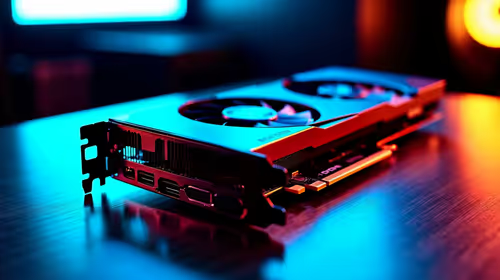
RX 9070 XT Linux Support: Benchmark & Real-World. Real-world benchmark data, FPS numbers & performance analysis. What SA gamers can actually expect.
Read more
Top Valorant Settings for RTX 5070: FPS Optimisation picks evaluated on performance, value & SA availability with current Rand pricing from Evetech.

RDNA 3.5 Graphics in Ryzen AI 400? Can You Game. Plain-English explanation of what it means, why it matters & how it affects your buying decisions in SA.

GPU Price Index : December Report. Current stock data & price tracking for SA buyers. See what is available and where prices are heading.

RX 9070 XT Elden Ring Nightreign at 4K: FPS. Real-world benchmark data, FPS numbers & performance analysis. What SA gamers can actually expect.

Core i5-14600K + B760 + RTX 5060 Build Under. Full parts list, Rand pricing & expected performance. Build confidently with SA-available components.

RX 7600 Apex Legends at 4K: FPS Benchmark. Real-world benchmark data, FPS numbers & performance analysis. What SA gamers can actually expect.

RX 7900 XTX GTA 6 at 4K: FPS Benchmark & Optimal. Real-world benchmark data, FPS numbers & performance analysis. What SA gamers can actually expect.

Head-to-head comparison of RTX 5070 vs RX 9070 XT: Gaming Performance for SA gamers. Performance benchmarks, Rand pricing & which delivers better value.

Top RTX 5070 Under R25,000 picks evaluated on performance, value & SA availability with current Rand pricing from Evetech.
Core i5-14600K + B760 + RTX 5060 Build Under. Full parts list, Rand pricing & expected performance. Build confidently with SA-available components.

Top Monitor for RX 9070: Resolution & Refresh Rate picks evaluated on performance, value & SA availability with current Rand pricing from Evetech.

Valorant Settings on RX 9060 XT: Performance. Real-world benchmark data, FPS numbers & performance analysis. What SA gamers can actually expect.