

Best Intel Keyboard Under R3000 in SA 2026
Top Intel Keyboard Under R3000 picks evaluated on performance, value & SA availability with current Rand pricing from Evetech.
Read more16-button controller layout explained: learn what each button does and how to customise your controller mapping step-by-step for PC, consoles, and fightsticks 🔧🎮
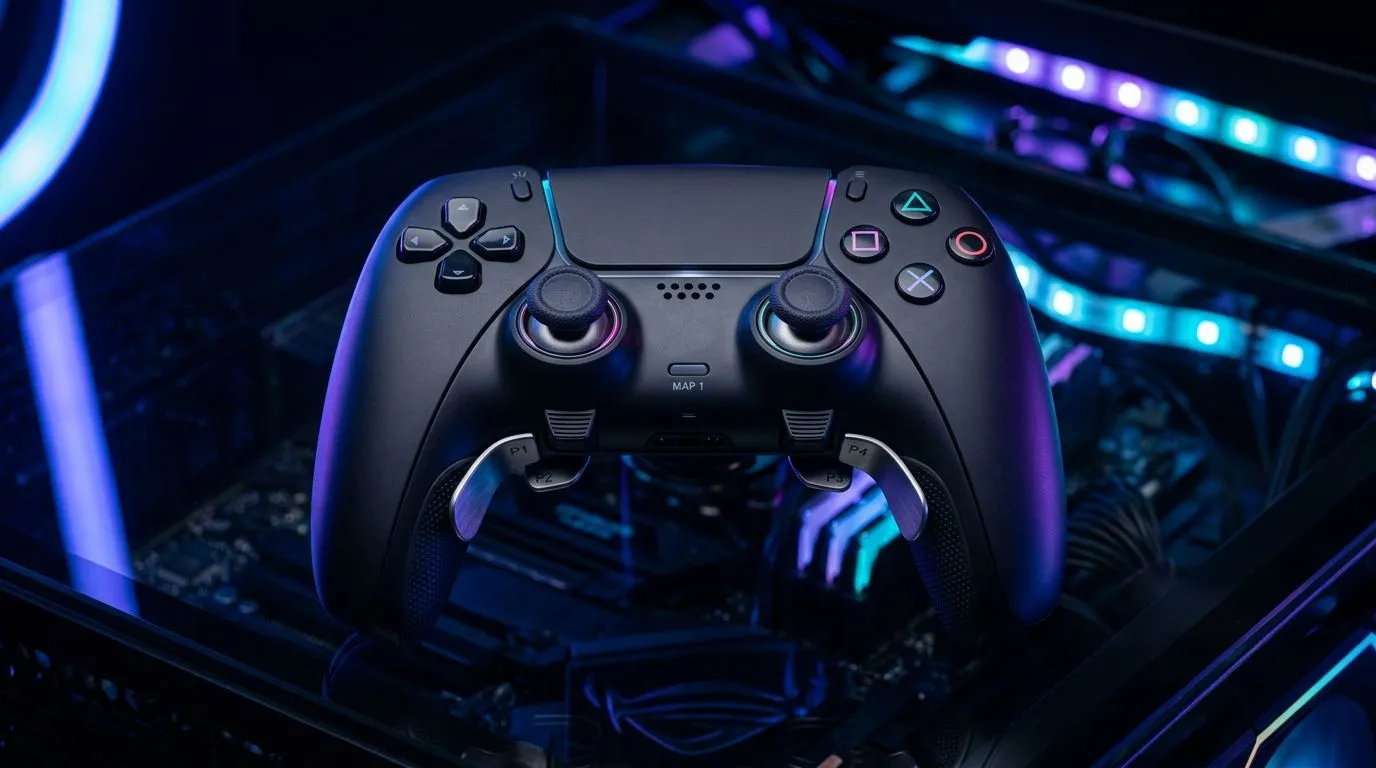
If you’re a South African gamer who likes quick combos and competitive edge, a 16-button controller layout can change how you play within minutes. Think extra face buttons, paddles or rear triggers mapped to grenades, macros or build binds — less hand travel, faster reactions. In local LANs and online ladders, that split-second counts… and it starts with how you customise the layout.
A 16-button controller layout generally means you’ve got the standard face, shoulder and stick buttons plus extra rear paddles or extra face inputs mapped to actions. That increases functional inputs without moving thumbs off sticks, improving ergonomics and accuracy for shooters and MOBAs. If you want to see a top-tier example, the Razer Wolverine V3 Tournament Edition available at Evetech shows how pro-focused hardware uses extra inputs to shave reaction time. Check its specs and design on the Razer Wolverine V3 product page.
Customising takes three simple steps: plan, map, test. First, plan which actions you want under your fingers (utility, weapon swap, emotes). Next, use your controller’s software or Steam Input to map buttons and create layers. Finally, test in low-stakes matches and adjust delays or macro lengths. If you’re still shopping for controllers with remappable paddles, browse Evetech’s controller category to compare models and features.
On Windows, start with Steam Input in Big Picture mode for free, hardware‑agnostic remaps. For low-latency binds on Xbox-compatible pads, use the Xbox Accessories app or your controller’s proprietary utility. Save profiles named by game to switch quickly between titles.
Local players swap two paddles to crouch and melee, then map reload to a thumb button for easier clutch plays. One Cape Town builder told us he went from fumbling builds to consistent edits after moving emote and ping off the right stick. Small tweaks matter: reduce macro delays, keep tactile feedback on paddles, and avoid conflicting binds.
If you prefer Razer hardware, filter the Evetech controller listings for Razer models and discover options built for customisation and tournament play. For a broader look at available controllers across brands, Evetech’s controllers hub helps you compare models, features and compatibility so you get the right pad for your setup.
Ready to Find Your Perfect Match? The Mac vs Windows debate is complex, but for maximum power, choice, and value in South Africa, Windows is hard to beat. Explore our massive range of laptop specials and find the perfect machine to conquer your world.
A 16-button controller layout assigns 16 inputs across face, shoulder, and auxiliary buttons common on fightsticks and advanced gamepads for extra commands.
It expands inputs for complex combos, quick item access, and macros, letting competitive and casual players map more functions without switching modes.
Use tools like Steam Input, AntiMicroX, or vendor software to assign actions, save profiles, and test your 16-button controller mapping.
Yes. Most fightsticks offer firmware or software to remap buttons, assign macros, and swap layouts for tournament or casual play.
Place primary attacks on central face buttons, combos on adjacent buttons, and macros or modifiers on shoulders and paddles for fast access.
Many modern consoles and adapters support mapping, but check firmware and game compatibility for full 16-button controller mapping features.
Open your controller software or firmware, record the input sequence, assign it to a target button, then test responsiveness in-game.
Top Intel Keyboard Under R3000 picks evaluated on performance, value & SA availability with current Rand pricing from Evetech.
Read more
Top Budget Hall Effect Keyboards Under R2,000 picks evaluated on performance, value & SA availability with current Rand pricing from Evetech.
Read more
Top Nvidia Keyboard Under R5000 picks evaluated on performance, value & SA availability with current Rand pricing from Evetech.
Read more
Top ASUS Keyboard Under R3000 picks evaluated on performance, value & SA availability with current Rand pricing from Evetech.
Read more
Top Wireless Keyboard Under R3000 picks evaluated on performance, value & SA availability with current Rand pricing from Evetech.
Read more
Top Samsung Keyboard Under R5000 picks evaluated on performance, value & SA availability with current Rand pricing from Evetech.
Read more
Snapdragon X2 NPU Explained: How 80 TOPS Changes. Plain-English explanation of what it means, why it matters & how it affects your buying decisions in SA.

HBM? High Bandwidth Memory Used in GPUs and AI. Plain-English explanation of what it means, why it matters & how it affects your buying decisions in SA.

How much should you spend on sim racing accessories in South Africa for a realistic setup? We break down budgets by quality tiers, so you buy smart gear and avoid overspending 🎮💸

G-Sync and FreeSync? Variable Refresh Rate. Plain-English explanation of what it means, why it matters & how it affects your buying decisions in SA.

AMD Laptop: Value. SA-focused analysis with local pricing data, real-world insights & actionable buying advice.

How MacBook Neo Handles 30+ Chrome Tabs with Only. SA-focused analysis with local pricing data, real-world insights & actionable buying advice.

Why Apple Put 8GB RAM in MacBook Neo: The A18 Pro. SA-focused analysis with local pricing data, real-world insights & actionable buying advice.

Upgrade your work laptop with a New Motherboard. Step-by-step instructions with SA-specific tips, common pitfalls to avoid & expert recommendations.

MacBook Pro 16-Inch M5 Max: Complete Specs,. Everything you need to know with SA pricing, step-by-step instructions & expert recommendations.

Travelling With a MacBook: Travellers. Everything you need to know with SA pricing, step-by-step instructions & expert recommendations.

Back-to-School Parent Guide: Laptops. Everything you need to know with SA pricing, step-by-step instructions & expert recommendations.

MacBook Air 13-Inch M5: Complete Specs, Features. Everything you need to know with SA pricing, step-by-step instructions & expert recommendations.