


Best RX 7800 XT Model Under R8,000 in South Africa 2026
Top RX 7800 XT Model Under R8,000 picks evaluated on performance, value & SA availability with current Rand pricing from Evetech.
Read moreWondering if ≤30dBA really makes a noticeable difference? Here’s how PC fan noise works in practice, what 30dBA means, and how to fix loud fans without guesswork. 🔇🎮
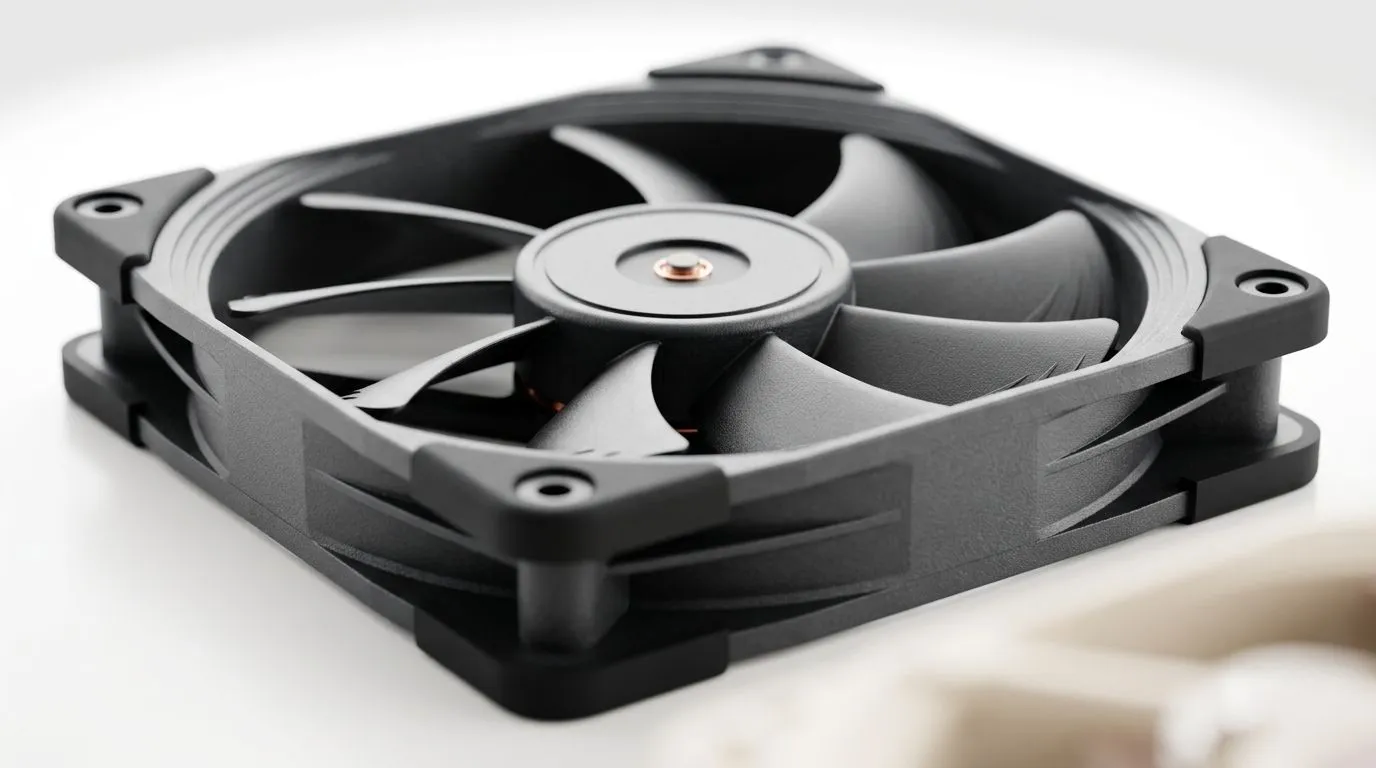
If you’ve ever dusted your PC after a long Valorant or Fortnite session, you’ll know the sound test. Fans get louder as components heat up… and in a quiet room, even small changes can be obvious. The big question is simple: does ≤30dBA PC fan noise make a noticeable difference? 😮💨
Let’s break it down in plain terms, then talk about what to buy when you’re chasing both performance and comfort.
dBA is a sound level measurement with human hearing in mind. In general terms, 30 dBA is considered very quiet, similar to a soft room noise. It’s low enough that most people won’t be “bothered” during normal use. But “noticeable” depends on your setup:
If you’re trying to keep a gaming rig comfortable for long sessions, airflow matters more than chasing a single number. Still, choosing fans rated for low noise gives you more headroom when you tune your fan curve. 🔧
If your BIOS supports fan curves, start by setting case fans to ramp slower at lower temps. Then test during a game for 10–15 minutes. You’re aiming for “quiet while gaming settles in”, not “silent instantly”.
For low noise, larger fans often help because they can move more air at lower RPM. That’s why many builds lean toward 140mm options for airflow, while 120mm can still be great in tighter cases.
Evetech stocks a broad range of case fans you can filter by size and features. Here’s where it helps:
If you care about the “looks + calm” balance, pay attention to RGB too. Some RGB fans keep things sleek, but make sure noise is still the priority. ✨ RGB option filtering is here: https://www.evetech.co.za/PC-Components/case-fans-97.aspx?attributes-lightingeffects=RGB
If you’d rather go understated, you can also filter for non-RGB: https://www.evetech.co.za/PC-Components/case-fans-97.aspx?attributes-lightingeffects=None
Even if two fans both claim low noise, the experience can differ based on bearing type, blade design, and how they’re driven by your motherboard. That’s why brand and family matter when you want consistency across a full build.
Start broad with Evetech’s full case fan selection: https://www.evetech.co.za/PC-Components/case-fans-97.aspx
Then narrow down by brand:
One small micro-story from the Build Lab: I’ve seen gamers swap “loud but strong” fans for quieter ones, then realise their GPU fan curve was still the main culprit. Quiet case fans help… but the loudest source wins.
So, if your goal is genuinely quiet gaming, tune in this order:
If you’re chasing a calmer desk setup, the best move is to choose fans designed for quiet operation, then tune the curve for your temps. That’s how you get the real benefit of low dBA, not just a spec sheet promise. 🚀
Ready to Find Your Perfect Match? The Mac vs Windows debate is complex, but for maximum power, choice, and value in South Africa, Windows is hard to beat. Explore our massive range of laptop specials and find the perfect machine to conquer your world.
Often, yes. If your current fans are much louder than 30dBA, dropping to ≤30dBA can sound clearly quieter, especially in a quiet room.
30 dBA is around a quiet library level. It can still be audible, but it should feel significantly less intrusive than most stock gaming setups.
Real-world noise depends on RPM, fan curve, mounting vibration, dust buildup, and airflow turbulence. A 30dBA spec may be measured under ideal conditions.
dBA reflects perceived noise, but RPM drives it. Two fans at the same RPM can sound different due to blade design, bearing type, and control strategy.
Adjust the fan curve in BIOS or software, ensure proper fan mounting, clean dust, and improve airflow. Replace failing bearings if you hear grinding.
Start with low RPM at idle, then ramp smoothly based on CPU/GPU temps. Avoid steep jumps that create frequent audible spikes.
Yes. Better case airflow can reduce required fan speed for the same temperatures, which often lowers dBA and reduces whine or turbulence.
Rattling, grinding, or high-pitched whine can indicate bearing wear, loose mounts, or resonance. Address the source rather than only chasing dBA.
Top RX 7800 XT Model Under R8,000 picks evaluated on performance, value & SA availability with current Rand pricing from Evetech.
Read more
When Will the RTX 6090 Launch in South Africa Detailed answer with SA data, expert analysis & practical recommendations for local buyers.

Top Valorant Settings for RTX 5070: FPS Optimisation picks evaluated on performance, value & SA availability with current Rand pricing from Evetech.

RDNA 3.5 Graphics in Ryzen AI 400? Can You Game. Plain-English explanation of what it means, why it matters & how it affects your buying decisions in SA.

GPU Price Index : December Report. Current stock data & price tracking for SA buyers. See what is available and where prices are heading.

Core i5-14600K + B760 + RTX 5060 Build Under. Full parts list, Rand pricing & expected performance. Build confidently with SA-available components.

RX 7600 Apex Legends at 4K: FPS Benchmark. Real-world benchmark data, FPS numbers & performance analysis. What SA gamers can actually expect.

RX 7900 XTX GTA 6 at 4K: FPS Benchmark & Optimal. Real-world benchmark data, FPS numbers & performance analysis. What SA gamers can actually expect.

Head-to-head comparison of RTX 5070 vs RX 9070 XT: Gaming Performance for SA gamers. Performance benchmarks, Rand pricing & which delivers better value.

Starfield Max Settings on RTX 5070. Tested & verified settings for best FPS and visual quality on SA hardware budgets.
Top RX 7800 XT Model Under R8,000 picks evaluated on performance, value & SA availability with current Rand pricing from Evetech.

RTX 5070 Valorant Optimised Settings: Graphics. Real-world benchmark data, FPS numbers & performance analysis. What SA gamers can actually expect.

Top Laptop with Core i7 + RX 7700S: Picks picks evaluated on performance, value & SA availability with current Rand pricing from Evetech.