


Best RTX 5090 Under R5000 in South Africa 2026
Top RTX 5090 Under R5000 picks evaluated on performance, value & SA availability with current Rand pricing from Evetech.
Read more360 camera for meetings helps open-plan teams identify who's speaking and boosts meeting clarity with speaker tracking and smart room layout tips 🎥📐. Quick setup, placement advice, and hardware picks to end confusion.
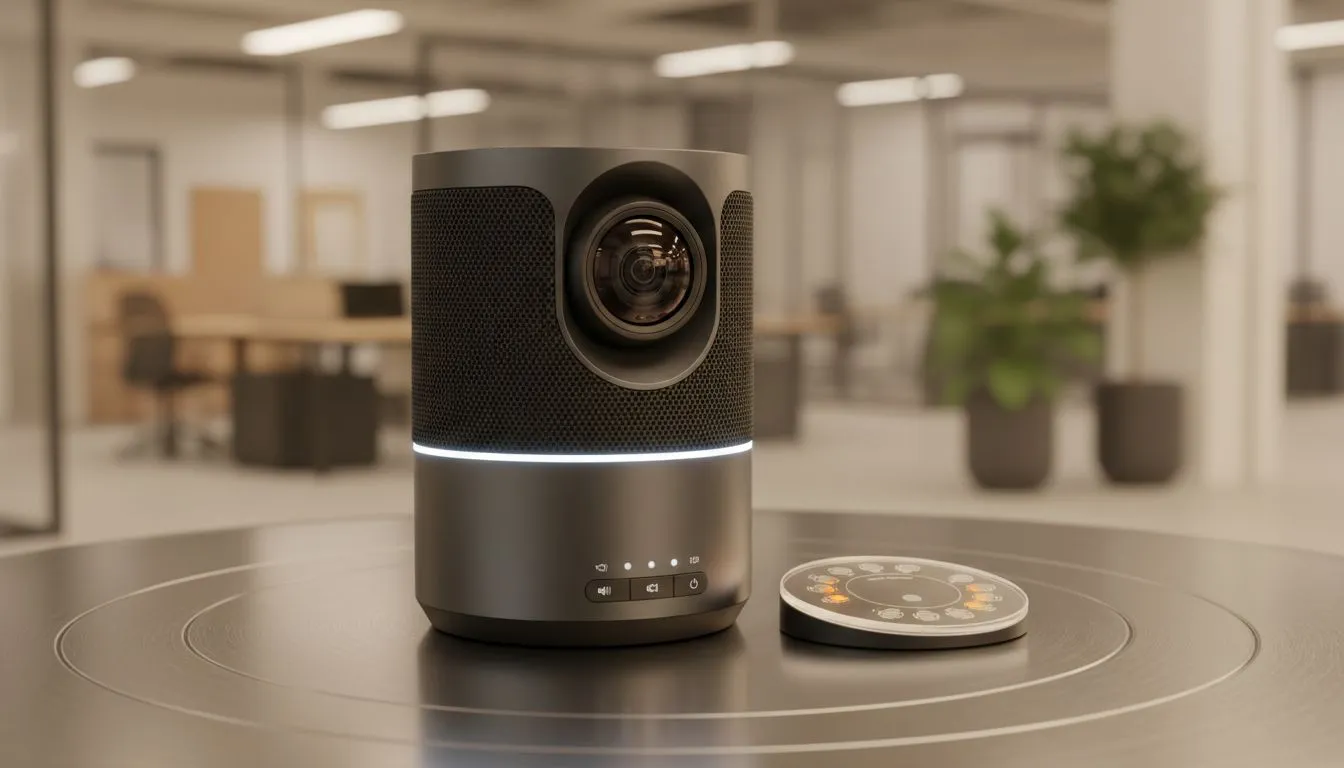
Navigating a busy Joburg or Cape Town office is hard enough without trying to host a hybrid meeting. In open-plan spaces, remote colleagues often feel like they are watching a tennis match through a keyhole... unable to see who is actually talking. A dedicated 360 camera for meetings helps fix who's speaking in open-plan offices by automatically tracking the active voice and putting them front and centre.
The modern South African office is designed for collaboration, but that often comes at the cost of acoustic privacy. When you are sitting in a boardroom with five people and three others are joining via Microsoft Teams or Zoom, a standard wide-angle lens just does not cut it. Remote participants often see a tiny group of people huddled around a table, making it impossible to read body language or know who is addressing the group.
To solve this, you need hardware that can intelligently scan the room. If you are just starting to kit out your workspace, you can find a broad range of professional webcams that offer various fields of view to suit your specific desk layout.
High-end 360-degree solutions use beamforming microphones and facial recognition to identify the speaker. Instead of a static image, the software "crops" into the person talking. This eliminates the "bowling alley" effect where the person at the far end of the table looks like a distant speck.
If your budget is tight but you still need to upgrade from a grainy laptop lens, there are several affordable webcams under R1000 that provide much better clarity than built-in options, though they may lack the full 360-degree rotation of premium conference hubs.
When you want to fix who's speaking in open-plan offices, you have to consider the size of the room. A small "huddle" space might only need a wide-angle lens with 4K resolution to allow for digital zooming. For these smaller setups, browsing webcams under R2000 often reveals great sensors that handle the harsh fluorescent lighting common in local office blocks.
To get the best out of your 360 camera, place it in the centre of the table rather than at the end. This ensures the microphones can pick up voices equally from all directions and prevents the AI from getting confused by background movement in the open-plan area behind the participants.
For larger teams that require more sophisticated autofocus and better low-light performance, looking at premium webcams under R3000 is a smart move. These units often include better glass elements and superior noise reduction... essential when the office coffee machine is working overtime just a few metres away.
Investing in a 360 camera for meetings ensures that your remote workers feel like they are part of the conversation, not just observers. By using intelligent framing to fix who's speaking in open-plan offices, you reduce meeting fatigue and make every session more productive.
Ready to Upgrade Your Office Setup? Don't let poor video quality hold your team back. Whether you need a 360-degree powerhouse or a crisp 4K desktop unit, we have the gear to keep you connected. Explore our massive range of webcam specials and find the perfect camera to fix your meeting frustrations today.
A 360 camera with speaker tracking identifies and frames active speakers, improving visibility and reducing confusion in open-plan office meetings.
Place the camera centered above or behind the meeting table, at eye level when possible, for optimal camera placement for meeting rooms and tracking.
Yes. Most 360 video conferencing camera setups use plug-and-play USB or RTSP streams compatible with Zoom, Microsoft Teams, and Google Meet.
Create clear sightlines, cluster seating around a central camera, and reduce background noise for room layout for better meeting audio and visibility.
Prices vary. You can find cost-effective 360 cameras for meetings under mid-range budgets and premium models with advanced speaker detection.
Yes. Combining a 360 camera with proper mic placement improves audio sync, clear speaker identification, and overall meeting engagement.
Mount centered, connect via USB or network, enable speaker tracking, and test with your conferencing platform to finish a 360 camera setup.
Top RTX 5090 Under R5000 picks evaluated on performance, value & SA availability with current Rand pricing from Evetech.
Read more
Top Value RX 9070 XT Under R10,000 picks evaluated on performance, value & SA availability with current Rand pricing from Evetech.
Read more
Top RTX 5090 Under R4000 picks evaluated on performance, value & SA availability with current Rand pricing from Evetech.
Read more
Top RTX 5080 Under R15000 picks evaluated on performance, value & SA availability with current Rand pricing from Evetech.
Read more
Core i5-14400F + B760 + RX 7800 XT Build Under. Full parts list, Rand pricing & expected performance. Build confidently with SA-available components.
Read more
Top Budget RTX 5070 Ti Under R20,000 Gamers picks evaluated on performance, value & SA availability with current Rand pricing from Evetech.
Read more
Can RTX 4080 Super Run AI Workloads for SA Developers Detailed answer with SA data, expert analysis & practical recommendations for local buyers.

Can RTX 4090 Run AI Workloads for SA Developers Detailed answer with SA data, expert analysis & practical recommendations for local buyers.

Top Settings for Intel Arc B580 at Ultrawide 1440p picks evaluated on performance, value & SA availability with current Rand pricing from Evetech.

RX 7600 Overclocking Guide: Safe OC Settings for. Real-world benchmark data, FPS numbers & performance analysis. What SA gamers can actually expect.

RTX 4060 CS2 Low Settings at 1080p: FPS Results. Real-world benchmark data, FPS numbers & performance analysis. What SA gamers can actually expect.

Visual Artifacts: Possible GPU Issue Issue #1. Diagnosis steps, proven fixes & when to seek professional help. SA-specific support info included.

Can the RTX 4090 Handle 1440p 144Hz Gaming. Performance testing verdict with real data & practical recommendations for SA buyers.

Top ASUS GPU Under R15000 picks evaluated on performance, value & SA availability with current Rand pricing from Evetech.

GTA 6 Max Settings on RTX 5070. Tested & verified settings for best FPS and visual quality on SA hardware budgets.

Cyberpunk 2077 Max Settings on RTX 5080. Tested & verified settings for best FPS and visual quality on SA hardware budgets.

Starfield Max Settings on RTX 5070 Ti. Tested & verified settings for best FPS and visual quality on SA hardware budgets.
Top RTX 5090 Under R5000 picks evaluated on performance, value & SA availability with current Rand pricing from Evetech.