

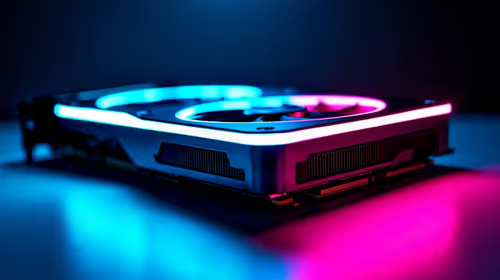
Best Nvidia GPU Under R15000 in SA 2026
Top Nvidia GPU Under R15000 picks evaluated on performance, value & SA availability with current Rand pricing from Evetech.
Read moreStep-by-step: A Practical Guide to Multi-Monitor Setup With HDMI and DisplayPort 2.1 Graphics Cards. The prep, the settings that actually matter, and the common mistakes SA builders make — solved.

Staring at a single screen while trying to game, stream, and chat on Discord is a nightmare. Alt-tabbing during a crucial match gets old fast. If you are ready to expand your digital real estate, a multi-monitor setup with HDMI and DisplayPort 2.1 graphics cards is the ultimate solution. Let us show you how to build the perfect multi-screen setup. 🚀
Setting up two or three monitors requires the right ports. Modern GPUs usually feature a mix of HDMI and DisplayPort outputs. DisplayPort 2.1 is the new heavyweight champion of connectivity. It offers massive bandwidth for 4K and even 8K resolutions at blazing-fast refresh rates.
HDMI 2.1 is also fantastic for high-refresh gaming on your primary display. To run these advanced visual standards, you need to upgrade your graphics card to something modern. The extra bandwidth ensures zero screen tearing, buttery-smooth gameplay, and incredible colour accuracy across all your panels.
If you are still running older hardware, driving three high-resolution panels might cause your frame rates to tank. Pushing millions of pixels is hard work... but the visual reward is incredible. Upgrading from older NVIDIA GeForce GTX graphics cards to the latest RTX or Radeon RX series ensures you have the required DisplayPort 2.1 and HDMI connections.
The good news is you do not have to spend all your hard-earned ZAR at once. You can easily find the best graphics card deals to fit your specific budget and performance needs.
When mixing monitors, Windows sometimes limits your main screen to the lowest refresh rate. Always check your Advanced Display Settings to ensure your primary gaming monitor is set to its maximum Hz, while your secondary Discord screen runs at a standard 60Hz.
Once everything is plugged in, right-click your desktop and select Display Settings. Drag the numbered rectangles to match exactly how your monitors sit on your desk. This stops your mouse from getting stuck on invisible walls between screens.
If you are building a brand-new rig to handle this extra visual load, exploring the best gaming PC deals will guarantee you get a system with enough video ports straight out of the box. 🔧 A pre-built system takes the guesswork out of compatibility so you can just plug in and play.
High-end monitors and GPUs can get pricey very quickly. Buying smart means looking out for bundle offers or seasonal clearance sales. Keep a close eye on our specials to grab high-refresh panels and premium braided cables without emptying your wallet.
Whether you want a sweeping triple-monitor sim racing rig or just a reliable second screen for watching YouTube while you grind, having the right connections makes all the difference. ✨
Ready to Expand Your View? Building the ultimate multi-monitor setup with HDMI and DisplayPort 2.1 graphics cards gives you unmatched immersion and productivity. Explore our massive range of graphics cards and find the perfect hardware to power your dream battle station today.
The graphics cards, tools and accessories referenced in this article are stocked at Evetech.co.za with local SA warranty, ZAR pricing and nationwide delivery.
The article lists the exact parts, tools and BIOS prep steps needed. Nothing exotic — most SA builders will already have everything on hand.
For a clean setup, expect 30–60 minutes end-to-end. The guide is written so you can pause between steps without losing your place.
We call out the mistakes that trip up most first-time builders — from BIOS defaults to memory training and storage layout — so you can avoid them upfront.
The core workflow is platform-agnostic. The article notes the specific Intel and AMD differences where they actually change the process.
Top Nvidia GPU Under R15000 picks evaluated on performance, value & SA availability with current Rand pricing from Evetech.
Read more
Top Crucial GPU Under R40000 picks evaluated on performance, value & SA availability with current Rand pricing from Evetech.
Read more
Top Valorant Settings for RTX 5070: FPS Optimisation picks evaluated on performance, value & SA availability with current Rand pricing from Evetech.

RDNA 3.5 Graphics in Ryzen AI 400? Can You Game. Plain-English explanation of what it means, why it matters & how it affects your buying decisions in SA.

GPU Price Index : December Report. Current stock data & price tracking for SA buyers. See what is available and where prices are heading.

RX 9070 XT Elden Ring Nightreign at 4K: FPS. Real-world benchmark data, FPS numbers & performance analysis. What SA gamers can actually expect.

Core i5-14600K + B760 + RTX 5060 Build Under. Full parts list, Rand pricing & expected performance. Build confidently with SA-available components.

RX 7600 Apex Legends at 4K: FPS Benchmark. Real-world benchmark data, FPS numbers & performance analysis. What SA gamers can actually expect.

RX 7900 XTX GTA 6 at 4K: FPS Benchmark & Optimal. Real-world benchmark data, FPS numbers & performance analysis. What SA gamers can actually expect.

Head-to-head comparison of RTX 5070 vs RX 9070 XT: Gaming Performance for SA gamers. Performance benchmarks, Rand pricing & which delivers better value.

Top RTX 5070 Under R25,000 picks evaluated on performance, value & SA availability with current Rand pricing from Evetech.
Core i5-14600K + B760 + RTX 5060 Build Under. Full parts list, Rand pricing & expected performance. Build confidently with SA-available components.

Top Monitor for RX 9070: Resolution & Refresh Rate picks evaluated on performance, value & SA availability with current Rand pricing from Evetech.

Valorant Settings on RX 9060 XT: Performance. Real-world benchmark data, FPS numbers & performance analysis. What SA gamers can actually expect.