

Should You Buy a 240Hz monitor or Build a PC in South Africa?
Should You Buy a 240Hz monitor or Build a PC. Full parts list, Rand pricing & expected performance. Build confidently with SA-available components.
Read moreBuilding a custom PC? Our AMD motherboard guide helps South African gamers navigate socket types and chipset features to find the perfect match for their CPU. 🎮 Unlock peak performance today! 🚀
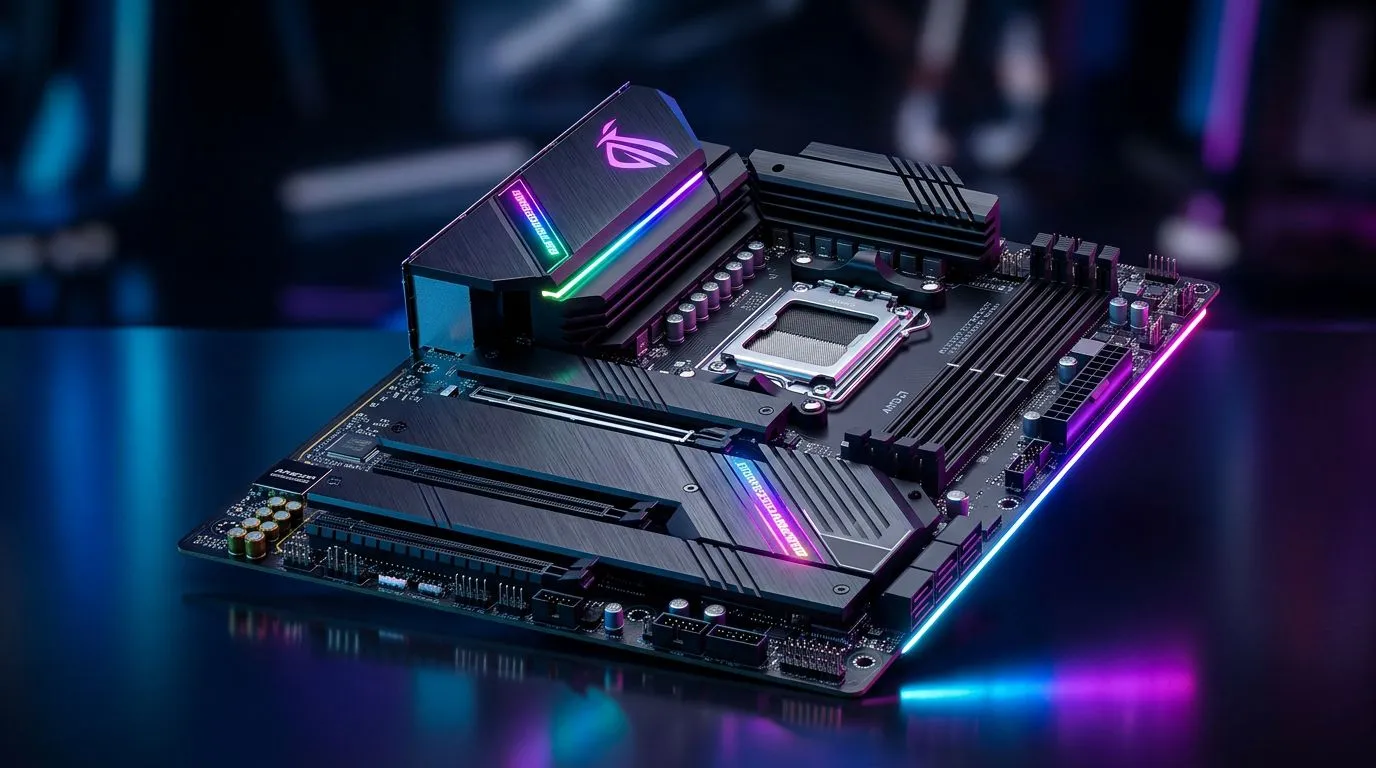
If you’re building a South African gaming rig in 2026, the motherboard is where your future upgrades live. Get it wrong and you’ll feel it every time you try to upgrade your GPU, add faster storage, or tighten up your RAM timings. If you’re choosing from AMD, you’ve already got a solid platform… now pick the right board.
This AMD Motherboard Guide: Choosing the Best Board for Your SA Gaming Rig breaks down what to look for before you click “Add to cart” 🔧.
Chipsets decide your feature set. In practical terms, they affect things like how many high-speed expansion options you get, how many M.2 slots are available, and what “extras” you’ll actually use.
Here’s a simple rule for SA builders:
Because motherboard availability and exact model specs can vary, the safest move is to browse the current AMD motherboard lineup first, then filter based on the features below.
You can start here: AMD motherboards at Evetech.
The #1 “oops” in builds is buying a board that doesn’t physically fit the CPU you want. Before anything else, confirm the socket compatibility (AM4 vs AM5 depending on your processor family).
If you’re not sure which direction you’re going, you’ll usually be deciding between:
You’ve heard about “more FPS”... but most gamers don’t see the real win: consistent stability under load. VRM (voltage regulation) is responsible for feeding your CPU clean power. A strong VRM matters especially if:
What should you look for?
If you want to cross-check value and feature trade-offs, it helps to compare categories. For example, if you’re considering alternatives, browse: Intel motherboards at Evetech.
Most players feel storage and RAM more than they realise.
Modern games benefit from NVMe SSDs. When choosing your AMD motherboard:
For DDR4 vs DDR5, follow your chosen platform.
If you’re shopping on a tighter budget (for example, building around a strong GPU with limited RAM spend), you might also explore: cheap Intel AMD-based motherboards. It’s useful for understanding how “cheap” boards typically trade away connectivity and expansion.
On a new AMD build, update your BIOS before you do anything performance-related. After the update, verify your RAM is running at the rated speed in your BIOS, then stress-test for stability once. This avoids the common “it was fine on day one” problem when drivers and firmware settle in.
Real life matters here. In SA, you might deal with:
So check:
If you’re planning streaming or capturing gameplay, also think about how many capture devices you’ll run and whether you need additional USB bandwidth.
Let’s save you from the classic build regrets:
A quick micro-story: one SA gamer I helped built a “good enough” board, then immediately filled both M.2 slots with OS + main games. By month two, they had to juggle installs... and spent time rebuilding libraries instead of playing.
Pick a board that gives you breathing room.
Before you finalise the AMD board for your gaming rig, open your shortlist and verify:
When you do that, you’re no longer “hoping” your build works. You’re buying with confidence.
Ready to Find Your Perfect Match? The Mac vs Windows debate is complex, but for maximum power, choice, and value in South Africa, Windows is hard to beat. Explore our massive range of laptop specials and find the perfect machine to conquer your world.
The AM5 motherboard socket is the current standard for AMD, supporting DDR5 memory and future Ryzen processor generations, making it ideal for long-term upgrades.
B650 chipsets are perfect for mainstream gaming builds, while X670 offers additional PCIe lanes and connectivity for enthusiasts requiring extreme storage and expansion.
If you cannot run an Ethernet cable to your PC, choosing a motherboard with integrated Wi-Fi 6E or 7 is essential for low-latency gaming in South Africa.
While the motherboard doesn't directly increase FPS, a board with high-quality VRM cooling ensures your CPU maintains boost clocks during intense gaming sessions.
No, if you choose an AM5 platform motherboard, you must use DDR5 RAM as it is not physically compatible with older DDR4 memory modules.
Ensure your motherboard form factor matches your case; ATX is standard, while Micro-ATX is great for compact builds and Mini-ITX for small form factor setups.
Should You Buy a 240Hz monitor or Build a PC. Full parts list, Rand pricing & expected performance. Build confidently with SA-available components.
Read more
Should You Buy a VA monitor or Build a PC. Full parts list, Rand pricing & expected performance. Build confidently with SA-available components.
Read more
Every spec on PCIe 5.0 explained in plain English. What matters for gaming and creator work in 2026, what's marketing fluff, and how each number translates to real-world performance.

A head-to-head look at WiFi 7: real-world performance, ZAR pricing and which option delivers better value for SA builders. The clear answer — no fluff.

Everything you need to set up and tune PCIe 5.0 properly: the prep work, the settings that actually matter, and the mistakes to skip. Written for SA builders in 2026.

Everything you need to set up and tune X870E Motherboard properly: the prep work, the settings that actually matter, and the mistakes to skip. Written for SA builders in 2026.

Wondering what a 512GB SSD capacity really holds? This guide breaks down how many games, photos, and documents fit on 512GB, with real-world ranges 📦💾

Every spec on vrm explained in plain English. What matters for gaming and creator work in 2026, what's marketing fluff, and how each number translates to real-world performance.

Every spec on motherboard explained in plain English. What matters for gaming and creator work in 2026, what's marketing fluff, and how each number translates to real-world performance.

Premium vs Midrange Motherboards in South Africa: real-world performance, SA pricing, power draw and which one delivers better value for your build for SA buyers. The clear answer — without the fluff.
Wondering what a 512GB SSD capacity really holds? This guide breaks down how many games, photos, and documents fit on 512GB, with real-world ranges 📦💾
Every spec on PCIe 5.0 explained in plain English. What matters for gaming and creator work in 2026, what's marketing fluff, and how each number translates to real-world performance.
A head-to-head look at WiFi 7: real-world performance, ZAR pricing and which option delivers better value for SA builders. The clear answer — no fluff.

Every spec on USB4 explained in plain English. What matters for gaming and creator work in 2026, what's marketing fluff, and how each number translates to real-world performance.