

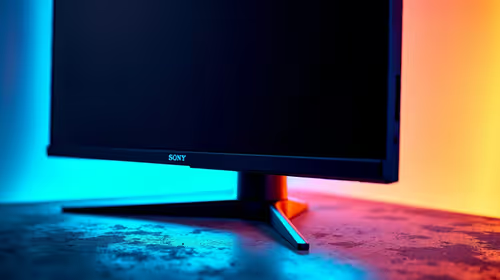
Best AMD Monitor Under R2000 in SA 2026
Top AMD Monitor Under R2000 picks evaluated on performance, value & SA availability with current Rand pricing from Evetech.
Read moreTop 1440p Monitor Under R25000 picks evaluated on performance, value & SA availability with current Rand pricing from Evetech.

The best 1440p monitor under R25,000 in South Africa for 2026 balances 27-inch IPS panels at 165-240Hz with proper HDR support and ergonomic stands. Top picks include 240Hz IPS gaming monitors, OLED 27-inchers near the R25k cap, and creator-grade panels with 99% sRGB coverage.
This budget puts you in genuinely premium territory locally. You're choosing between high-refresh IPS panels at 240Hz or stepping into entry-level QD-OLED at 240Hz with HDR400 True Black. For most SA buyers, a 27-inch 1440p IPS at 240Hz delivers the sweet spot: fast response times under 1ms, accurate colour out of the box, and no burn-in worries. OLED is gorgeous but requires more careful use, especially if you mix gaming with productivity all day.
A 27-inch 1440p 240Hz IPS panel with G-SYNC compatibility and FreeSync Premium Pro hits around R12,000-R16,000 from local stock. Stepping up to 280Hz IPS or 240Hz QD-OLED takes you closer to the R20,000-R24,000 range. Look for panels with HDMI 2.1 if you also game on PS5 or Xbox Series X, since older HDMI 2.0 caps you at 120Hz at 1440p. Evetech ships these panels with local warranty support, which beats hoping international RMAs come back.
A 1440p 240Hz panel deserves a GPU that can drive it. The RTX 5070 or RX 9070 hit 200+ FPS in most esports titles at 1440p, while AAA games at high settings reach 100-140 FPS. Below that GPU tier, you're not getting full value from the panel. SA NSFAS students should consider 1440p 165Hz IPS options closer to R8,000 instead, then upgrade later when the GPU lands.
For mixed gaming and movie watching, yes. For competitive gaming alone, modern 240Hz IPS panels with KSF backlights match OLED in motion clarity and avoid burn-in concerns from static UI elements.
27 inches is the textbook choice for 1440p, giving you sharp pixel density without scaling. 32-inch 1440p panels show visible pixels at desk distance and feel less crisp.
Not at 1440p. DisplayPort 1.4 with DSC handles 1440p 240Hz and 480Hz comfortably. Save DP 2.1 considerations for 4K high-refresh setups.
Ready to Find Your Perfect Match? Find your perfect 1440p monitor in stock right now. Shop monitors
Best 1440p Monitor Under R25000 in South available at Evetech.co.za with local warranty and fast delivery.
Best 1440p Monitor Under R25000 in South - check Evetech for latest stock and SA pricing.
Depends on your use case. Best 1440p Monitor Under R2500 offers good value at current Rand pricing.
Top AMD Monitor Under R2000 picks evaluated on performance, value & SA availability with current Rand pricing from Evetech.
Read more
UJ Eng: Monitor Setup Under R15000. Clear setup instructions with SA-specific considerations, troubleshooting tips & recommended components.
Read more
Top NZXT Monitor Under R15000 picks evaluated on performance, value & SA availability with current Rand pricing from Evetech.
Read more
Top 240Hz Monitor Under R20000 picks evaluated on performance, value & SA availability with current Rand pricing from Evetech.
Read more
Top Budget 4K monitor Under R5000 Gamers picks evaluated on performance, value & SA availability with current Rand pricing from Evetech.
Read more
Stellenbosch Arch: Monitor Setup Under R15000. Clear setup instructions with SA-specific considerations, troubleshooting tips & recommended components.
Read more
CS2 Low FPS: Monitor Bottleneck. Real-world benchmark data, FPS numbers & performance analysis. What SA gamers can actually expect.

Is AOC a Good Monitor Brand for Gaming in South Africa Detailed answer with SA data, expert analysis & practical recommendations for local buyers.

What Gaming Monitor Can You Get for R20,000. Full parts list, Rand pricing & expected performance. Build confidently with SA-available components.

What Gamers Actually Bought: November Report. Real purchase data from SA retailers revealing what local buyers are actually choosing and why.

Can the RX 7700 XT Handle 1440p 144Hz Gaming. Performance testing verdict with real data & practical recommendations for SA buyers.

Top Laptop with Core i7 + RX 7700S: Picks picks evaluated on performance, value & SA availability with current Rand pricing from Evetech.

RX 7700 XT Black Myth Wukong 2 FPS: Performance. Real-world benchmark data, FPS numbers & performance analysis. What SA gamers can actually expect.

RTX 6080 Gran Turismo 7 PC Performance: FPS Test. Real-world benchmark data, FPS numbers & performance analysis. What SA gamers can actually expect.

Setting Up Monitor Light. Tested & verified settings for best FPS and visual quality on SA hardware budgets.

Assassins Creed Shadows Ultrawide Support: 21:9. Clear setup instructions with SA-specific considerations, troubleshooting tips & recommended components.

Complete Gaming Setup Guide for the Collector. Clear setup instructions with SA-specific considerations, troubleshooting tips & recommended components.

Will the Steam Deck 2 Have an OLED Screen? Leaked. Plain-English explanation of what it means, why it matters & how it affects your buying decisions in SA.